Where does the bug appear (feature/product)?
Cursor IDE
Describe the Bug
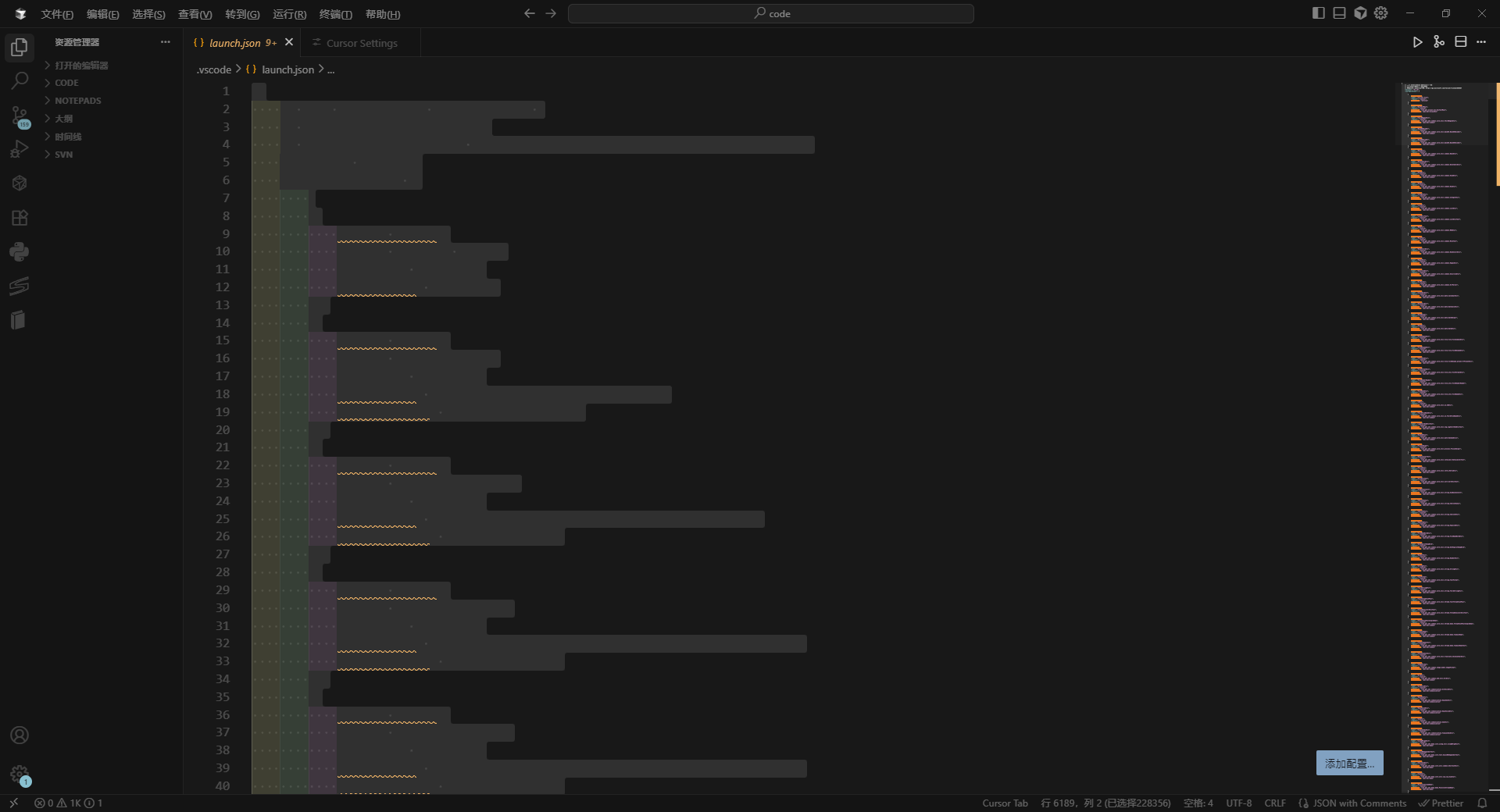
I’ve hit a strange and frustrating bug where the actual text content (my code and files) in the editor pane is totally invisible. The screen just shows a solid dark background where the content should be.
It’s clear the content is there, just not being drawn correctly, because:
The line numbers on the side are showing up fine.
If I use Ctrl + A or try to select text with my mouse, the selection outline appears perfectly.
The cursor moves and I can type, and the text is inserted in the right place, but I can’t see it!
Essentially, the editor seems to be rendering everything except the actual text characters. This makes using the editor impossible.
Steps to Reproduce
Launch Cursor.
Open any file.
The Result: The file opens, but the text inside is invisible.
Expected Behavior
I expect the file’s text content to be clearly visible so I can read and edit my code.
Screenshots / Screen Recordings
Operating System
Windows 10/11
Current Cursor Version (Menu → About Cursor → Copy)
版本: 1.7.53 (system setup)
提交: 1.99.3
日期: ab6b80c19b51fe71d58e69d8ed3802be587b3410
Electron: 2025-10-20T19:15:58.572Z
ElectronBuildId: 34.5.8
Chromium: undefined
Node.js: 132.0.6834.210
V8: 20.19.1
OS: 13.2.152.41-electron.0
Additional Information
I’ve already tried several common fixes, but none have worked:
Extensions: I removed/disabled all custom theme and coloring extensions.
Reinstall: I completely uninstalled and reinstalled Cursor.
Hardware Acceleration: I tried disabling GPU hardware acceleration, but this did not resolve the rendering issue.
Themes: The issue happens even on the default dark theme.
Does this stop you from using Cursor
Yes - Cursor is unusable
