What if your company’s repetitive email and Excel workflows could be automated locally — without relying on cloud LLM APIs or replacing your existing ERP?
I’ve been exploring this problem through TITAN, a local AI automation system powered by Qwen2.5:7B via Ollama, running on an RTX 4060 with 8GB VRAM.
Drawing on 7 years of industrial PLC/CIM control engineering, I approached this from a different perspective:
Instead of trusting an LLM to always produce correct answers, how do we prevent unverified output from becoming an accepted business result?
Prompt engineering alone isn’t enough. Small language models can miscalculate multi-item invoices, fabricate missing identifiers, or lose task context across email exchanges.
My solution is a two-layer architecture with deterministic verification and fail-closed acceptance controls.
 Architecture: Two Layers, Separate Responsibilities
Layer 1 — Local LLM (Qwen2.5:7B)
Semantic normalization only.
- Parses messy multilingual emails (EN / ZH / JA).
- Converts extracted information into a canonical JSON schema.
- Does not serve as the authority for arithmetic calculations.
- Missing information is not treated as permission to invent values.
Layer 2 — Python Deterministic Verifier & Decimal Engine
The acceptance boundary.
- Numeric Grounding: Extracted prices, quantities, and identifiers are checked against their original source text.
- Fail-Closed Interlock: Missing mandatory information triggers rejection. Unverified Tax IDs are marked
[TBD]rather than fabricated. - Stateful Email Handling: Direct email replies can append or revise existing items while maintaining the associated task context.
The project also includes build-time AST checks, including an 800-line file limit and restrictions on hardcoded test literals.
 Demonstrated Business Workflows
1. Multi-Item Purchase Order vs. Invoice Auditing
Identifies discrepancies in unit prices, quantities, and vendor calculations across email exchanges.
Example:
- Actual calculation:
$85 × 30 = $2,550 - Vendor’s claimed total:
$2,850
The discrepancy is flagged rather than silently accepted.
2. Automated Customs Declaration Preparation
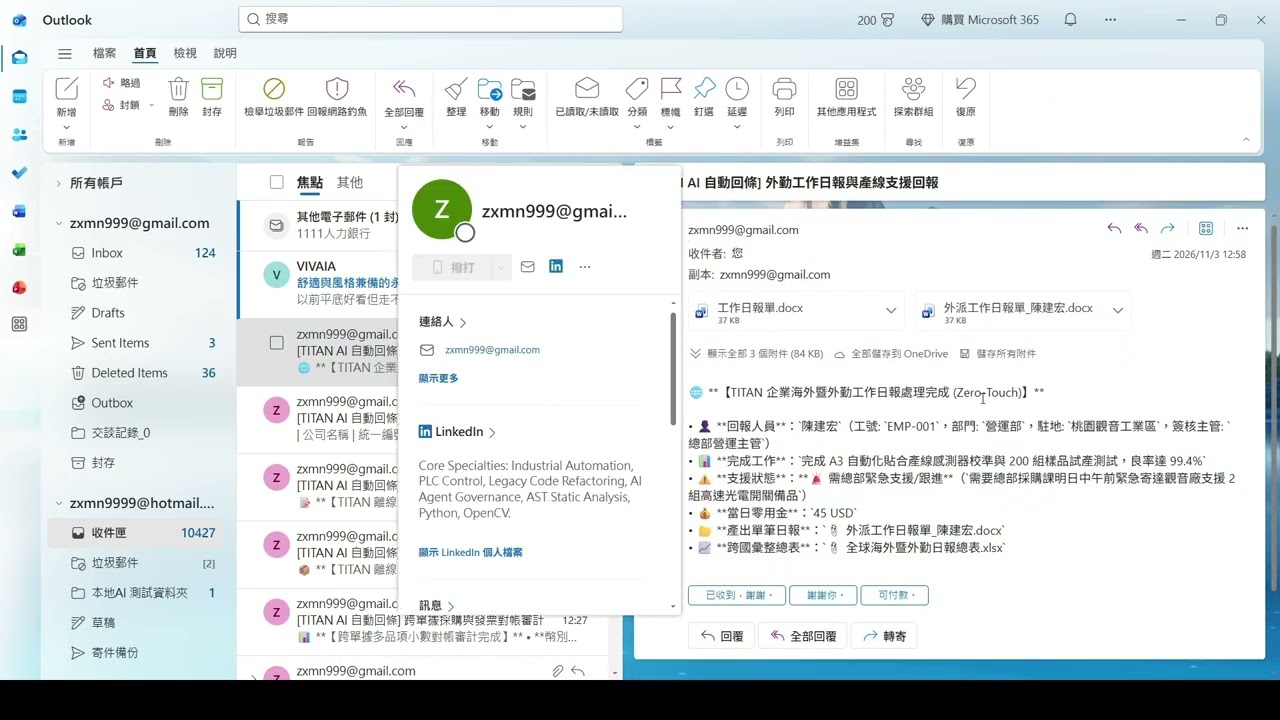
Structures product information and maps it against configured local HS-Code references, preparing .xlsx and .docx documents.
3. Business Card Structuring & Field Reports
- English / Japanese information extraction and translation.
- Structured Excel report generation.
- Missing or unverified fields explicitly marked as
[TBD]. - Potential risks highlighted directly in Excel reports.
 Why Local AI Matters
For businesses handling purchasing records, supplier information, internal correspondence, and operational documents, data handling is an important consideration.
TITAN explores an alternative deployment model:
- Local LLM inference through Ollama.
- No dependency on cloud LLM APIs for inference.
- Runs alongside existing business workflows rather than requiring an ERP replacement.
- Deterministic verification before business outputs are accepted.
 Actual Demonstration
I’ve completed an uncut video demonstration covering the actual email-driven automation workflow.
The video and live email sandbox are available in my first reply below.
For anyone interested in local LLM reliability, enterprise automation, or on-premise AI deployment, I welcome technical discussions.
The objective isn’t to make an LLM promise that it will never make mistakes. It’s to engineer a system that knows when not to trust its output.
 Live Email Sandbox (How to Test)