Where does the bug appear (feature/product)?
Cursor IDE
Describe the Bug
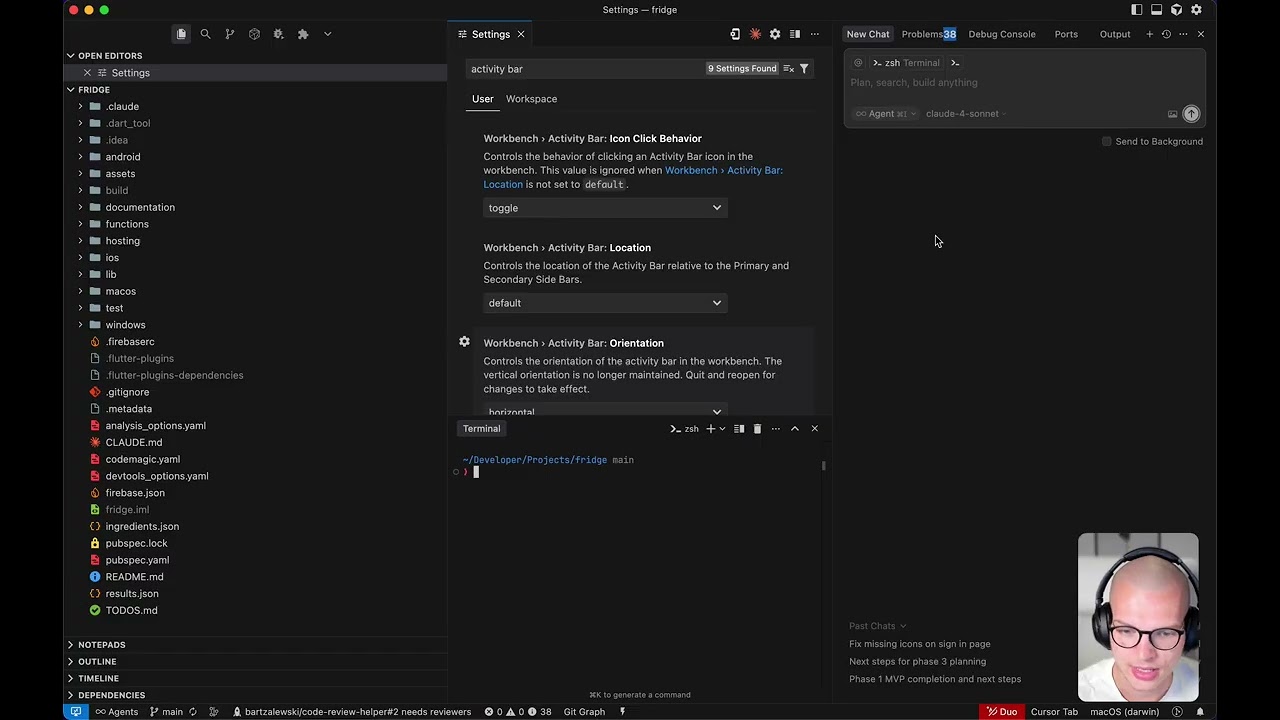
With Activity Bar orientation set to horizontal, two major problems appear:
-
Focus jumps to Terminal
Any click inside an AI Chat tab (buttons, past chats, mode/model switches, “Send,” etc.) randomly shifts focus to the running Terminal tab. -
Sidebar resize misbehaves
Double-clicking the border of the Primary or Secondary sidebar expands both sidebars to full width instead of snapping them to their minimal width.
Neither issue occurs when the Activity Bar is in its vertical orientation.
Steps to Reproduce
- Enable:
- Workbench › Activity Bar › Location → “default”
- Workbench › Activity Bar › Orientation → “horizontal”
-
Move bottom panel views (Terminal, Problems, Debug Console, Output, etc.) to the Secondary Sidebar (Cmd + J, then drag).
-
Open an AI Chat, interact for 1–2 minutes, then click any element in the Chat tab.
→ Focus jumps to the active Terminal tab. -
Double-click the right edge of the Primary sidebar.
→ Both sidebars expand to maximum width.
Expected Behavior
- Clicking anywhere inside an AI Chat tab should leave focus on that tab.
- Double-clicking a sidebar border should collapse it to its minimal width (same as in vertical orientation).
Operating System
MacOS
Current Cursor Version (Menu → About Cursor → Copy)
Version: 1.5.7
VSCode Version: 1.99.3
Commit: 6aa7b3af0d578b9a3aa3ab443571e1a51ebb4e80
Does this stop you from using Cursor
Sometimes - I can sometimes use Cursor