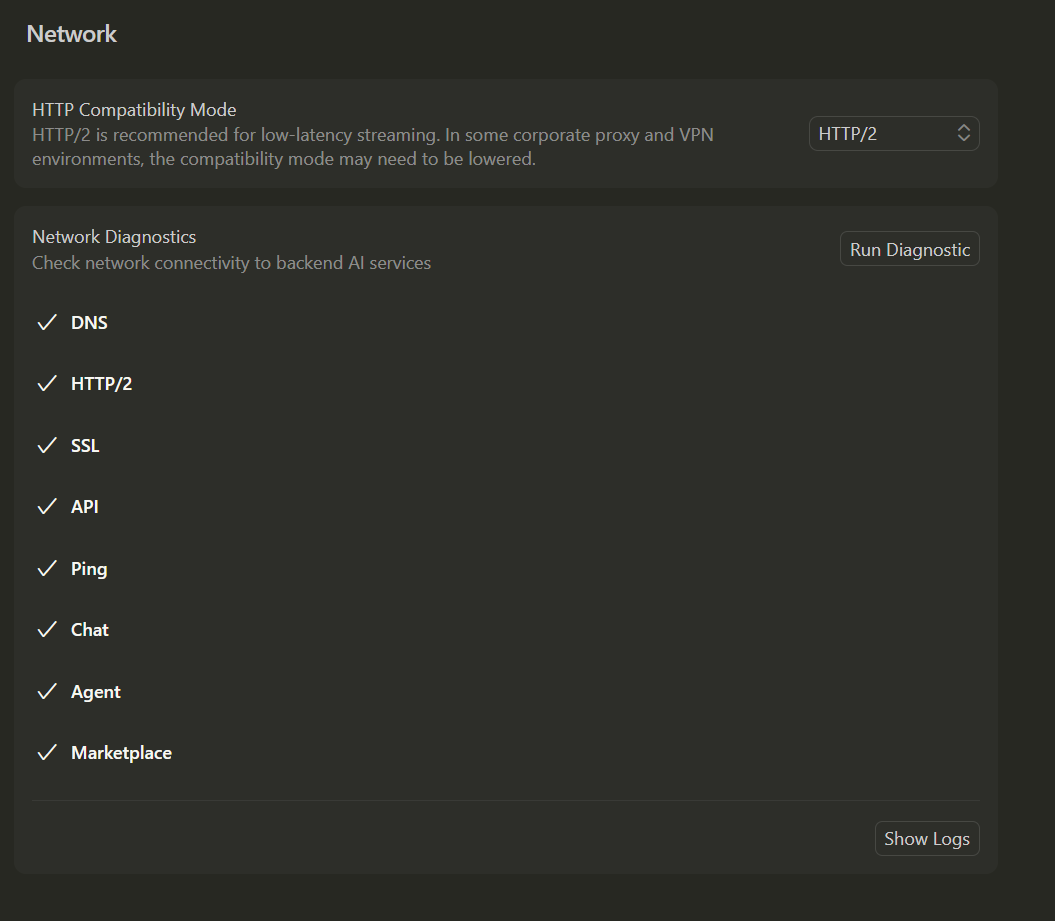
Where does the bug appear (feature/product)?
Cursor IDE
Describe the Bug
When I attempt to work with GPT models now, they never actually get past the first few tokens of thinking before reporting that the model is unreachable. I have attempted to disable HTTP2 (per a conversation I read here about a similar issue). This is not intermittent per se - I just can’t use them and haven’t been able to use them since this past weekend. Prior to that, everything worked fine. I am able to use all other models without any issue. The only intermittent piece is that sometimes I get a few tokens (just got plan mode to ask two questions, then nothing happened after I responded), other times it just spins on “planning next moves” then drops out. I have tried codex and regular GPT in various thinking levels with the same results for all. This happens in new sessions, current sessions, with or without attachments, etc…
I haven’t made any changes to my network config at home or on my PC since they last worked.
Request ID: 9f048658-7b9c-4bd9-b718-5fef9314b16d
{“error”:“ERROR_OPENAI”,“details”:{“title”:“Unable to reach the model provider”,“detail”:“We’re having trouble connecting to the model provider. This might be temporary - please try again in a moment.”,“additionalInfo”:{},“buttons”:,“planChoices”:},“isExpected”:false}
ConnectError: [unavailable] Error
at tBc.$endAiConnectTransportReportError (vscode-file://vscode-app/c:/Program%20Files/cursor/resources/app/out/vs/workbench/workbench.desktop.main.js:6625:446993)
at fPo._doInvokeHandler (vscode-file://vscode-app/c:/Program%20Files/cursor/resources/app/out/vs/workbench/workbench.desktop.main.js:7298:22831)
at fPo._invokeHandler (vscode-file://vscode-app/c:/Program%20Files/cursor/resources/app/out/vs/workbench/workbench.desktop.main.js:7298:22573)
at fPo._receiveRequest (vscode-file://vscode-app/c:/Program%20Files/cursor/resources/app/out/vs/workbench/workbench.desktop.main.js:7298:21335)
at fPo._receiveOneMessage (vscode-file://vscode-app/c:/Program%20Files/cursor/resources/app/out/vs/workbench/workbench.desktop.main.js:7298:20152)
at nRt.value (vscode-file://vscode-app/c:/Program%20Files/cursor/resources/app/out/vs/workbench/workbench.desktop.main.js:7298:18244)
at Ee._deliver (vscode-file://vscode-app/c:/Program%20Files/cursor/resources/app/out/vs/workbench/workbench.desktop.main.js:49:2962)
at Ee.fire (vscode-file://vscode-app/c:/Program%20Files/cursor/resources/app/out/vs/workbench/workbench.desktop.main.js:49:3283)
at Hmt.fire (vscode-file://vscode-app/c:/Program%20Files/cursor/resources/app/out/vs/workbench/workbench.desktop.main.js:6610:12156)
at MessagePort. (vscode-file://vscode-app/c:/Program%20Files/cursor/resources/app/out/vs/workbench/workbench.desktop.main.js:9346:18433)
Steps to Reproduce
Open latest Cursor (I get nightly builds) in Windows 11.
Start new session
Choose a gpt model and send a prompt.
Expected Behavior
Model actually responds.
Operating System
Windows 10/11
Current Cursor Version (Menu → About Cursor → Copy)
Version: 2.2.0-pre.22.patch.0 (system setup)
VSCode Version: 1.105.1
Commit: 1459faeb76c672cfa094b4b4d028112ec5f8bed0
Date: 2025-12-02T08:24:16.317Z
Electron: 37.7.0
Chromium: 138.0.7204.251
Node.js: 22.20.0
V8: 13.8.258.32-electron.0
OS: Windows_NT x64 10.0.22631
For AI issues: which model did you use?
Gpt-5.1-codex (medium, high)
GPT-5.1 (medium, high)
Does this stop you from using Cursor
No - Cursor works, but with this issue