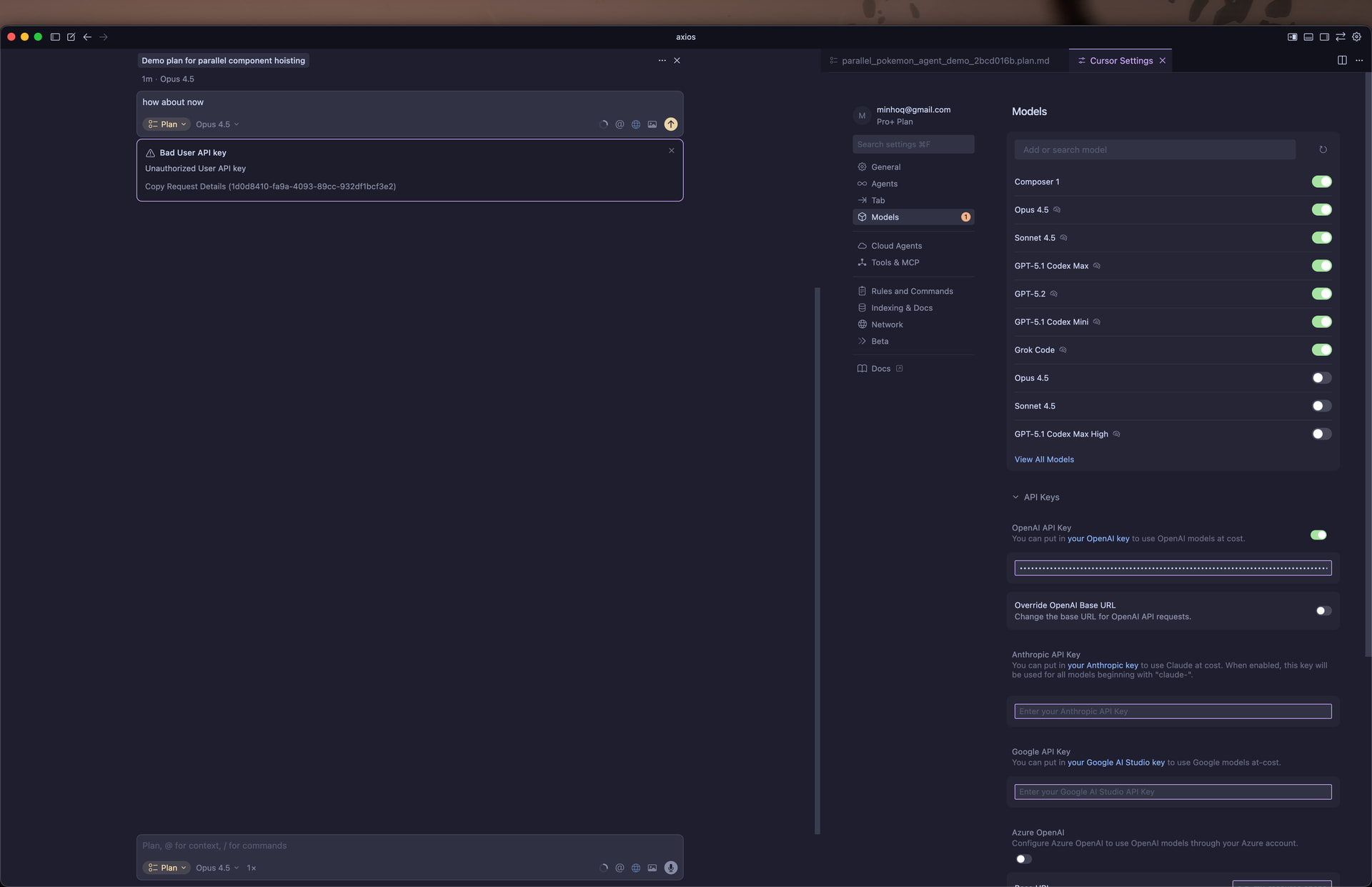
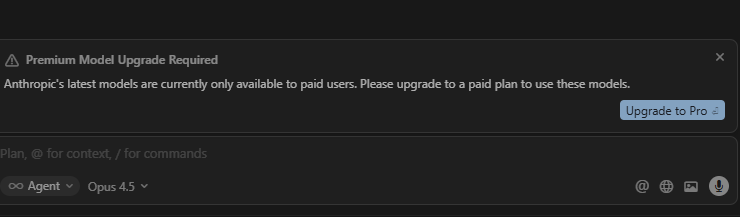
Bug Description: Anthropic (Claude) API Key Not Working in Cursor
When adding a personal Anthropic Claude API key to Cursor, all Claude model requests fail with the following error:
“Bad User API key / Unauthorized User API key.”
This happens even when the API key is valid, active, and verified to work outside of Cursor using direct API calls. Cursor rejects the key immediately, preventing any Claude-based chat, completion, or agent actions.
The issue occurs regardless of:
regenerating new Anthropic API keys
restarting Cursor
confirming that billing is active
verifying that the API key is copied exactly as shown
Cursor’s built-in Claude access still works, but custom Anthropic API keys cannot be used, blocking users from leveraging their paid Anthropic API subscriptions inside Cursor.
This appears to be a Cursor-side validation or integration issue where valid Anthropic keys are incorrectly treated as unauthorized.
Steps to Reproduce
Steps to Reproduce
Open Cursor.
Go to Settings → API Keys.
Enable the toggle: Use my own Anthropic (Claude) key.
Paste a valid Anthropic API key (sk-ant-...) from the Anthropic Console.
Open a new chat and switch the model to Claude 3.5 Sonnet / Claude 3.5 Haiku.
Send any message (e.g., “Hello”).
Cursor immediately returns the error:
“Bad User API key / Unauthorized User API key.”
Regenerating new keys, restarting Cursor, or re-entering the key produces the exact same error.
Expected Behavior
Expected Behavior
Cursor should:
Accept the valid Anthropic key
Authenticate properly with Anthropic’s API
Allow the user’s own Claude subscription to be used
Enable Claude models within Cursor (chat, agents, codegen)
Users should see normal Claude responses—not authentication errors.
It looks like you’ve hit a known bug with the “Override OpenAI Base URL” toggle, which breaks Anthropic requests and returns “Bad User API key / Unauthorized.” Confirmation and workaround here:
Hey! That was really helpful. I’m running into a new error after following your steps. After looking into it more, it seems like the Anthropic key is still being sent to the OpenAI API URL. Here’s the error I’m seeing:
Request ID: 0e63e67e-f32c-454a-8553-a41f829c0db5
{“error”:“ERROR_OPENAI”,“details”:{“title”:“Unable to reach the model provider”,“detail”:"We encountered an issue when using your API key: Provider was unable to process your request\n\nAPI Error:\n\n```\nRequest failed with status code 404: {\“type\”:\“error\”,\“error\”:{\“type\”:\“not_found_error\”,\“message\”:\“model: claude-4.5-sonnet\”
I also restarted and reloaded cursor. If this is a bug, I would this this would be a priority to address. I can’t imagine I am the only having this issue and wanting to use claude without eating up my tokens.
Just wanted to add that this is happening for me as well now too. The original error, and I never had a base URL change or anything.
Specifically, my instance is that I have an OpenAI API key, enabled, I use Cursor Pro +, and I’m trying to use Opus 4.5 through Cursor (thus, my Open AI API key shouldn’t be being used). However, I’m getting an error and thus is breaking. Adding my Request ID down below and my screenshot
Here’s my request ID:Request ID: 1d0d8410-fa9a-4093-89cc-932df1bcf3e2
{“error”:“ERROR_BAD_USER_API_KEY”,“details”:{“title”:“Bad User API key”,“detail”:“Unauthorized User API key”,“isRetryable”:false,“additionalInfo”:{},“buttons”:,“planChoices”:},“isExpected”:true}
ConnectError: [unauthenticated] Error
at _Gc.$endAiConnectTransportReportError (vscode-file://vscode-app/Applications/Cursor.app/Contents/Resources/app/out/vs/workbench/workbench.desktop.main.js:12155:455960)
at lBo._doInvokeHandler (vscode-file://vscode-app/Applications/Cursor.app/Contents/Resources/app/out/vs/workbench/workbench.desktop.main.js:12807:22831)
at lBo._invokeHandler (vscode-file://vscode-app/Applications/Cursor.app/Contents/Resources/app/out/vs/workbench/workbench.desktop.main.js:12807:22573)
at lBo._receiveRequest (vscode-file://vscode-app/Applications/Cursor.app/Contents/Resources/app/out/vs/workbench/workbench.desktop.main.js:12807:21335)
at lBo._receiveOneMessage (vscode-file://vscode-app/Applications/Cursor.app/Contents/Resources/app/out/vs/workbench/workbench.desktop.main.js:12807:20152)
at $Lt.value (vscode-file://vscode-app/Applications/Cursor.app/Contents/Resources/app/out/vs/workbench/workbench.desktop.main.js:12807:18244)
at Ee._deliver (vscode-file://vscode-app/Applications/Cursor.app/Contents/Resources/app/out/vs/workbench/workbench.desktop.main.js:49:2962)
at Ee.fire (vscode-file://vscode-app/Applications/Cursor.app/Contents/Resources/app/out/vs/workbench/workbench.desktop.main.js:49:3283)
at Cvt.fire (vscode-file://vscode-app/Applications/Cursor.app/Contents/Resources/app/out/vs/workbench/workbench.desktop.main.js:12140:12156)
at MessagePort. (vscode-file://vscode-app/Applications/Cursor.app/Contents/Resources/app/out/vs/workbench/workbench.desktop.main.js:14806:18433)
I have my pro claude api key. I added it to the anthropic api key field on the cursor model setting page. If I select opus 4.5 model, and run the agent, then I see this error.
My OS is Windows 11 and I am using updated cursor app.