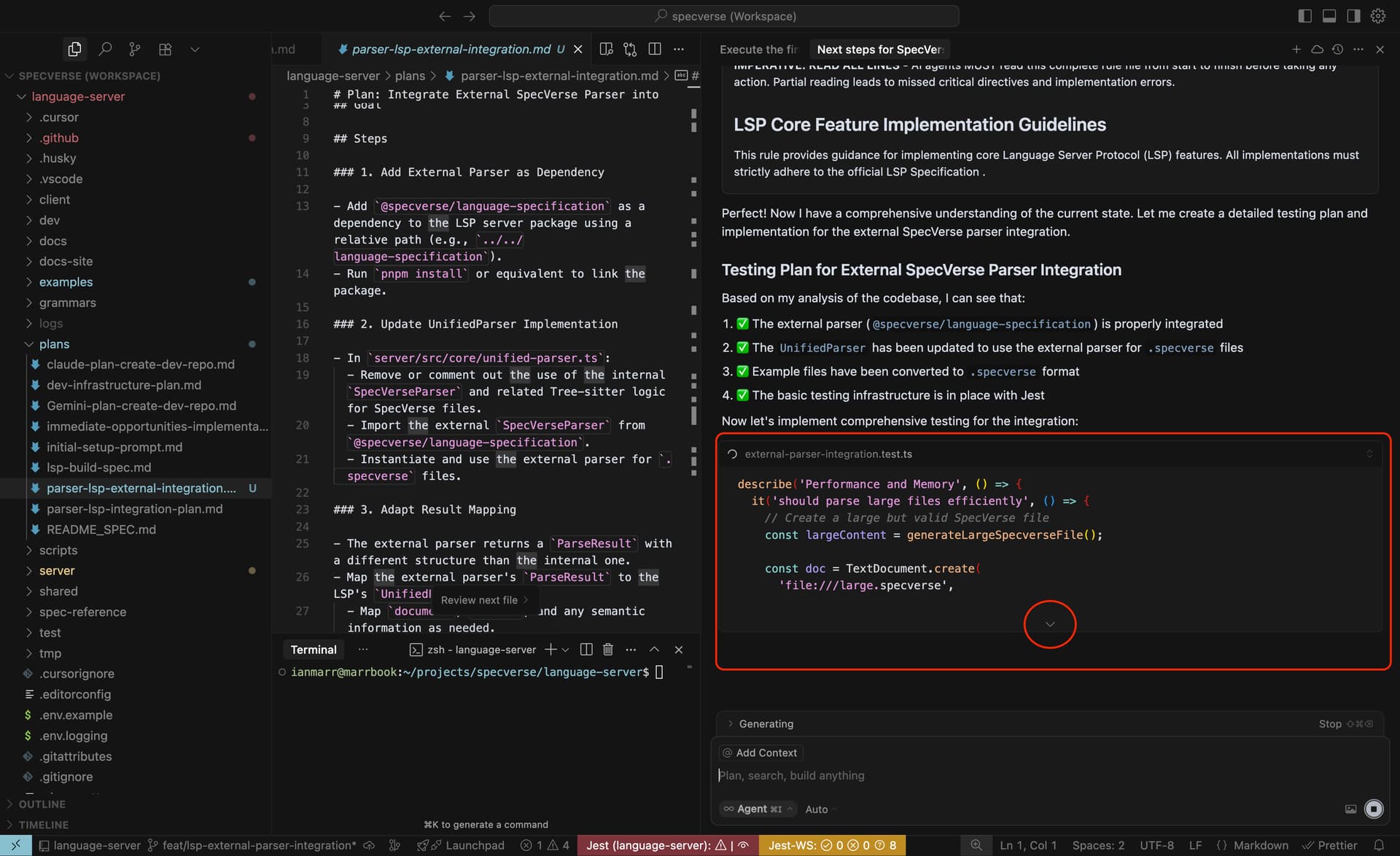
I suggest adding a setting to automatically expand command (cmd) output by default in the chat panel in Cursor. Currently, the output requires manual expansion via the “Output” tab, which can be inconvenient when reviewing multiple commands or debugging within the chat panel. Auto-expanding would streamline workflows by allowing you to view output before running the following command. A toggle in the settings to enable/disable this feature would be ideal.
Benefits:
Saves time by eliminating the need to click through outputs in the chat panel.
Improves visibility for debugging and progress tracking.
Enhances user experience for frequent command users.
Suggested Implementation:
Add a checkbox in the Settings > Chat labelled “Auto-expand command output by default.”
Another thought - referencing the image below/attached - I like the way you present file edits in-line within Agent Chats using a small default window with a dropdown arrow to expand it. This style could also be applied to Shell output.
Previously, the default behavior showed expanded output views, but the new default hides them. For users who rely on observing output closely, this adds some friction to the workflow.
I understand that some users prefer a cleaner interface with outputs collapsed, but changing the default without a configuration option to restore the previous behavior makes it harder for those of us who depend on the expanded view.
I rely heavily on watching the output during development, so having to expand each item manually or use keyboard shortcuts repeatedly becomes a bit tedious.
It would be great if there were a setting to choose the default behavior.