Where does the bug appear (feature/product)?
BugBot
Describe the Bug
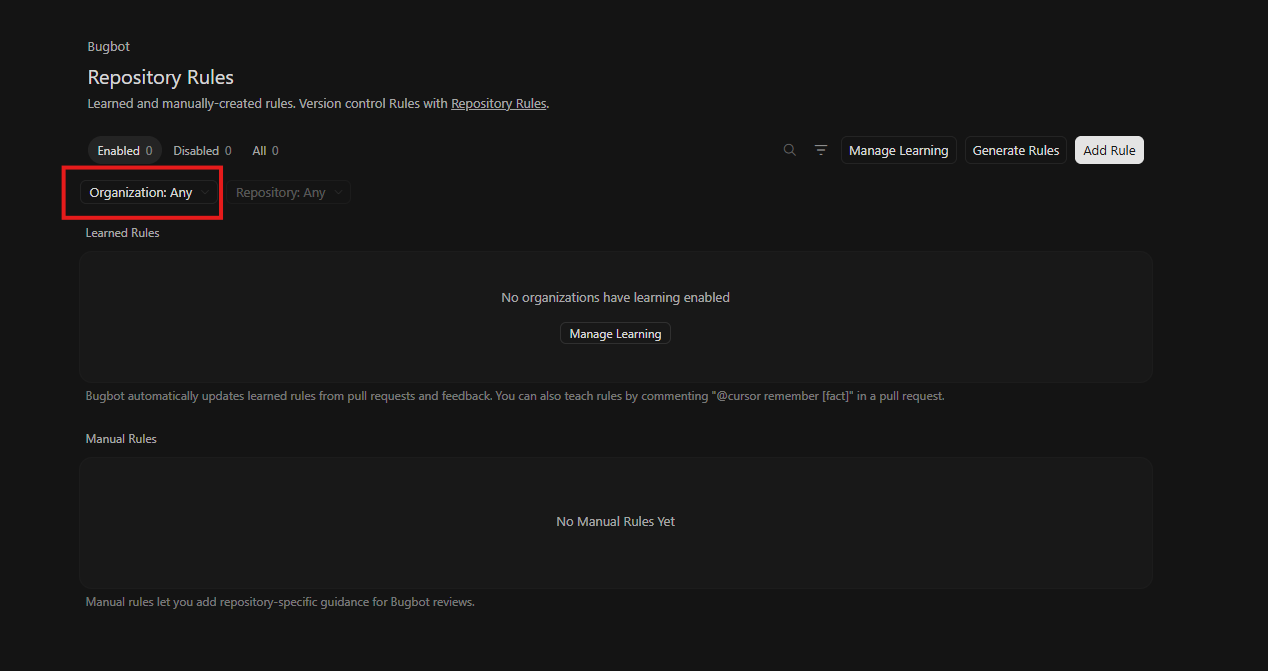
The organization selector crashes the page (white screen / full crash) in two places within the Repository Rules page: when accessed via the filter icon, and when accessed via the “Manage Learning” option.
Steps to Reproduce
Go to https://cursor.com/dashboard/bugbot/repository-rules (or navigate via Web → BugBot → Repository Rules)
Path A: Click the filter icon → click the organization selector → page crashes (white screen)
Path B: Click “Manage Learning” → click the organization selector → page crashes (white screen)
Expected Behavior
Clicking the organization selector should open a dropdown or modal allowing the user to select an organization, without crashing or showing a white screen.
Screenshots / Screen Recordings

Operating System
Windows 10/11
Version Information
Web Version
Additional Information
The crash is reproducible via two independent entry points on the same page, suggesting the organization selector component itself may be the source of the error rather than the specific trigger. No error message is shown — the page goes blank.
Does this stop you from using Cursor
Yes - Cursor is unusable