Describe the Bug
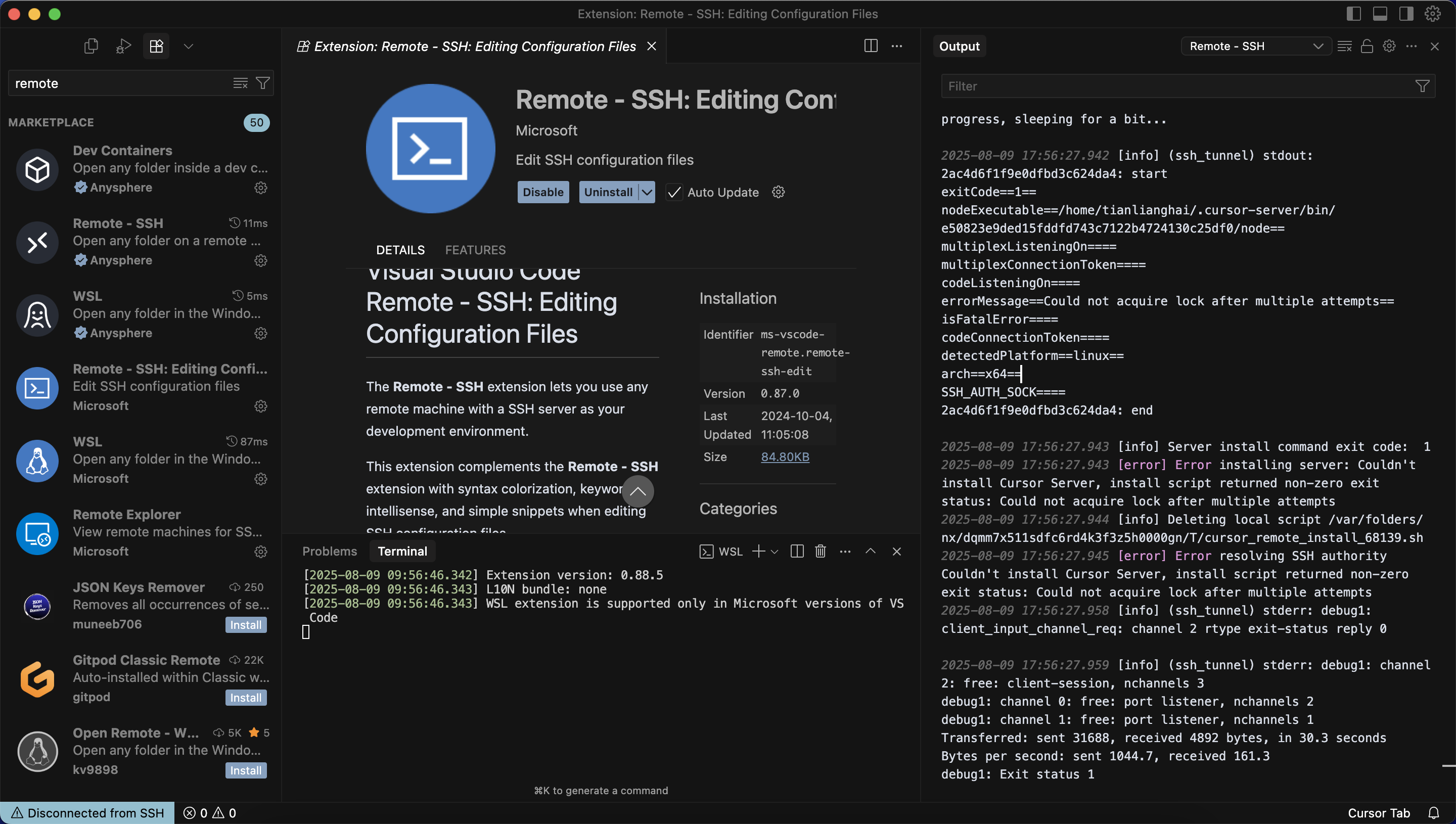
I have multiple remote machine, I can connect to one, but not the other. I have removed everything in .cursor_server and ls /tmp/ | grep cursor, then retry connect to remote, still not working. the error is like this:
info] Server install command exit code: 1
2025-08-09 17:56:27.943 [error] Error installing server: Couldn’t install Cursor Server, install script returned non-zero exit status: Could not acquire lock after multiple attempts
2025-08-09 17:56:27.944 [info] Deleting local script /var/folders/nx/dqmm7x511sdfc6rd4k3f3z5h0000gn/T/cursor_remote_install_68139.sh
2025-08-09 17:56:27.945 [error] Error resolving SSH authority Couldn’t install Cursor Server, install script returned non-zero exit status: Could not acquire lock after multiple attempts
2025-08-09 17:56:27.958 [info] (ssh_tunnel) stderr: debug1: client_input_channel_req: channel 2 rtype exit-status reply 0
Steps to Reproduce
- just install remote ssh extension by anysphere, and click connect to remote, after waiting for a long time, the debug message is shown.
However, If I just use remote extension by miscrosoft, the problem seems can bypass.
Screenshots / Screen Recordings
Operating System
MacOS
Current Cursor Version (Menu → About Cursor → Copy)
Version: 1.4.3 (Universal)
VSCode Version: 1.99.3
Commit: e50823e9ded15fddfd743c7122b4724130c25df0
Date: 2025-08-08T17:34:53.060Z
Electron: 34.5.1
Chromium: 132.0.6834.210
Node.js: 20.19.0
V8: 13.2.152.41-electron.0
OS: Darwin arm64 24.0.0
Does this stop you from using Cursor
Yes - Cursor is unusable