I had a lot more media to post but only posted what was allowed. Watch the video below for a full overview.
The project started as an animatic and pre-production storyboard editor. Over time, it evolved into something that rivals Resolve or Final Cut — but with ComfyUI fully integrated. I plan to keep building on it — I have a lot of ideas for where it could go.
The main goal is speed. I wanted a way to develop ideas without constantly jumping between different apps. In addition to editing and keyframing animation, you can run ComfyUI workflows directly inside the app.
I will be open sourcing it soon.
I think what makes me the perfect person to create something like this is that I have over 25 years in the visual effects industry, working on commercials, short form, long form features, etc.
Here’s a very high-level overview of the main tabs at the top:

- Editor**
Your primary workspace: timeline, preview, trimming, cutting, slipping, keyframing, and arranging clips — all in one place.
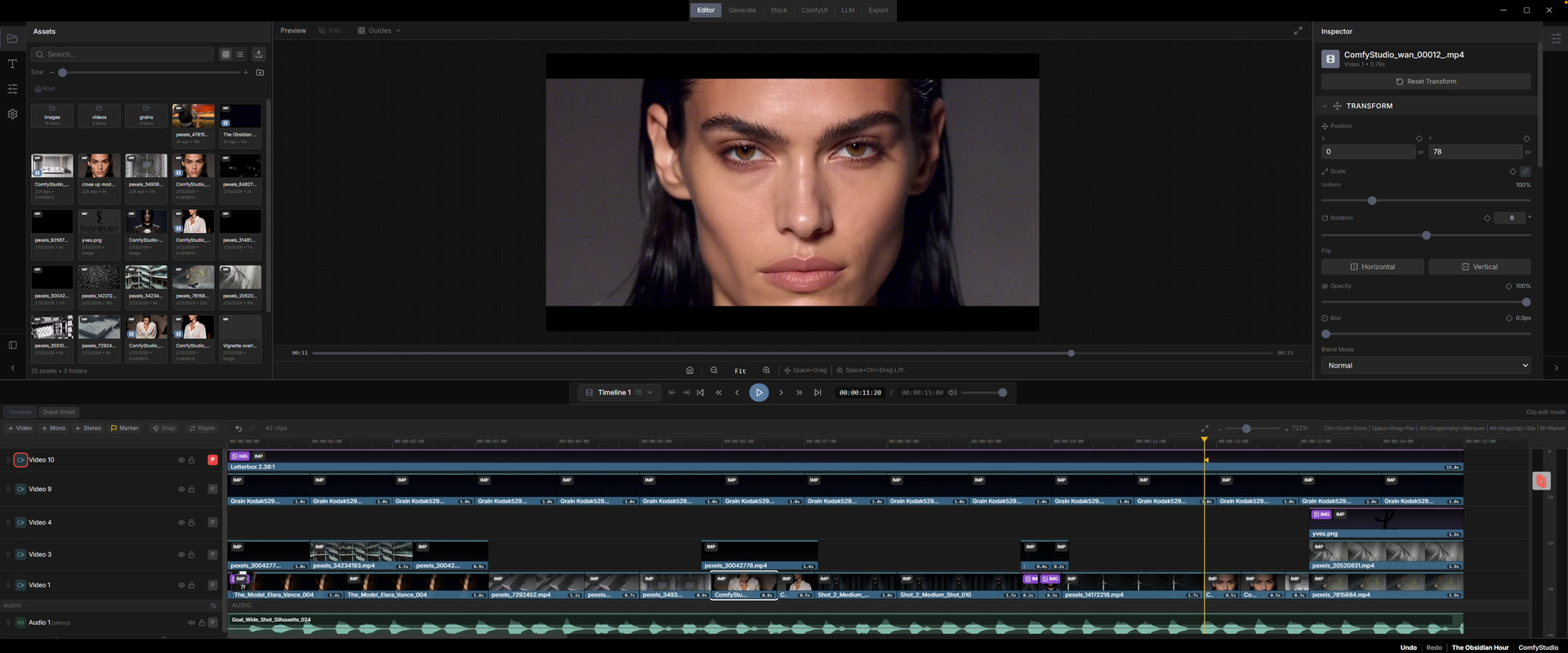
**
2. Generate**
Create images and video using ComfyUI directly inside the app. Select from a list of preloaded workflows, enter your prompt, and drop the results straight onto the timeline. Supports open source and paid premium models.
3. Stock
Search Pexels for stock photos and videos without leaving the app, then add them directly to your project.
**
4. ComfyUI**
Access the full ComfyUI interface when you want it — same nodes and workflows, just integrated into the environment. This tab is more geared toward advanced users who like building and tweaking workflows. I know the ComfyUI interface can feel intimidating to some people, so in Settings you can disable advanced features, which hides this tab and other complex options.
5. LLM
Chat with a local LLM for brainstorming, script writing, or prompt help without switching apps.
**
6. Export**
Render your timeline to a final video file. Set in/out points and export with audio in formats like H.264, H.265, or ProRes.
It’s taken me a little over a month to make this and that’s with a full-time job working 60hr weeks, getting a flu and balancing family life. Cursor helped ENORMOUSLY. I learned so much developing this. It 100% wouldn’t have been possible without Cursor. It’s insane what we can do with it.
Here’s a video I made after lots of interest on reddit. Sorry, the audio is REALLY rough. added captions to help.

If interested in my project, please follow me on
youtube form video above
and
X comfystudiopro