The agent is not working as previous one; it keeps thinking, exploring the codebase, and then ask you what to do again? and if it eventually make code changes, it underperforms
The update is terrible. My productivity has decreased by 2-3x…
It doesn’t automatically implement your feedback, but keeps reasoning and asking for permission to change something.
I can’t even use it; it is so bad i reverted back to the previous version
I absolutely despise the changes. I’d argue i’m 5-10x less productive. I’m having to explain so much to the agent, many times over, and the agent is totally messing up perfectly valid logic between interactions.
Hi James,
How did you do that?
Could you please post a full separate Bug Report with more info so we can see what goes wrong and fix issues or assist with usage Create Bug Report
Also add a Request ID with privacy disabled so we can look into the details? Getting a Request ID | Cursor Docs
In case someone has to revert to previous version, use Download · Cursor page and download version 1.7. Then temporarily set Update Mode to Manual. That way you can manually Check Updates. (later please re-enable. updates).
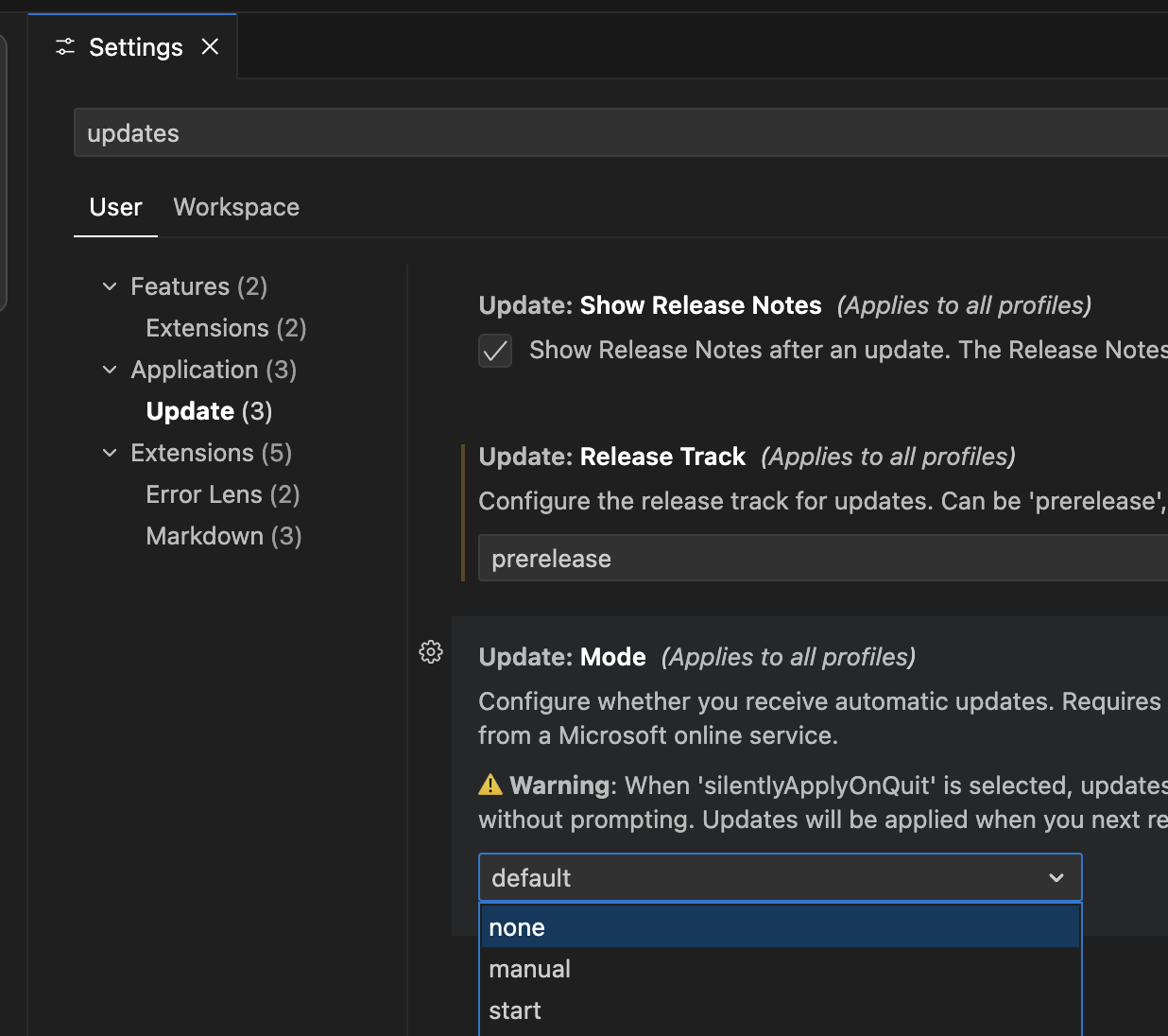
You can download the previous version by visiting this page: Download · Cursor and dowload 1.7
I had the same experience. I’m not paying for it. Jules is included for now. Even though it was more cumbersome going from this monster of a tool to trickle didn’t feel good. I cancelled my sub. It’s a bummer cuz I’ve had it less than a month.
Yeah, I’m also reverting back. Before, I was quite satisfied with the auto-model. Now it feels like a local 7b model - I’m not even near getting good solutions. Not sure what’s the reason, the model or the update. But it’s terrible.
I’ll try reverting to 1.7, hopefully it works better again then.
I’d be interested if the revert resolves Auto’s performance. It is possible that Auto was changed regardless of the IDE version.
i have exactly the same experience, the new auto model is really bad and pretty much not usable anymore for production ready code… please revert that back
Exactly the same now Auto is pretty useless generating 0 solutions
I have been using Auto for the past few hours for simple/moderate complex requests and its been adequate. I haven’t used Auto a lot recently, so maybe it has degraded from where it was a week ago and I haven’t noticed, but from my experience today it seems up to par.
yea, honestly I had big hopes from cursor 2.0 but I has hit back and mostly its only thinking and I feel like the performance of models have dropped as well
Disappointed with 2.0, switched back to 1.7 and turned off auto updates for now.
Same. I’m currently on 1.7.54 and I hope nothing critical breaks during the next cycle of my monthly Ultra plan so that I can keep using it.
Then, I hope either Cursor listens to the overwhelming negative feedback and does something about it, or we need to think towards other solutions…
yep the auto mode has got significantly worse. Have they changed the model? It is writing illogical code that breaks things then it doesn’t understand what it did to break it. Turns out most of the time it adds uneccessary styling rules but that’s really hard to reverse engineer as the user. It also argues with me. lol.
Agree. I was trying GPT 5 Codex High (I know it’s kinda mad at non-sense reasoning).
It was trying for “cd ….“ (a path) that’s all nothing else .. like wtf 
Auto is never one model. It changes based on what models are under utilized. I personally only use it for boiler plate stuff, since I want to know what model is actually doing the work when designing code.