Where does the bug appear (feature/product)?
Cursor IDE
Describe the Bug
For the last couple days around 70-80% of the time when I initiate a prompt in editor Cursor crashes in the middle of prompt response. Anyone experience this before? Screenshot of crash dialog box below. When restarting Cursor sometimes the editor just spins after I enter a prompt and never proceeds. Usually takes me another force quit on app and reopen until its usable again.
Steps to Reproduce
Simply just using the editor
Screenshots / Screen Recordings
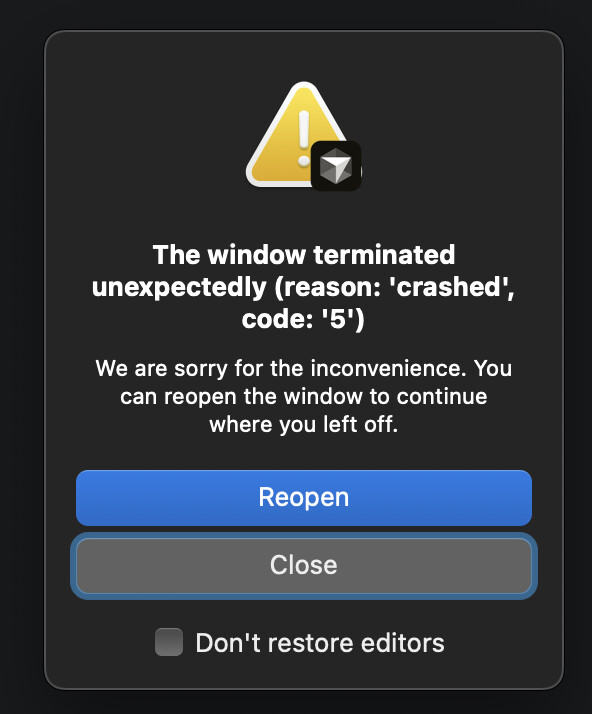
Operating System
MacOS
Current Cursor Version (Menu → About Cursor → Copy)
Version: 2.2.36 (Universal)
VSCode Version: 1.105.1
Commit: 55c9bc11e99cedd1fb93fbb7996abf779c583150
Date: 2025-12-18T06:25:21.733Z
Electron: 37.7.0
Chromium: 138.0.7204.251
Node.js: 22.20.0
V8: 13.8.258.32-electron.0
OS: Darwin arm64 24.5.0
Does this stop you from using Cursor
No - Cursor works, but with this issue