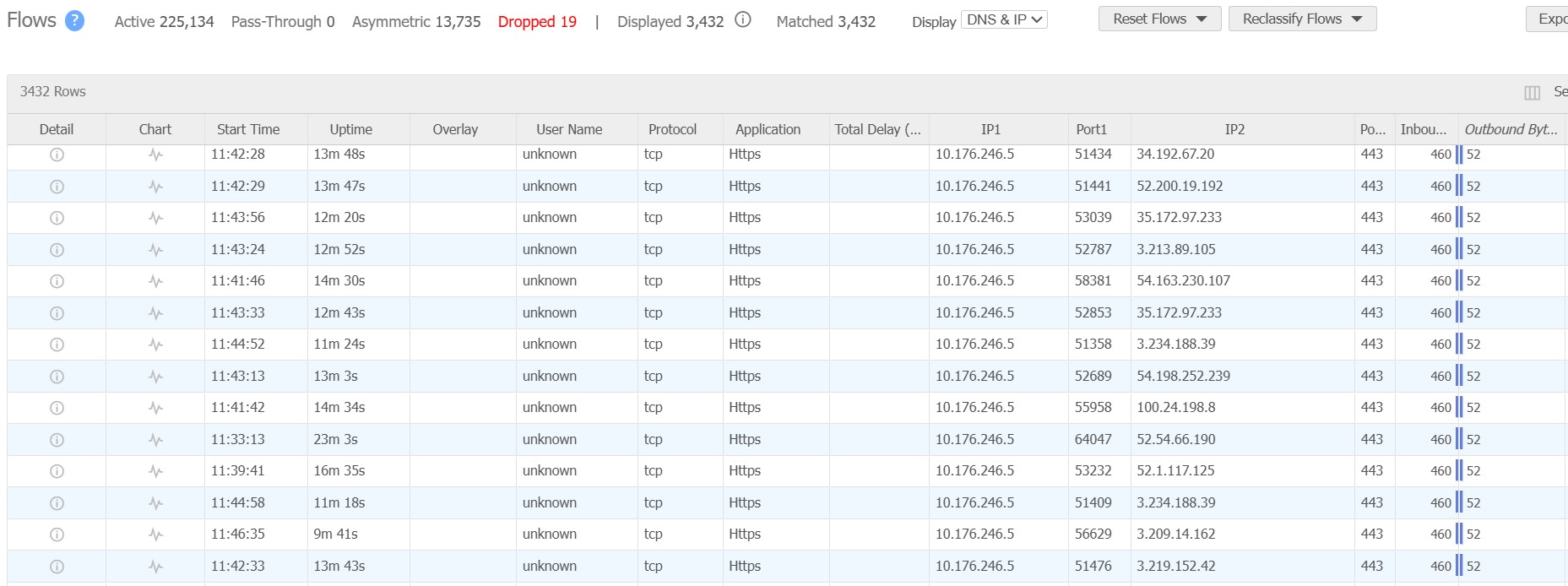
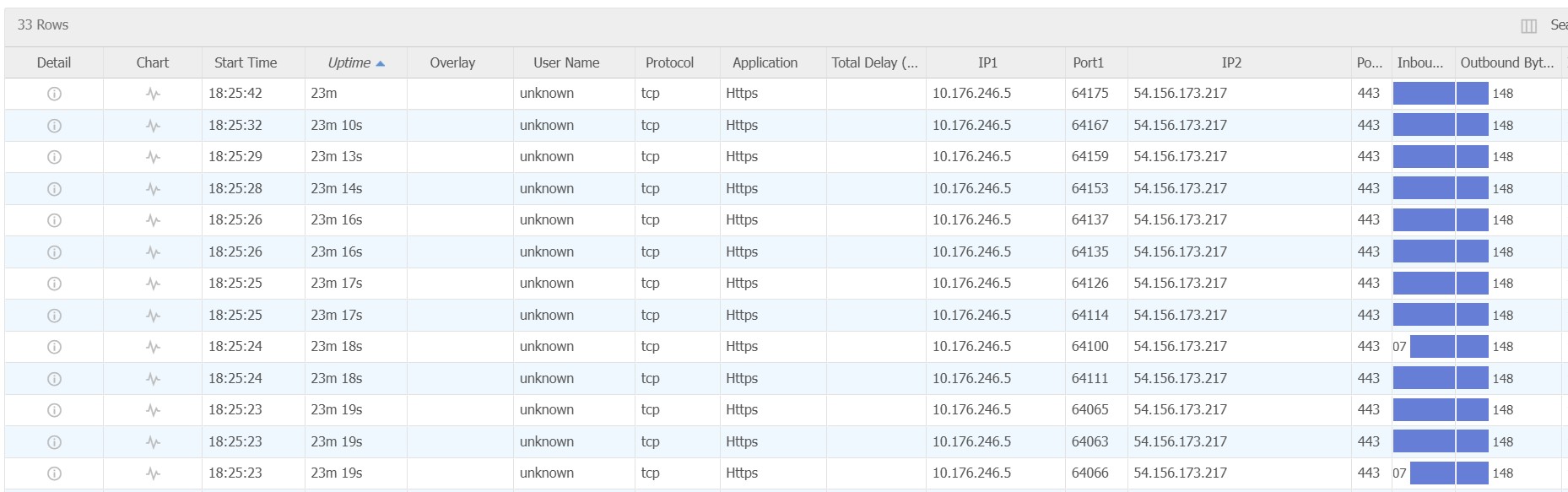
While using cursor for coding purposes, we noticed each cursor client created a huge amount of data flows to a whole bunch of AWS public IPs (various IPs of api2.cursor.sh, api3.cursor.sh). For each user, we saw up to 12000 active data flows (as a comparison a normal user without using cursor will only have 50-100 active flows). This is causing a problem to the company network as the network devices couldn’t handle that many flows. We did packet capture and had a look of those flows, they look like stale sessions with minimal packets sent/received. And they don’t get terminated until the default timeout value elapsed.
We have tried changing into privacy mode, stop indexing, and disabled the LLMs but to no avail. It’s still calling the cursor API to reach out to AWS.
Can you please provide some suggestions on how to mitigate this issue?
Thanks.
Steps to Reproduce
You just need to run cursor IDE and check the network flow table (or wireshark packet capture), then you will see this.
Expected Behavior
I don’t expect a single software to generate that many active flows. With each user generating 10k flows, 100 users will create 1 million flows simultaneously.
Confirm it’s TCP:443 (not UDP/QUIC) and attach a short pcap/log showing an example of “stuck” sessions.
If the issue persists after step 1, send 1-2 Request IDs from chats at the moment the connection count grows (chat menu → Copy Request ID), along with your Windows version and the result from Help → About.
Hi Dean, thanks for the reply. Let me attach some more info.
I checked the app settings for http/2, looks like it’s already disabled by default. We are not using a proxy in our environment, internet traffic goes throug the firewall and it doesn’t do any SSL inspection.
In the packet capture, you will see 54.156.173.217 as one of the IPs with stuck sessions.
hi @user1397 the connections to our IPs are expected. It seems something on your device/network/firewall is causing reconnections as that many are not common.
Are you running the Cursor application in a data center or with some other restrictions?
The network diagnostics show that even just a ping takes over 4 seconds, meaning something is interfering.
Chat responses that should be < 0.5 sec are taking 1-3 seconds and similar for Agent response streaming.
No, it’s just regular office environment. How does this “ping“ test work? Does it just run a ping to a public IP or there is something else involved? I don’t understand why it would take 4 seconds to get a response.
Ping is a TCP request to our servers which also handle the agent responses to check if connection works, as most corporate and many other networks prevent ICMP requests.
This does indicate that something is interfering with HTTP requests.
Could you please try following to ensure those are not potential causes
Close and open Cursor again, then re-test.
Switch to HTTP/2 if you can, re-test to see if that improves, otherwise switch back.
Restart your machine as some users reported in last few days that it solved network related issue.
Try on other networks perhaps mobile temporarily to see if that improves.
If you can try a decent non-free VPN to see if that helps as some internet providers have suboptimal routing and a VPN usually has better peer connections.
I found a workaround. This is most likely caused by extra latency, because our traffic needs to go through a few extra hops before making it to the Internet. The additional latency is not that much, 50ms-100ms tops. But the cursor API is timing out a lot and it kept trying differnet IPs (api2.cursor.sh resolves to hundreds of IPs), generating heaps of sessions.
I think you guys should adjust the timeout settings so it can be more latency tolerant.