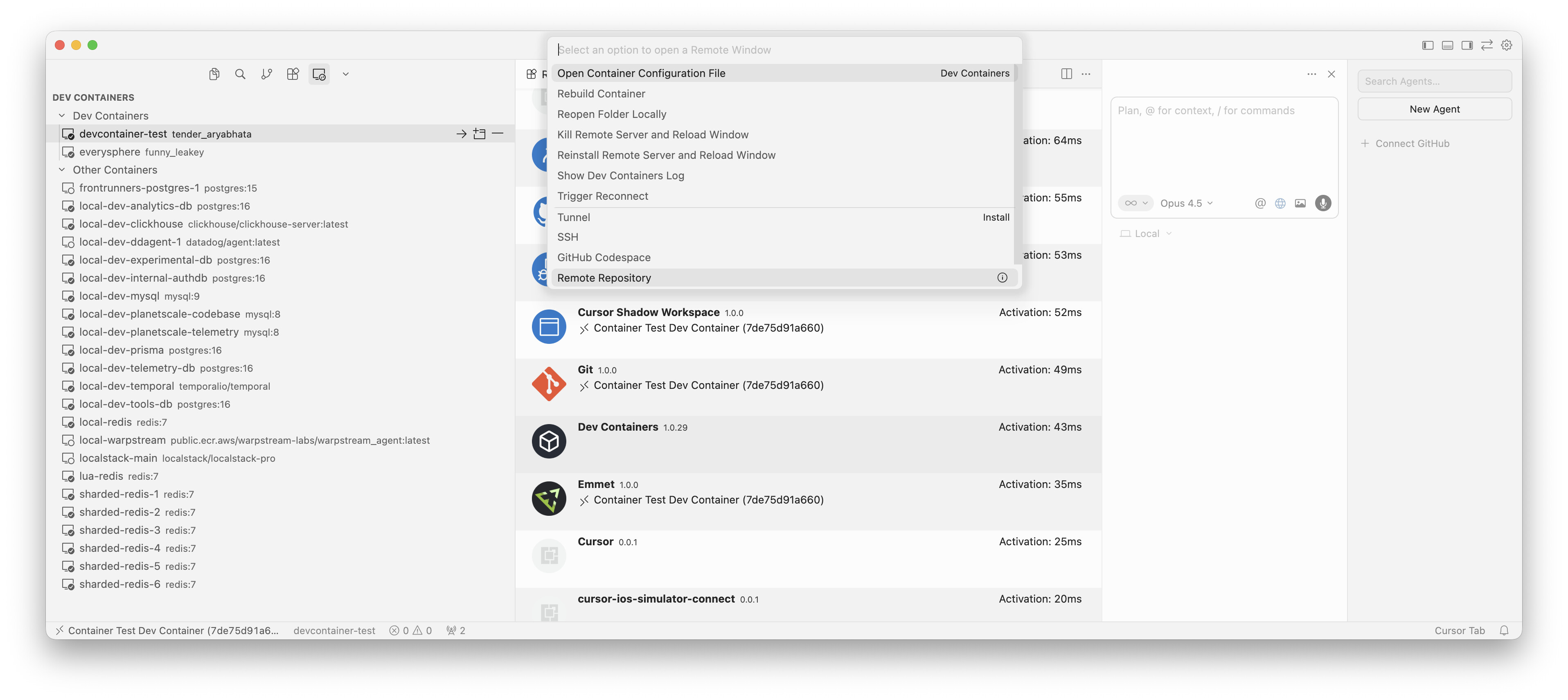
The “Dev Containers” extension (anysphere.remote-containers) UI and sidebar icon frequently disappear or fail to show up when already connected to a Dev Container session. Even though the extension is installed on the host and was working earlier in the day, the “Containers” view and related commands often become unavailable without any configuration changes.
Steps to Reproduce
The “Dev Containers” extension (anysphere.remote-containers) UI and sidebar icon frequently disappear or fail to show up when already connected to a Dev Container session. Even though the extension is installed on the host and was working earlier in the day, the “Containers” view and related commands often become unavailable without any configuration changes.
Expected Behavior
Open a workspace with a .devcontainer configuration (Docker Compose based).
Use “Reopen in Container” to start the session.
Once inside the container (verified by /.dockerenv existence and /root/.cursor-server path), observe that the Dev Containers icon is missing from the sidebar.
Search for @ext:anysphere.remote-containers in the Extensions view; it shows as installed locally but does not appear to be active or providing UI elements in the remote context.
Docker Sync: Both Host (Mac) and Container (Linux) are perfectly synced at Docker 29.1.3 (API 1.52).
Extension Health: anysphere.remote-containers (v1.0.29) is active. Logs confirm outcome: success for container c2c566f96020.
Network: Port 3002 is successfully forwarded and reachable.
The Breaking Bug (Cursor Internal):
Auth Bridge Failure: Console reports ConnectError: [unauthenticated] when calling vmo.loadTeamCommands. This persists even after logging out and back in on the local Mac client. This appears to be blocking the Anysphere-specific UI components (AI buttons, Team menus) from initializing.
UI Rendering Glitch: The dedicated “Box” icon for Dev Containers has completely disappeared from the Activity Bar. It cannot be recovered via “Reset View Locations” or manual drags.
ExtensionKind Override ignored: Setting “remote.extensionKind”: { “anysphere.remote-containers”: [“ui”] } in settings.json does not force the UI to reappear, despite the extension logic being active in the background.
Conclusion for Devs:
The infrastructure is 100% correct. This is a regression in how the Remote Extension Host handles proprietary Anysphere authentication tokens and UI element registration. The extension is “alive” but “invisible.”
On v2.3 (rolling out to users now, available via Early Access under Cursor Settings > Beta > Update Track), I think I’m seeing all the UI elements I’m supposed to while in a Dev Container. Can you let me know if there’s something else I should be seeing?
@Colin This is odd. I might not be talking specifically about the dev containers in your screenshot—that particular extension has always been available to me. I’m talking about one that only runs when you open a dev container; it shows the container running, but it doesn’t run if you aren’t running “Package features/docker-outside-of-docker · GitHub” I don’t have a screenshot right now since the UI isn’t showing for any of my dev containers, but I’ll try to find one.