Cursor eats 100% of GPU for RTX 3060

Where does the bug appear (feature/product)?

Cursor IDE

Describe the Bug

Cursor uses 100% of GPU and works quite slow

Steps to Reproduce

  1. Open 3 WSL folders in separate Cursor
  2. Open windows tasks dispather
  3. See screenshot Screenshot by Lightshot

Expected Behavior

Cursor use GPU compatible with VSCode or use RAM only

Operating System

Windows 10/11

Current Cursor Version (Menu → About Cursor → Copy)

Version: 2.0.43 (user setup)
VSCode Version: 1.99.3
Commit: 8e4da76ad196925accaa169efcae28c45454cce0
Date: 2025-10-30T18:49:27.589Z
Electron: 34.5.8
Chromium: 132.0.6834.210
Node.js: 20.19.1
V8: 13.2.152.41-electron.0
OS: Windows_NT x64 10.0.22631

Additional Information

It slows down development process

Does this stop you from using Cursor

Sometimes - I can sometimes use Cursor

Hey, thanks for the report. This looks like a GPU issue we’ve seen with the ptyHost process on Windows.

To help diagnose, please share:

  • A Process Explorer screenshot: Ctrl+Shift+P → “Developer: Open Process Explorer”
  • Does this happen with just one WSL folder open, or only when three are open?
  • How many terminal instances do you have open?

Temporary workaround to test: launch Cursor with GPU acceleration disabled:

cursor --disable-gpu

This will confirm if it’s GPU-related. Note: the UI may feel slower with GPU disabled, but it should stop the 100% GPU usage.

Also try launching with extensions disabled to rule them out:

cursor --disable-extensions

Let me know the results and we can escalate if needed.

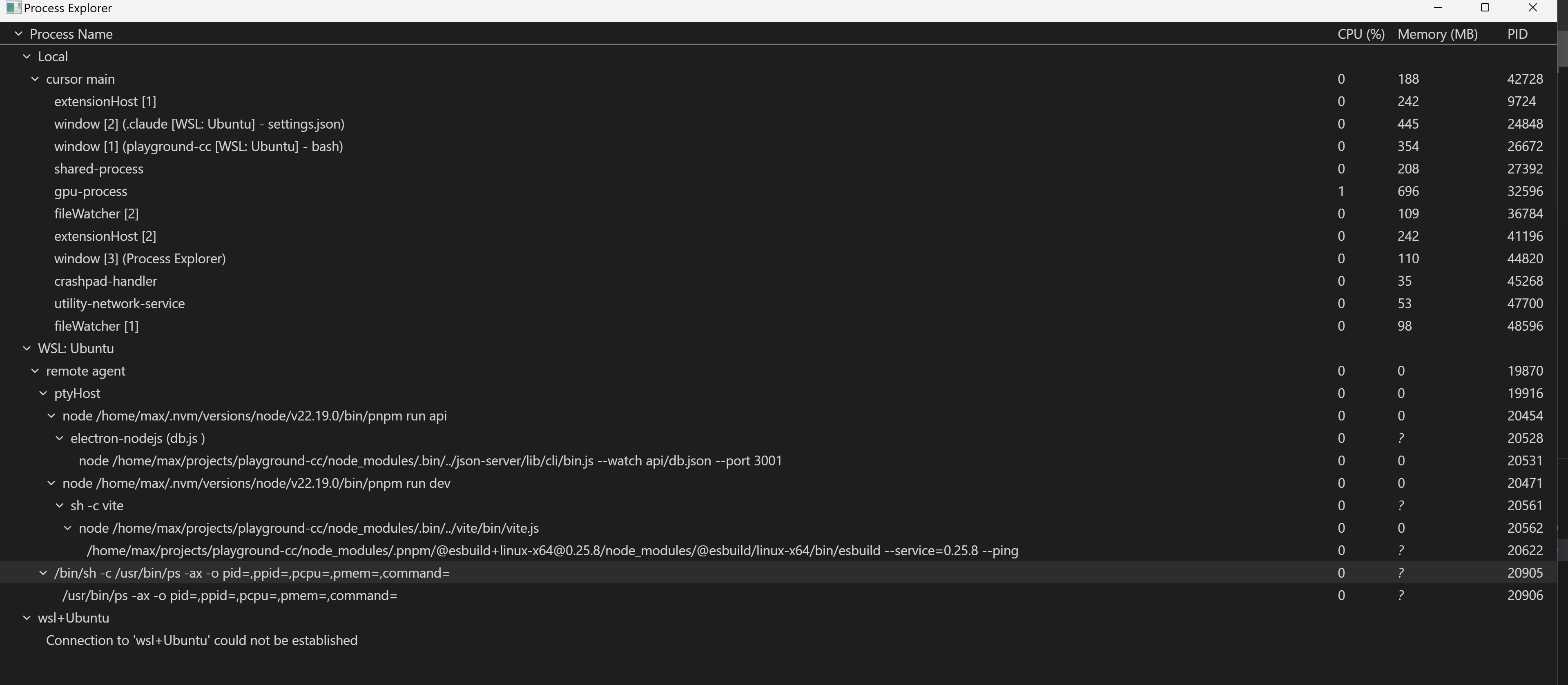
  1. Here is screenshot of Process Explorer


2. This may happens when 2 WSL folder are openeed in separate Cursor windows (typical use case like work on “library” and “project that use this lib”)
3. 2 terminal intanses

If I run Cursor by this command it uses 0% GPU

Same projects opened in VSCode use up to 20% GPU, 5% average

If you need additional info, please let me know

Thanks for the detailed screenshots and testing. The confirmation that --disable-gpu reduces GPU usage to 0% is very helpful.

Before we escalate, let’s run one more test, launch Cursor with extensions disabled:

cursor --disable-extensions

Let me know if GPU usage is still high with extensions disabled.

Also, open the DevTools panel and check for errors. Please send screenshots.

Since VS Code uses only 5–20% GPU on the same projects while Cursor reaches 100%, this looks like a hardware acceleration issue we should escalate to the engineering team. Once you confirm the extensions test, I’ll create a ticket to investigate ptyHost GPU usage on Windows with WSL.