vagoncheg
(Goncharov Valentin)
1
Where does the bug appear (feature/product)?
Cursor IDE
Describe the Bug
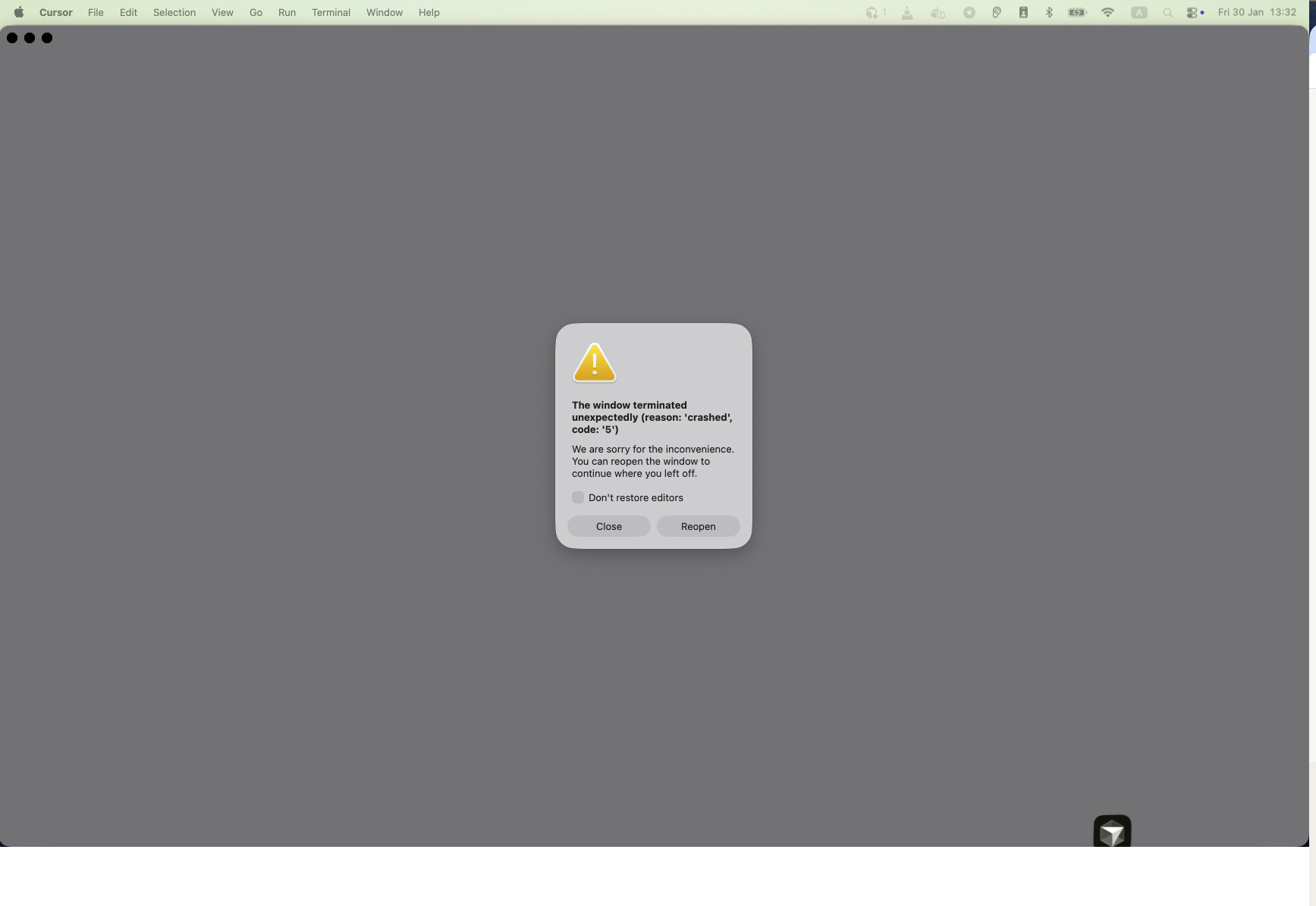
The Cursor IDE constantly crashes during code generation.
See screenshot.
Steps to Reproduce
Just ask the agent to do anything.
Expected Behavior
The Cursor IDE should not crash.
Screenshots / Screen Recordings
Operating System
MacOS
Version Information
Version: 2.4.23 (Universal)
VSCode Version: 1.105.1
Commit: 379934e04d2b3290cf7aefa14560f942e4212920
Date: 2026-01-29T21:24:23.350Z
Build Type: Stable
Release Track: Default
Electron: 39.2.7
Chromium: 142.0.7444.235
Node.js: 22.21.1
V8: 14.2.231.21-electron.0
OS: Darwin arm64 25.2.0
For AI issues: which model did you use?
Auto mode
Does this stop you from using Cursor
Sometimes - I can sometimes use Cursor
deanrie
(Dean Rie)
3
Hey, thanks for the report.
This looks like an extension-related crash. We’ve seen similar issues with other exit codes. Try this workaround:
- Close Cursor
- Run this in Terminal:
cursor --disable-extensions
- Try the same agent prompt
If it works without extensions, then one of them is conflicting.
To find the problematic one:
CMD + Shift + P → “Developer: Open Extension Monitor” (first enable it in Settings → Application → Experimental → Extension Monitor Enabled)- Or
CMD + Shift + P → “Developer: Open Process Explorer” and check the extensionHost process
Can you share:
- Which extensions you have installed
- Whether it reproduces without extensions
- The exact prompt that triggers the crash (if it still crashes without extensions)
Let me know how it goes.
vagoncheg
(Goncharov Valentin)
4
Hey, it seems that extensions have nothing to do with such crashes.
I removed all extensions, but Cursor still crashes regularly.