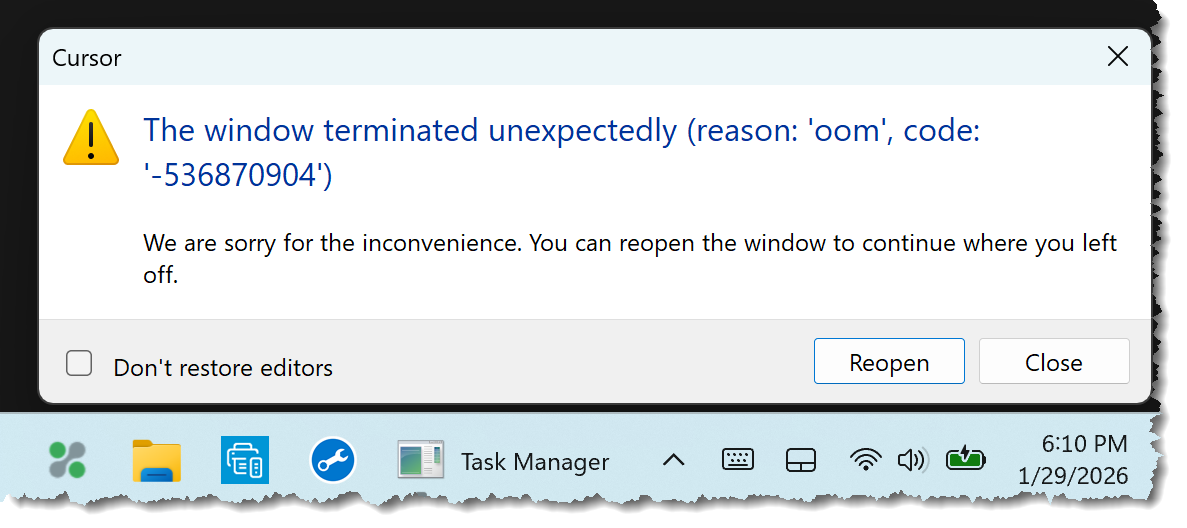
Cursor Crashes due to falsely identified Out of Memory issue. A vast amount of unused computer memory is available that, if used, would mitigate the frequent crashes. Suggested workarounds suggested by Cursor do not fix this problem. This occurs on all versions of Cursor, so reverting to previous versions does not fix this problem.
Hi @Work_Dre and thank you for the detailed bug report. Sorry to hear about the crashes you are experiencing. For easier management of this thread I will remove the repeated screenshots as its sufficient to note that the issue occurred multiple times.
You mention that Cursor gave you workarounds, was that support by email or where did you receive the info from and what were the workarounds?
Does this occur on a specific project only or also in a new empty project?
Please share more info so we can find a way to reproduce this issue:
Which programming language do you use?
Does the project have any very large/long code files you have open?
Did you install any additional extensions and which ones?
If yes does Cursor also still crash when you launch it with extensions disabled?
Could you try to start Cursor with a new configuration folder and check if issue still happens? that way you do not lose your main configuration folder. cursor --user-data-dir="C:\path\to\custom\config"
Are there any errors in Help > Toggle Developer Tools > Console that occur before crash?
I don’t think you understand the problem. The core problem is that 40 GB of RAM is available that Cursor isn’t using. Let’s get the Cursor team focused on that issue, then we’ll start dealing with crash issues. Okay?