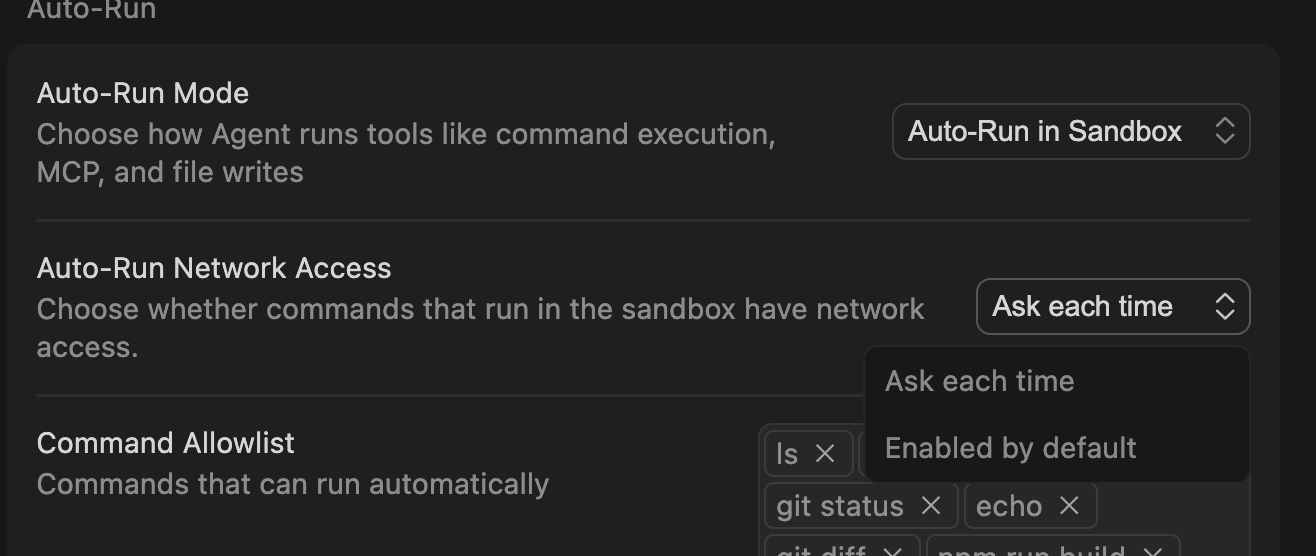
After the last update, I had an agent auto-run “git commit”, which I do NOT have in the Command Allowlist in settings!
I noticed the tool title in chat is named “Auto-Run command in sandbox: git commit”, and in the bottom left corner it said “Auto-run in Sandbox”. I assume this has something to do with it but I don’t see any reason a command should run that isn’t whitelisted.
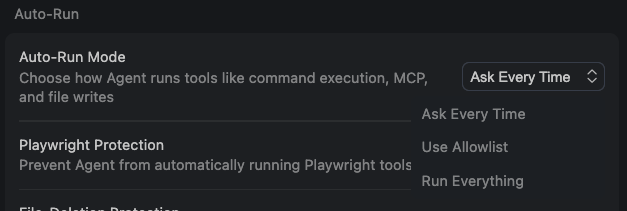
I can not figure out how to stop this from happening. I tried a bunch of settings combinations and I can either make it ask every time for everything or run non-allow-listed commands. Nothing in between.
Steps to Reproduce
Update and ask it to run a commit on staged files
Expected Behavior
Obey allow-list!
Operating System
MacOS
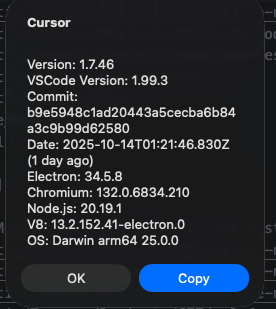
Current Cursor Version (Menu → About Cursor → Copy)
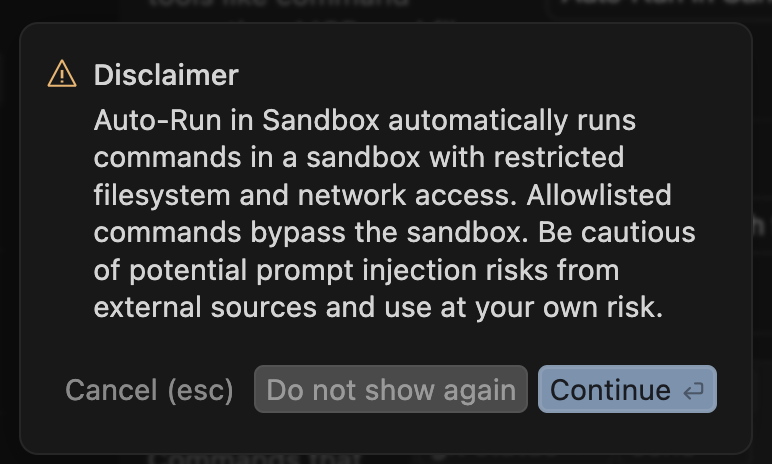
Hey, thanks for the report. It seems like you’re encountering the sandbox auto-run feature that was recently introduced. When you see “Auto-run in Sandbox” in the bottom left, Cursor is executing commands in an isolated environment rather than your actual terminal, which is why it’s bypassing your Command Allowlist.
The sandbox is designed to be safer since it doesn’t affect your real file system, but I understand this isn’t the behavior you want. You can disable this by going to Settings → Chat → Auto Run and turning off “Auto-run commands in sandbox.”
If you want more granular control, you can also check Settings → Chat → Auto Run → “Always ask before running commands” to ensure everything goes through your allowlist properly.
In any case, I’ll pass this on to the team to investigate why this command is being triggered.
@danlee I think you are missing my main point and just how serious this is. It is now auto-running commands that I did not permit it to run! This auto runs and affects real data. For example, it ran git commit which I do not allow and it really did commit to git.
I also mentioned in my report that I can not figure out the combination of settings to get back to the old safe allow-list based command execution. Can you provide a detailed set of instructions for me to follow to do this please?
I can not stress enough how dangerous this change is. If it really sandboxed entirely (air-gapped all commands) I could see this being safe, but right now this is not true. It ran a command that affected outside systems.
Did the settings change again? I now ONLY see the allowlist in Sandbox auto-run mode and there is no option that actually uses the allow-list! …that can’t be right…?
I’m still not crystal clear on what settings actually reduce to the exact allow list. Perhaps the information could be improved.
While I have you. A feature I would love for that “Add…” command button is to offer to add subcommands! E.g. if I run git status it would be great to have it offter to add this to the allow list and not all of git, which is less often what I want, as you can see from my allow list there
For some reason in another chat it did run my allow-list command without asking (like 2 replies above). I have no idea what the difference is. Two chats in the same session, with the same model, with the same “Cursor Settings” I show in my last reply, and one says only auto-run while the other mentions the sandbox:
Thank you. I will as a workaround, but I do like using the latest and greatest when possible. Is there any official word how to simply use the allow-list without dangerous command usage leaking in? I do consider the of git commit to be dangerous, even though it isn’t destructive in the sense of lost data. It can create a frustrating mess, sneaking in un-reviewed code in to the repo and be a mess to unwind. In theory, a rogue commit could wipe out diffs so the code change isn’t noticed. In a serious scenario this could lead to a huge amount of wasted time if a bug is caused. Worse, it would like like I committed the code and not a bot-account, which could be embarrassing in a large team setting.