Where does the bug appear (feature/product)?
Cursor IDE
Describe the Bug
Hi, I’m having an issue where Gemini Code Assist’s agent mode only fails in Cursor, while it works fine in other VS Code–compatible editors.
Steps to Reproduce
-
In Cursor, disabled all extensions.
-
Enabled only the official Gemini Code Assist extension.
-
Tried to start agent mode from the extension UI.
→ Agent mode does not start.
To double-check, I installed the same Gemini Code Assist extension in:
VS Code
Antigravity (a fork of Windsurf, which itself is a fork of VS Code)
In both of these, agent mode works normally with the same settings.
Expected Behavior
Gemini Code Assist’s Agent Mode works perfectly as same as other IDEs.
Screenshots / Screen Recordings

Operating System
Windows 10/11
Current Cursor Version (Menu → About Cursor → Copy)
Version: 2.1.50 (user setup)
VSCode Version: 1.105.1
Commit: 56f0a83df8e9eb48585fcc4858a9440db4cc7770
Date: 2025-12-06T23:39:52.834Z
Electron: 37.7.0
Chromium: 138.0.7204.251
Node.js: 22.20.0
V8: 13.8.258.32-electron.0
OS: Windows_NT x64 10.0.26200
Additional Information
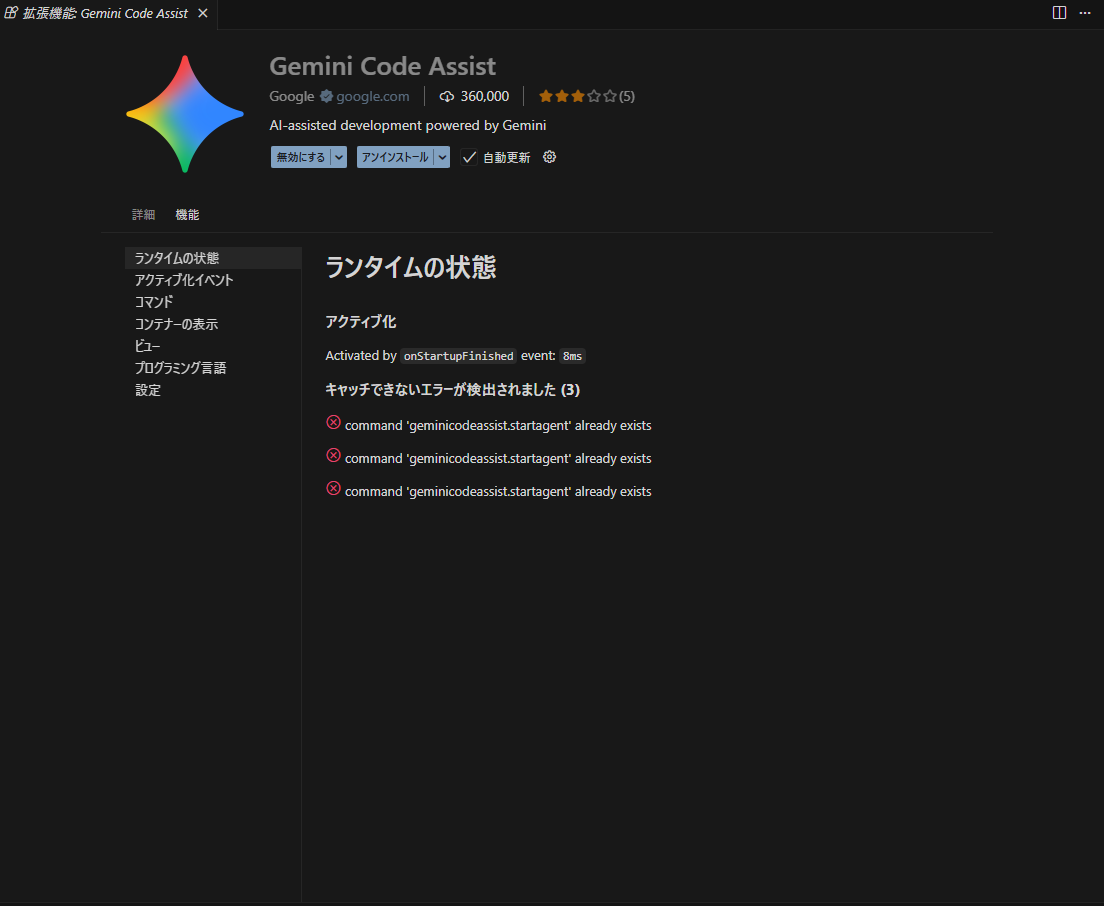
Error in Cursor
On Cursor, when I try to start agent mode, I consistently get this error:
command 'geminicodeassist.startagent' already exists
I do not have Gemini CLI installed on this machine, so (as far as I understand) there shouldn’t be any duplicate command registration coming from a CLI integration.
Also, non-agent features of Gemini Code Assist (normal completions / inline usage) work in Cursor.
Only agent mode is broken.
Related report
I found an existing report that seems to describe the same issue:
From my side, it looks like something specific to Cursor’s extension host or command registration is preventing geminicodeassist.startagent from working, even when Gemini Code Assist is the only enabled extension.
If you need logs or a specific diagnostics command run from Cursor, I’m happy to provide them.
Does this stop you from using Cursor
No - Cursor works, but with this issue

