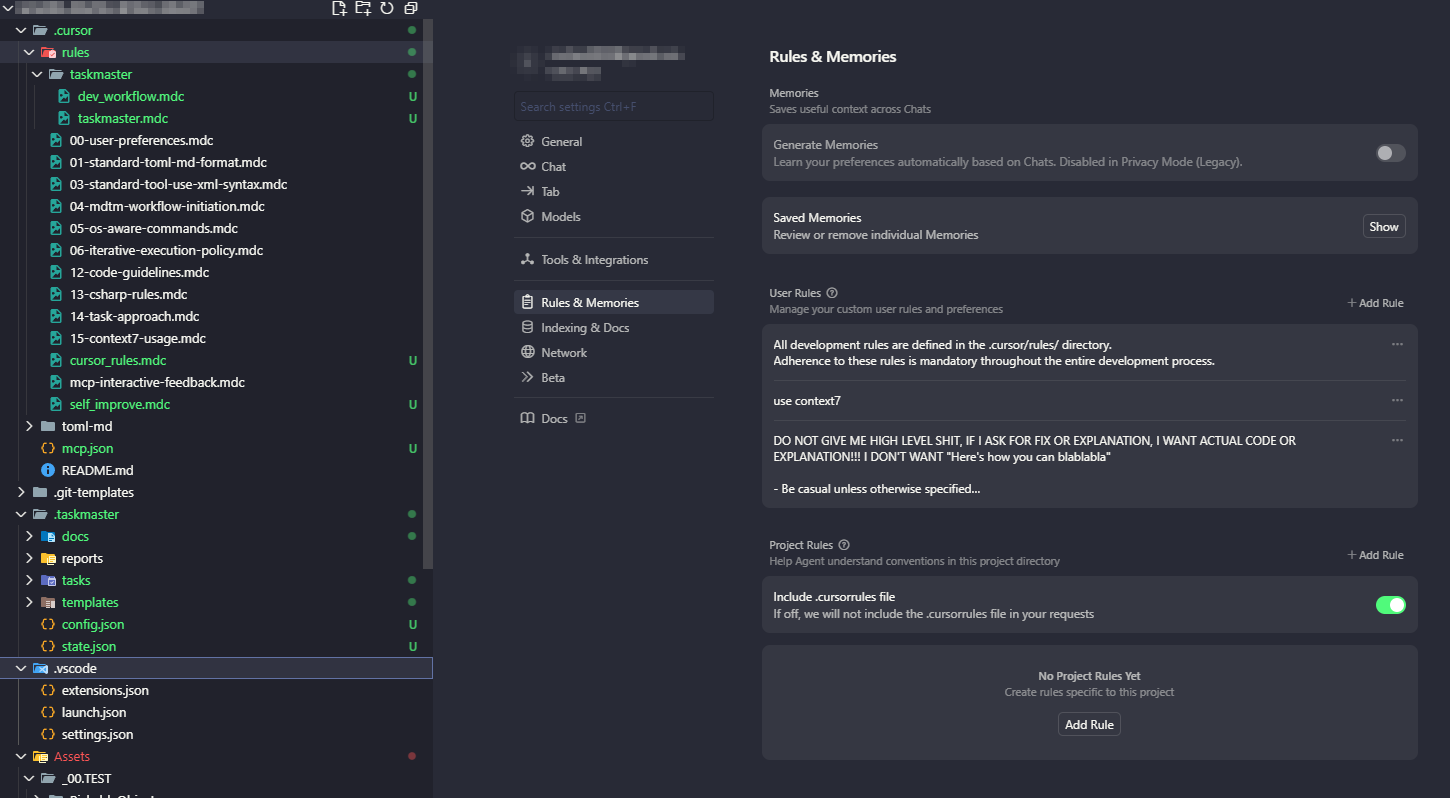
We have identified that in certain projects, the defined development rules are not being fully recognized or enforced as intended. This may lead to inconsistent behavior or deviation from expected standards.
Maintaining rule compliance is essential for consistent and reliable development workflows. Your cooperation is appreciated.
Steps to Reproduce
Despite multiple attempts to reproduce the bug, an exact reproduction was not possible.
Hey, to understand the reasons for this, did you copy the .cursor folder with the rules and paste it into the project? Or did you update to a new version of Cursor? In other words, when did this issue appear?
Try creating at least one rule from the interface, it might help. If not, delete the folder and create a rule from the Cursor interface. Then, when the folder and rule are created, put the entire folder with the rules back. Also, restart Cursor.
1. When adding rules based on the UI while keeping the current state, a rules file is generated, but the rules still aren’t recognized.
2. If the .cursor/rules folder is deleted and new rules are added, the rules are recognized normally.
3. Afterwards, when the original cursor-rules folder is copy‑pasted back, the rules are recognized correctly.
Although this bug likely isn’t intentional on the Cursor Team’s part, I anticipate there are users like me who manage cursor-rules via Git and clone it into their projects.
Please list the potential fixes for this bug.