Where does the bug appear (feature/product)?
Cursor IDE
Describe the Bug
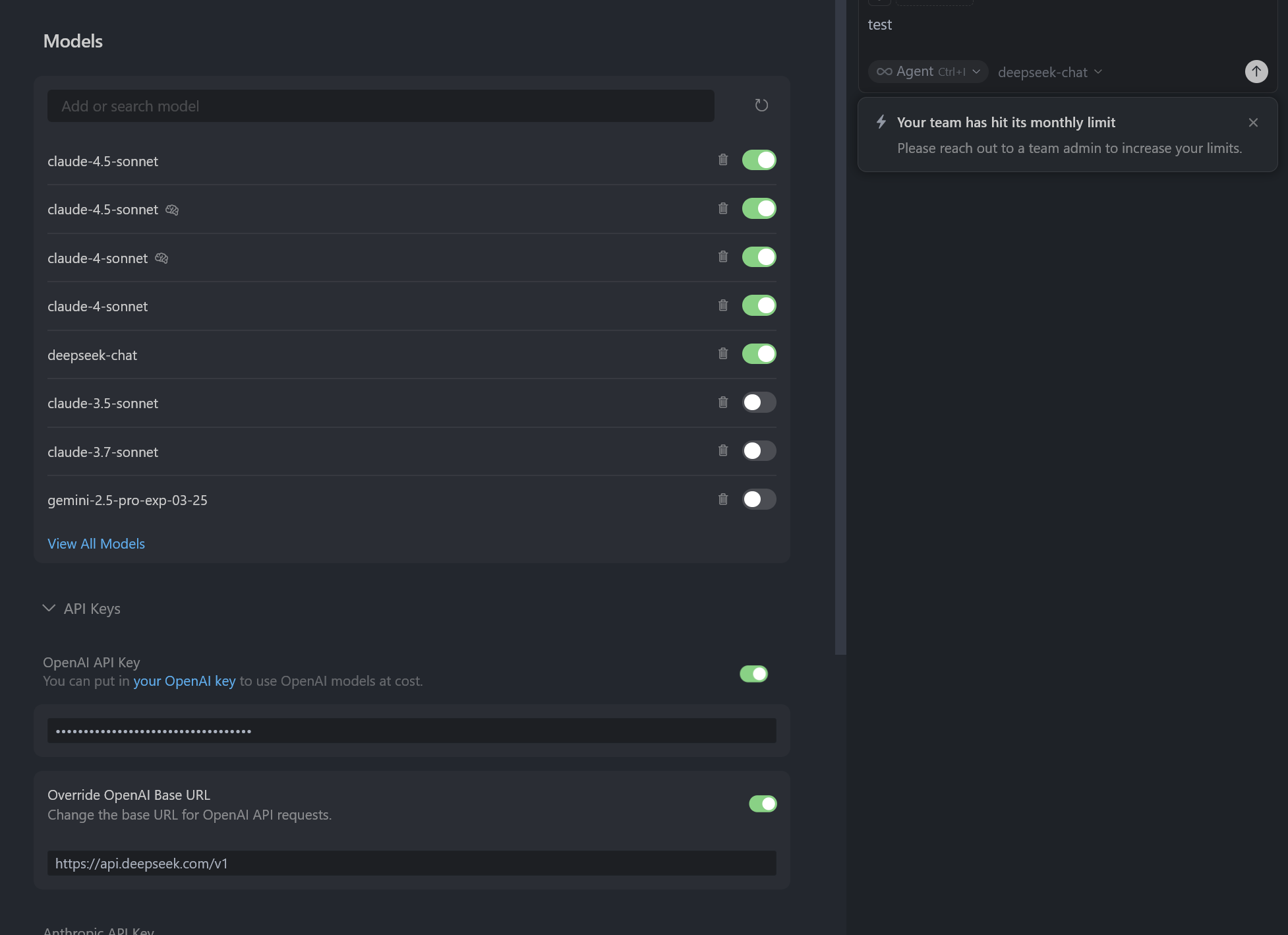
I’m encountering configuration issues when trying to use my own purchased deepseek API with Cursor Team Edition (after my team quota was exhausted). Here’s my situation:
Current Setup:
Added my purchased API key to the “deepseek API key” field
Enabled the deepseek API toggle/slider
Overrode the Base URL with my custom endpoint
Specified my model name in the settings
Problem Behavior:
When the deepseek API toggle is enabled:
I keep getting “team limit” notifications (suggesting Cursor is still trying to use team quota)
When the deepseek API toggle is disabled:
I get an “invalid model” error instead
Troubleshooting Attempted:
Verified my API key, Base URL, and model name are correct
Restarted Cursor completely after configuration changes
Tried different configuration orders
Steps to Reproduce
Add custom model always reproduce
Operating System
Windows 10/11
Current Cursor Version (Menu → About Cursor → Copy)
Cursor Version:
Version: 1.7.39 (system setup)
Commit: 1.99.3
Date: a9c77ceae65b77ff772d6adfe05f24d8ebcb2790
Electron: 2025-10-08T00:33:20.352Z
ElectronBuildId: 34.5.8
Chromium: undefined
Node.js: 132.0.6834.210
V8: 20.19.1
OS: 13.2.152.41-electron.0
Does this stop you from using Cursor
No - Cursor works, but with this issue