MacOS: Digital Color Meter breaks with Cursor open

Where does the bug appear (feature/product)?

Cursor IDE

Describe the Bug

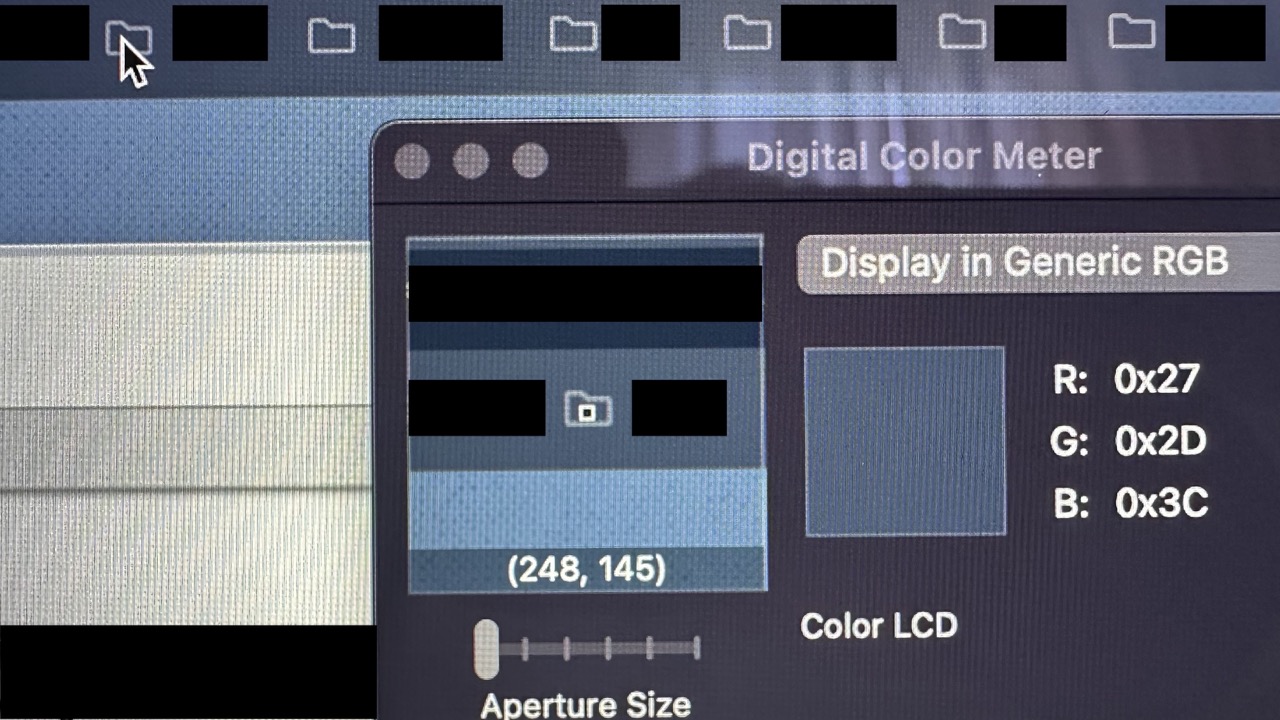
The macOS Digital Color Meter displays an incorrect preview image when Cursor is running. Instead of showing the area under the cursor it captures from a background application. For example, when sampling colors from the iPhone Simulator, the preview shows content from another app rather than what is in the simulator. Closing Cursor immediately fixes it.

Steps to Reproduce

Open either application and try to sample color. You will see that the preview image within the Color Meter is not what you’d expect. Close Cursor and the image changes to the correct view

Expected Behavior

Cursor should not be changing the behavior of the Digital Color Meter

Screenshots / Screen Recordings

Cursor Open:

Cursor Closed:
Operating System

MacOS

Current Cursor Version (Menu → About Cursor → Copy)

Version: 1.5.11 (Universal)
VSCode Version: 1.99.3
Commit: 2f2737de9aa376933d975ae30290447c910fdf40
Date: 2025-09-05T03:48:32.332Z
Electron: 34.5.8
Chromium: 132.0.6834.210
Node.js: 20.19.1
V8: 13.2.152.41-electron.0
OS: Darwin arm64 24.6.0

Does this stop you from using Cursor

No - Cursor works, but with this issue

4 Likes

Hey, thanks for the report. I can reproduce it. It’s pretty strange, it behaves as if the cursor doesn’t exist at all, like it’s transparent.

1 Like

This may be well due to Cursors current rendering mode.

1 Like

Where does the bug appear (feature/product)?

Cursor IDE

Describe the Bug

I just found a strange issue when using Cursor on my iMac 5K 2019 (macOS 15.7.1, Intel).

Whenever Cursor is open, the system app Digital Color Meter stops working properly — it always picks the color of the window in the background, or sometimes just the desktop, no matter which area I hover over.

As soon as I quit Cursor, Digital Color Meter works normally again.

Interestingly, this does not affect the system color picker, like the one used in an HTML5 , which still works fine.

It looks like Cursor is somehow interfering with the system’s color sampling (maybe due to its rendering layer or sandbox?).

Has anyone else seen this? Or any idea what might cause it?

Steps to Reproduce

  1. open Cursor
  2. open Digital Color Meter
  3. move the mouse and it shows the wrong color
  4. close Cursor and the problem disappear

Expected Behavior

Digital Color Meter shows right color

Screenshots / Screen Recordings

Operating System

MacOS

Current Cursor Version (Menu → About Cursor → Copy)

Version: 1.7.40
VSCode Version: 1.99.3
Commit: df79b2380cd32922cad03529b0dc0c946c311850
Date: 2025-10-09T02:55:11.735Z
Electron: 34.5.8
Chromium: 132.0.6834.210
Node.js: 20.19.1
V8: 13.2.152.41-electron.0
OS: Darwin x64 24.6.0

Does this stop you from using Cursor

No - Cursor works, but with this issue

1 Like

At least for me, the digital color meter only shows black when cursor is running, but it works fine when I quit cursor.