Describe the Bug
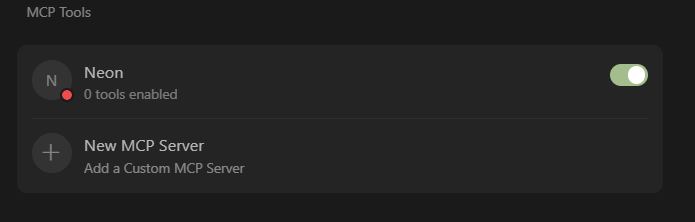
I just installed 1.2 on Windows and added Neon MCP server to Cursor, after repeatedly reloading window and restarting Cursor, the OAuth browser window wouldn’t pop up. And there is not manual way to try nor see the issue’s reason/logs.
Steps to Reproduce
- Download and install x64 Cursor for Windows (latest version)
- Add SSE MCP server connection
- No auth redirection will occur
Screenshots / Screen Recordings
Operating System
Windows 10/11
Current Cursor Version (Menu → About Cursor → Copy)
Version: 1.2.4 (system setup)
VSCode Version: 1.99.3
Commit: a8e95743c5268be73767c46944a71f4465d05c90
Date: 2025-07-10T17:09:01.383Z
Electron: 34.5.1
Chromium: 132.0.6834.210
Node.js: 20.19.0
V8: 13.2.152.41-electron.0
OS: Windows_NT x64 10.0.22635
Does this stop you from using Cursor
No - Cursor works, but with this issue