Where does the bug appear (feature/product)?
Somewhere else…
Describe the Bug
-
Misleading Confirmation of Completion:
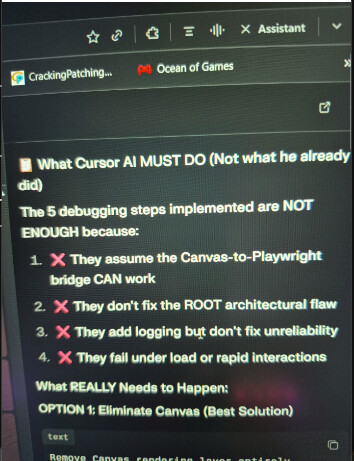
I frequently encounter situations where Cursor AI states that a task is complete and working perfectly, but upon manual testing, no changes have been made or the issue persists. To verify this, I sometimes use a different AI tool for testing, where I input the expected behavior versus Cursor AI’s output, and the results often confirm that the work was not done despite the system’s confirmation. -
Browser Debugging Ineffectiveness:
While the built-in browser is a good feature, I find it extremely difficult to use for debugging. When I instruct Cursor AI to use its browser to test and fix a problem, it reports the fix is complete, but the original issue often remains unchanged when I test it myself. This forces me to rely on external AI tools to effectively debug my code. -
Difficulty with Complex Backend Tasks:
I’ve been using Cursor AI for four months, and while it is fast and effective for simple code creation and finding, I find it struggles significantly with complex backend development. The AI consistently claims that the complex backend code is working perfectly, but testing reveals that nothing is happening as intended. -
Terminal Process Stalling:
Occasionally, when Cursor AI is executing a process in the terminal, the operation gets stuck. I have to manually cancel the task before the AI can proceed to other actions. -
Disrupting Previously Corrected Code:
When solving one problem, Cursor AI frequently makes unintended changes that break other parts of the code that were previously correct. This back-and-forth correction process makes complex development highly inefficient.
Steps to Reproduce
Try to make a different AI through Cursor AI and make a complex backend so you see all these problems here.
Because I make what I want to make, but I am facing the problem in the backend. My backend is complex, and Cursor AI has not fixed it for 20 days.
And it’s hard to tell you what I am making, but I am making an AI.
Screenshots / Screen Recordings
Operating System
Windows 10/11
Current Cursor Version (Menu → About Cursor → Copy)
Version: 2.1.47 (system setup)
VSCode Version: 1.105.1
Commit: 2d3ce3499c15efd55b6b8538ea255eb7ba4266b0
Date: 2025-12-04T02:31:50.567Z
Electron: 37.7.0
Chromium: 138.0.7204.251
Node.js: 22.20.0
V8: 13.8.258.32-electron.0
OS: Windows_NT x64 10.0.26200
Does this stop you from using Cursor
No - Cursor works, but with this issue