Where does the bug appear (feature/product)?
Cursor IDE
Describe the Bug
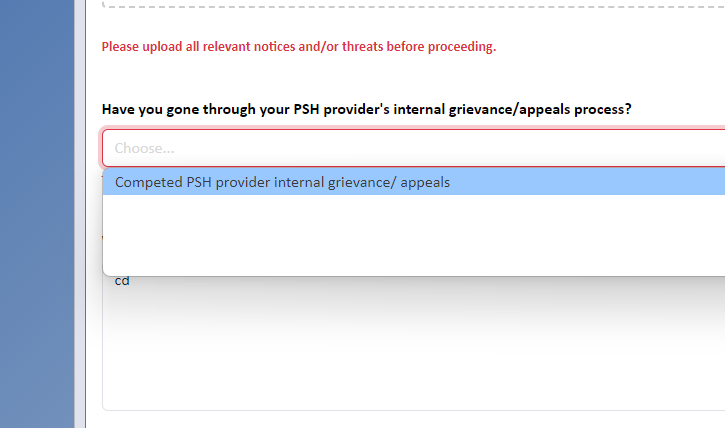
a react-select dropdown options appear white on white in the browser IDE and appear black on white in the real browser.
Steps to Reproduce
This is an unknown. In the browser IDE , react-select dropdown options appear invlisible/white-on-white and when page is rendered elsewhere its the expected black on white. If I find more details Ill revisit this report.
Expected Behavior
Styling in browser IDE should match live browser 99.9%
Screenshots / Screen Recordings
Operating System
Windows 10/11
Current Cursor Version (Menu → About Cursor → Copy)
Version: 2.0.43 (user setup)
VSCode Version: 1.99.3
Commit: 8e4da76ad196925accaa169efcae28c45454cce0
Date: 2025-10-30T18:49:27.589Z
Electron: 34.5.8
Chromium: 132.0.6834.210
Node.js: 20.19.1
V8: 13.2.152.41-electron.0
OS: Windows_NT x64 10.0.26200
Does this stop you from using Cursor
No - Cursor works, but with this issue
