Can I get an update on this issue? This is extremely simple request and very annoying that it is not working.
Steps to Reproduce
Copy text in cursor code window
Ctrl + Shift + V in agent chat window
Cursor will not paste plain text, instead will add a context reference to the file
Expected Behavior
Ctrl + Shift + V should always produce plain unformatted text
Operating System
Windows 10/11
Current Cursor Version (Menu → About Cursor → Copy)
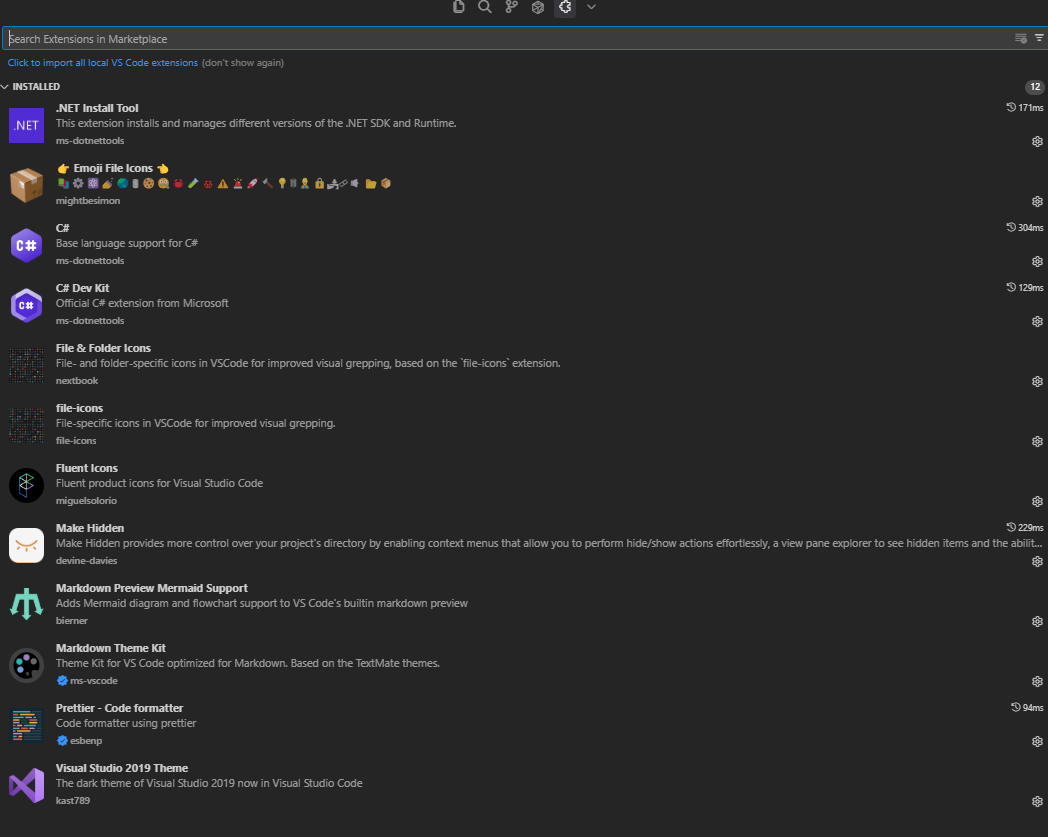
Hey, thanks for the report. This shortcut should insert text as plain text by default. Check if any extensions are interfering with the shortcut’s functionality.
Like I said in the original post, even if I copy and paste the code text from cursor into another window (ie, notepad) and then paste it back into cursor, I still get the tab showing up.
Here is a snippet:
            if (sortCol == "Entry")
                sortCol = "n.Name";
            else if (sortCol == "User")
                sortCol = "a.user";
So if I copy that from cursor > paste into notepad > copy from note pad > paste into cursor (with ctrl + shift + v), I still don’t get plain text.
BUT if I remove one space from the indents on any of the lines, I can then copy from notepad and paste into cursor as plain text.
If I add the space back, I can no longer paste as plain text.
This suggests to me that you are doing some form of text matching, even when I use ctrl + shift + v.
This is quite strange behavior. I just checked it on macOS and Windows, and everything works correctly. Have you tried restarting Cursor and creating a new chat? Unfortunately, I’m not sure about your extensions, but try launching in safe mode using this command in the terminal: cursor --disable-extensions.