Screen corruption / broken rendering on Mac OS

Where does the bug appear (feature/product)?

Cursor IDE

Describe the Bug

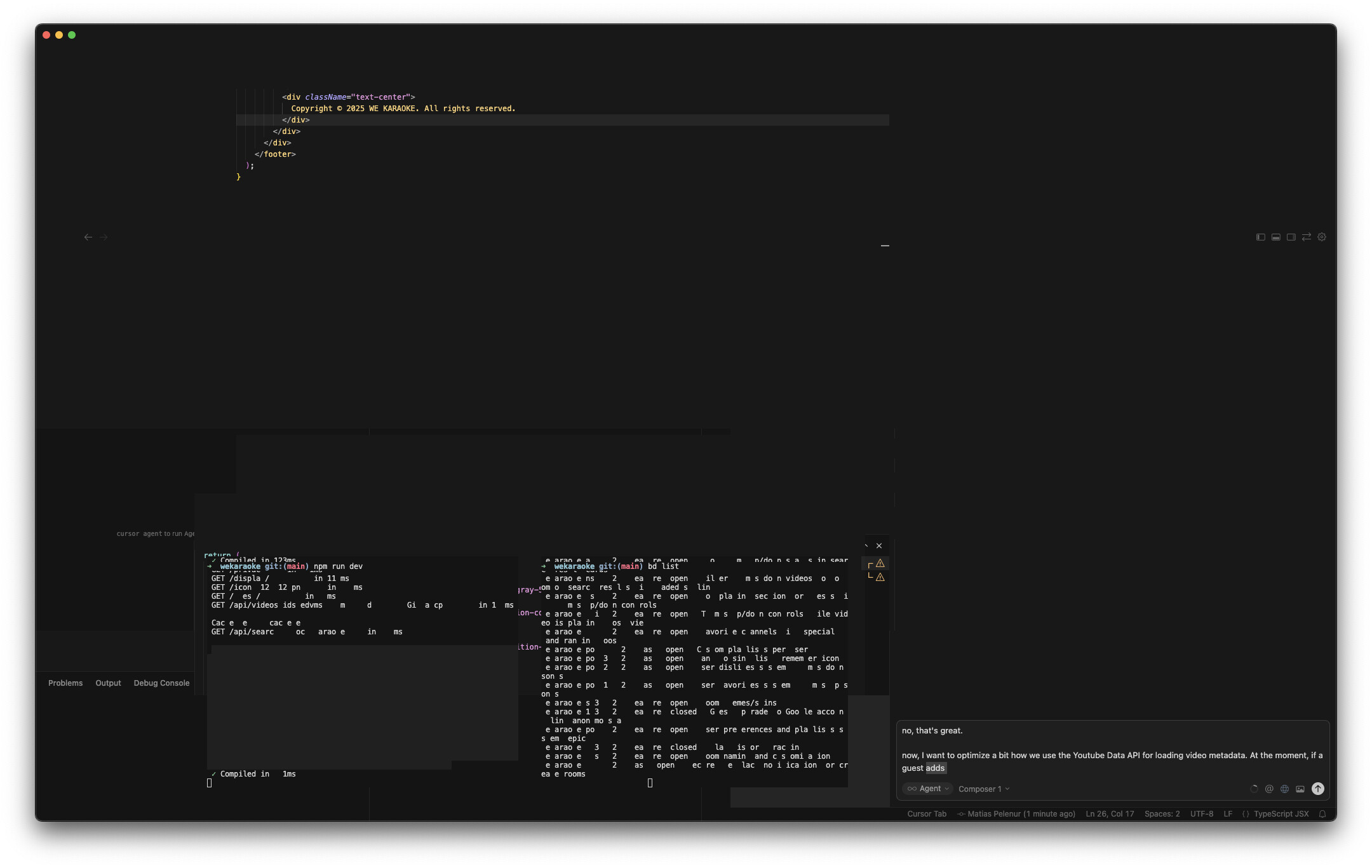
The UI gets broken / corrupted and is unusable. Parts of the IDE screen disappear (most of it), other parts remain, other parts are garbled. Only solution is to quite Cursor and reopen.

Steps to Reproduce

Seems to happen mainly when I am using Cursor normally, lock my screen, then come back to Cursor. It’s not easy to reliably reproduce, but it has happened multiple times across different Cursor versions.

Expected Behavior

Parts of the Cursor UI disappear; others remain but in part; the terminal text gets garbled. See attached screenshot. Bits of text and UI appear when hovering over it. Other parts were blinking on and off.

Screenshots / Screen Recordings
Operating System

MacOS

Current Cursor Version (Menu → About Cursor → Copy)

Version: 2.2.43 (Universal)
VSCode Version: 1.105.1
Commit: 32cfbe848b35d9eb320980195985450f244b3030
Date: 2025-12-19T06:06:44.644Z
Electron: 37.7.0
Chromium: 138.0.7204.251
Node.js: 22.20.0
V8: 13.8.258.32-electron.0
OS: Darwin arm64 24.6.0

Does this stop you from using Cursor

Yes - Cursor is unusable

Hey, thanks for the report. I can see the screen corruption in your screenshot. This is a GPU rendering issue that can happen on macOS, especially after locking and unlocking your screen.

Please try this workaround:

  1. Open Cursor Settings Cmd+,.
  2. Search for “hardware acceleration”.
  3. Uncheck Use hardware acceleration when available.
  4. Restart Cursor.

This disables GPU rendering and should stop the corruption.

If the issue still happens after disabling hardware acceleration:

  • Launch Cursor from Terminal with cursor --disable-extensions to rule out extension conflicts.
  • If that helps, check Cmd+Shift+P > “Developer: Open Extension Monitor” to find any problematic extensions.

Let me know if this helps.

Thanks for the quick response, Dean. I looked for hardware acceleration and only found a setting “Editor: Experimental Gpu Acceleration” which was already off (screenshot). But for “acceleration” there was also “Terminal › Integrated: Gpu Acceleration” which was on; I have turned that one off. Will report back if the screen corruption happens again.

This topic was automatically closed 22 days after the last reply. New replies are no longer allowed.