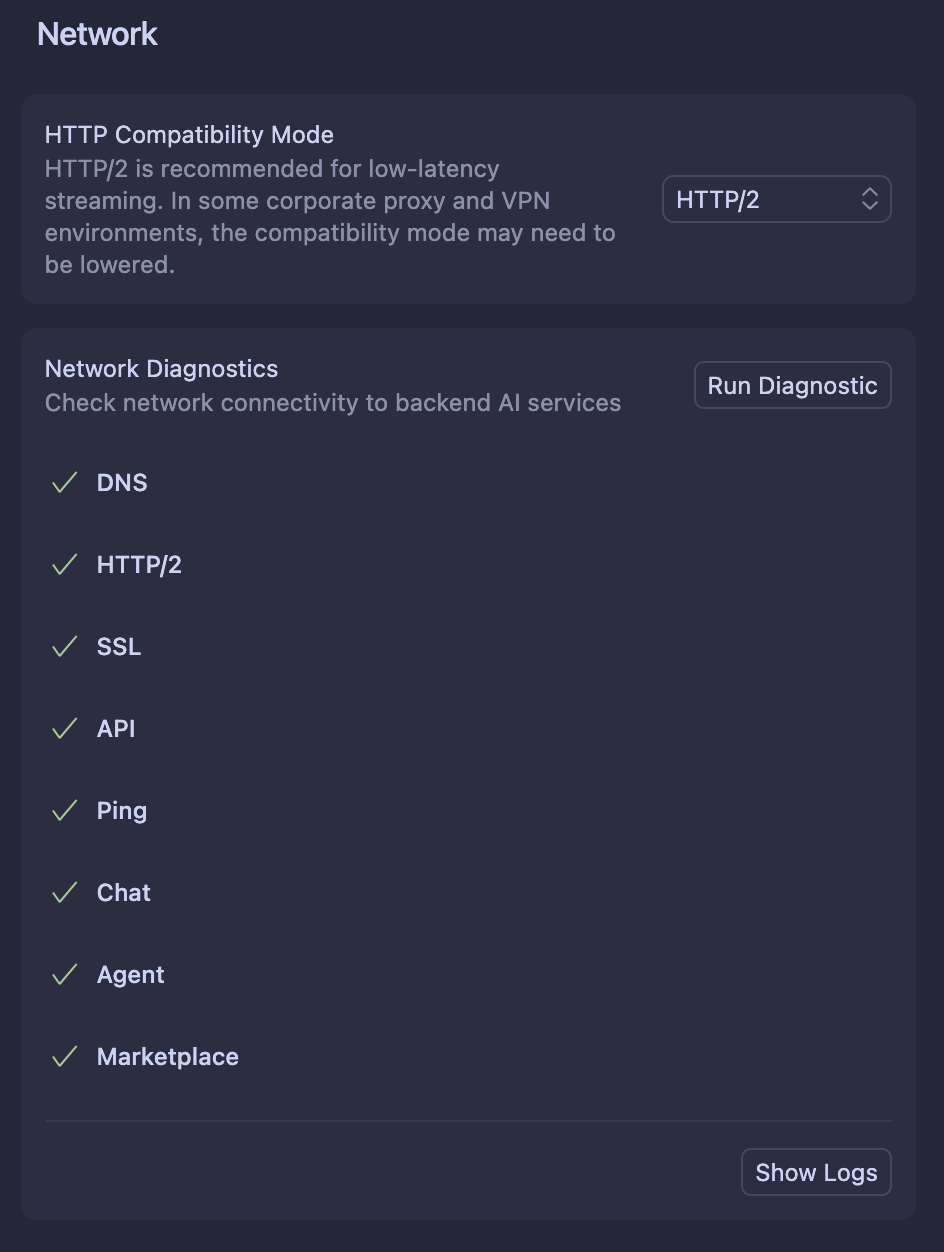
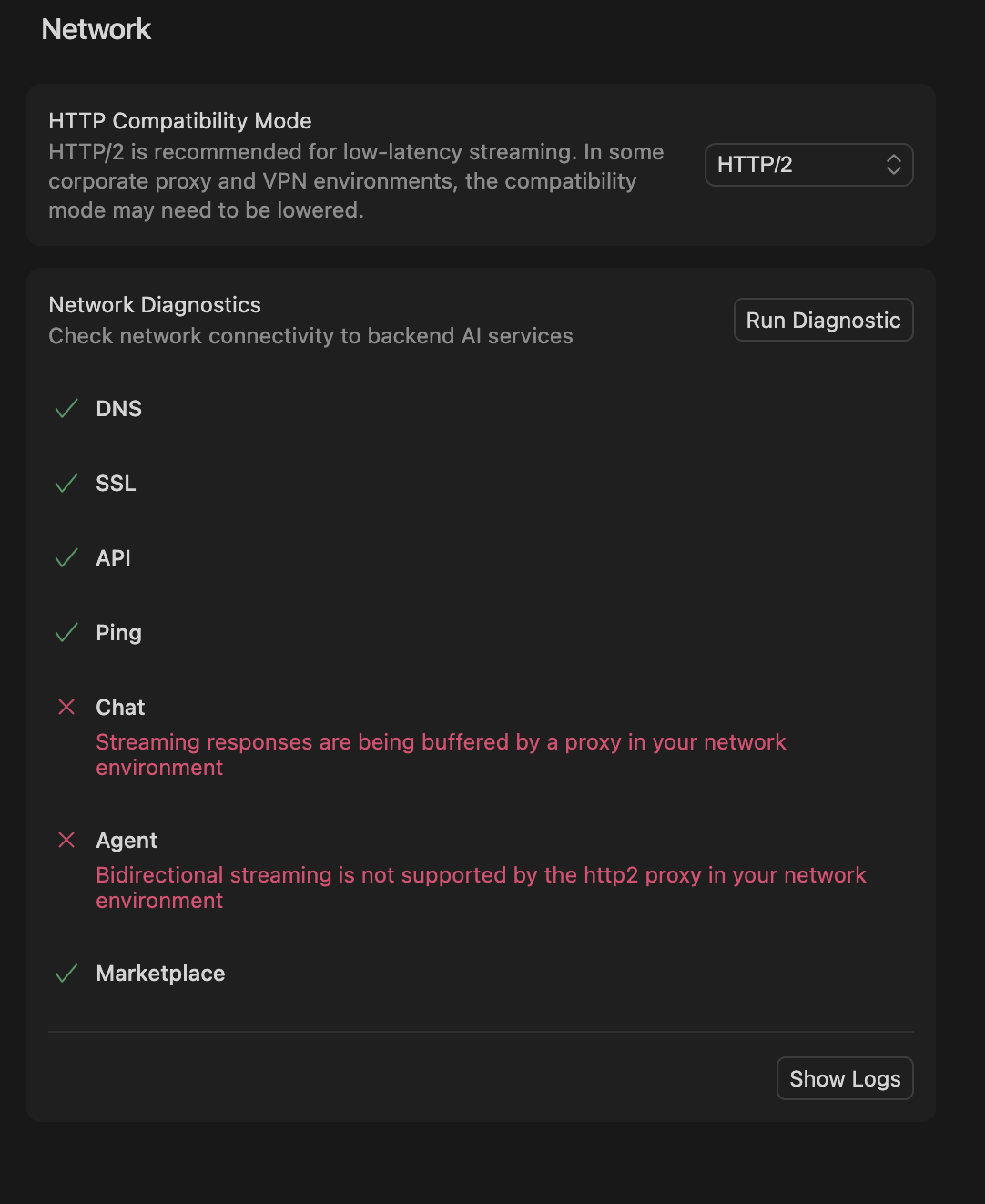
We don’t currently see any issues on our end with requests, so it may be an issue outside of our control like with a particular ISP or geographical location.
As always, where possible, we recommend users to use HTTP/2 without a proxy or VPN by default.
We will continue to monitor and investigate here, and we are continuing to invest heavily into the speed and stability of our services.
For those still seeing issues regarding high ping, please can you share what country you are working from?
For issues unrelated to high ping / timing out requests, please create new Bug Reports threads - thanks.
+1 - up until yesterday auto mode has been working flawlessly. Today I got a Cursor update like I typically do, did the update, and now everything has changed.
The auto model seems less intuiative, it’s ignoring my rules, I can’t seem to see the “reasoning” like I was able to yesterday, and it’s less conversational.
In fact, it’s lost a ton of knowledge, it just nuked my entire k8s cluster by removing Flux and then removing PVCs trying to fix it’s own mistake (just a local test cluster but still).
Futhermore, no manually selected models work other than auto .
Same Issue
Honestly, I have no idea why I’m paying $200 just to experience this level of slowness. Requests are executed painfully slow, and sometimes I’m stuck for half an hour to a full hour on a single simple request. This is completely unacceptable for a paid tool at this price point — it’s beyond frustrating.
It’s getting ridiculous at this point. Every single day — literally hundreds of times — my requests timeout or fail with random “internet connection” errors for no reason at all. I’m a developer, I know when a connection issue is real, and this clearly isn’t one.
This kind of unreliable behavior and fake errors are becoming. I’m paying for this service, and I expect it to actually work — not waste my time with endless failed requests. Please advise.
for example:
Request ID: 98923303-0e75-43f7-8776-7c1ff043af75
Error: ConnectError: [aborted] aborted
For this request, I created several different chats and even tested it in max mode — I spent almost an hour struggling with a one-line request until I finally got it to work!
i was just working with the background agent, they all freezed and then i got redirected to a page where it said that i dont have access and after reloading where all my background agents and chats gone
All my diagnostics work fine, but Cursor has still been freezing for the whole day with the status “Planning next moves”. I have to stop the current process and try to start it again. If that doesn’t work, I have to switch from auto mode to Sonnet 4.5.
same, try using agents in cli through codex, claude code or droid. These are the only ai calls im able to make, cursor’s ai agents are seeming to respond.
Agree with this. Did the new update, the conversations are minimal which I preferred because often want to understand the reasoning. And then of course 2 or 3 chats into it and all you see is infinitely dancing dots.
Where is the Cursor team? Why hasn’t our issue been resolved yet? It’s been more than 24 hours, and I still can’t use the platform. This is becoming quite frustrating—please take action as soon as possible.
Request ID: fb4802df-cd1d-4f71-a49d-deb3482cb959
ConnectError: [unavailable] PING timed out
at t7l.$endAiConnectTransportReportError (vscode-file://vscode-app/Applications/Cursor.app/Contents/Resources/app/out/vs/workbench/workbench.desktop.main.js:7337:375292)
at TMr._doInvokeHandler (vscode-file://vscode-app/Applications/Cursor.app/Contents/Resources/app/out/vs/workbench/workbench.desktop.main.js:489:35946)
at TMr._invokeHandler (vscode-file://vscode-app/Applications/Cursor.app/Contents/Resources/app/out/vs/workbench/workbench.desktop.main.js:489:35688)
at TMr._receiveRequest (vscode-file://vscode-app/Applications/Cursor.app/Contents/Resources/app/out/vs/workbench/workbench.desktop.main.js:489:34453)
at TMr._receiveOneMessage (vscode-file://vscode-app/Applications/Cursor.app/Contents/Resources/app/out/vs/workbench/workbench.desktop.main.js:489:33275)
at cEt.value (vscode-file://vscode-app/Applications/Cursor.app/Contents/Resources/app/out/vs/workbench/workbench.desktop.main.js:489:31369)
at _e._deliver (vscode-file://vscode-app/Applications/Cursor.app/Contents/Resources/app/out/vs/workbench/workbench.desktop.main.js:49:2962)
at _e.fire (vscode-file://vscode-app/Applications/Cursor.app/Contents/Resources/app/out/vs/workbench/workbench.desktop.main.js:49:3283)
at cdt.fire (vscode-file://vscode-app/Applications/Cursor.app/Contents/Resources/app/out/vs/workbench/workbench.desktop.main.js:7322:12154)
at MessagePort. (vscode-file://vscode-app/Applications/Cursor.app/Contents/Resources/app/out/vs/workbench/workbench.desktop.main.js:9402:18292)
Update, after countless restarting cursor, auto mode seems to be stable for me now, i am not sure what was the problem. Try restarting cursor, it may be helpful. Don’t reload window, reload the cursor app completely.