Where does the bug appear (feature/product)?
Cursor IDE
Describe the Bug
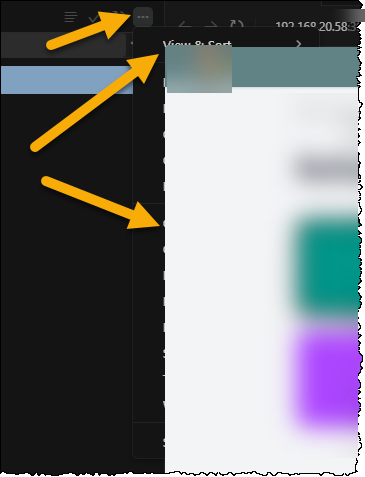
When browser is opened in a tab in the Cursor IDE, the source control … menu is obscured by the browser.
Steps to Reproduce
- Open the browser in Cursor IDE
- Select source control menu option
- Press the … menu option
The menu is rendered beneath the browser. The only way to view the menu is to close the tab that contains the browser
Expected Behavior
The menu should be rendered over the browser.
Screenshots / Screen Recordings
Operating System
Windows 10/11
Current Cursor Version (Menu → About Cursor → Copy)
Version: 2.0.43 (system setup)
VSCode Version: 1.99.3
Commit: 8e4da76ad196925accaa169efcae28c45454cce0
Date: 2025-10-30T18:49:27.589Z
Electron: 34.5.8
Chromium: 132.0.6834.210
Node.js: 20.19.1
V8: 13.2.152.41-electron.0
OS: Windows_NT x64 10.0.26100
Does this stop you from using Cursor
No - Cursor works, but with this issue