I doubt this is issue is being caused by Cursor — This is a pretty common Tailwind / PostCSS annoyance.
My hunch is that maybe you have not migrated all of your settings / extensions over from VS Code into Cursor (and you may have some VS Code Settings or the PostCSS Language Support extension installed in VS Code, but not yet in Cursor, which is why you see a difference between the two)
At any rate, here are a few different ways you can fix this:
- Change the language mode for your tailwind.css file from “CSS” to “Tailwind CSS”

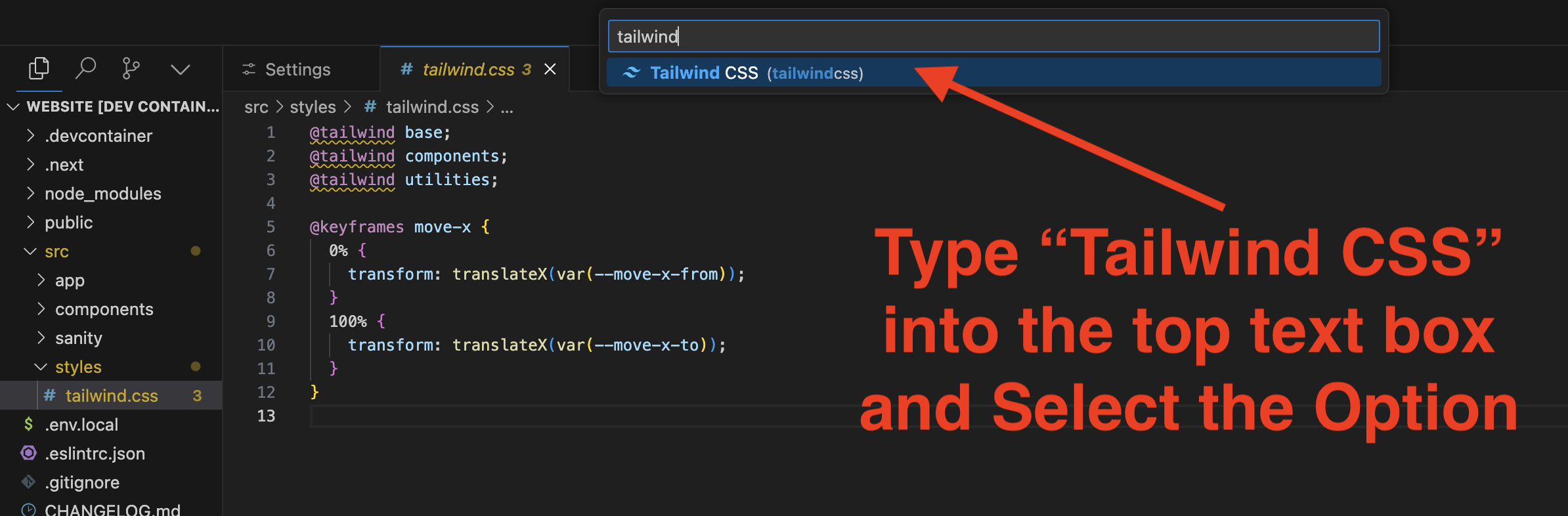
- In your Cursor VS Code settings, change the
CSS Unknown At Rulesvalue fromwarning→ignore


- Add a PostCSS Language Support Extension to your Cursor IDE. I don’t really recommend this approach, but here are a couple of options for extensions:
-
PostCSS Intellisense and Highlighting [https://marketplace.cursorapi.com/items?itemName=vunguyentuan.vscode-postcss]
-
PostCSS Language Support
[https://marketplace.cursorapi.com/items?itemName=csstools.postcss]
All of these methods should work to resolve your warning.
Cheers! 