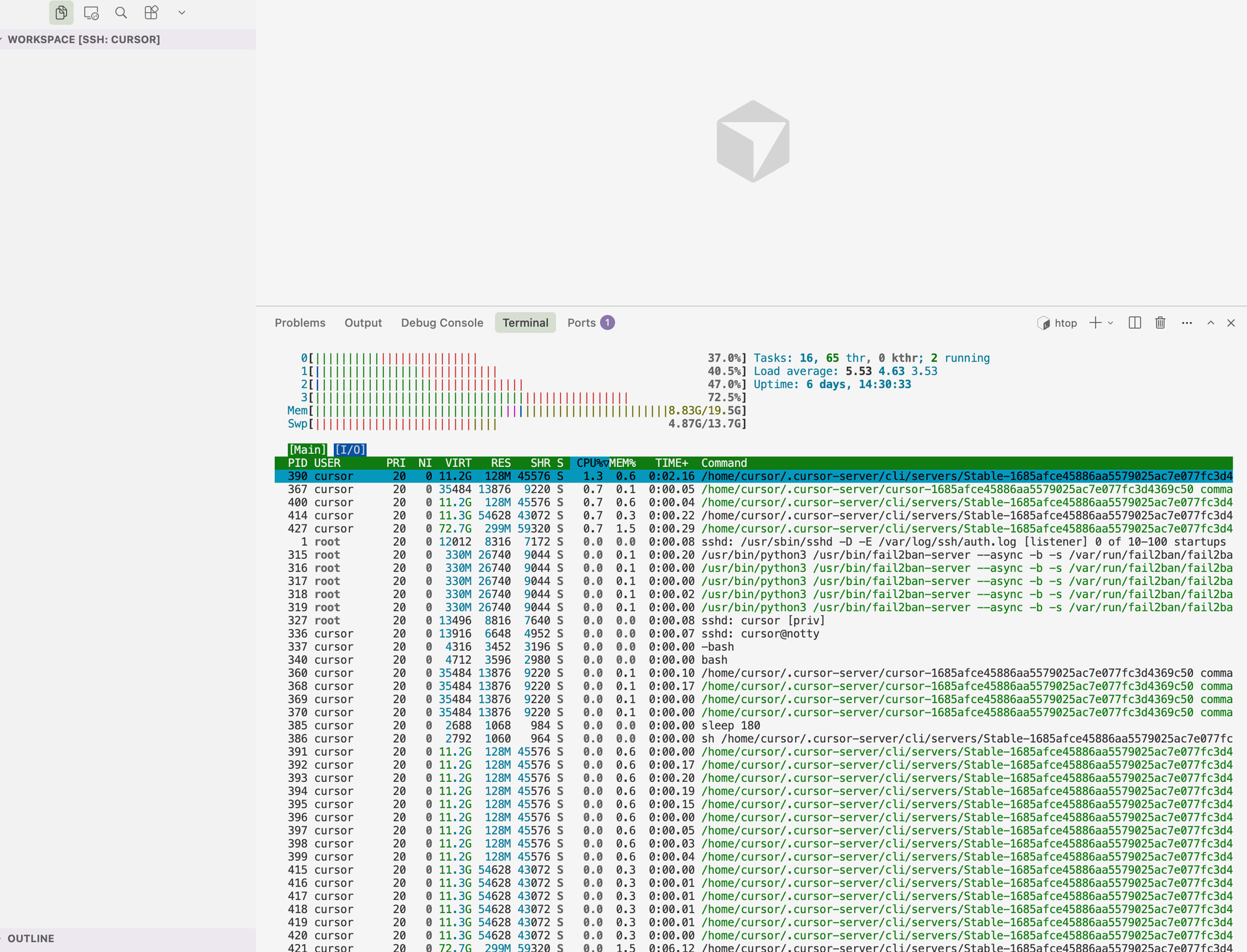
more troubleshooting:
Log Analysis - Hypothesis Evaluation
## Hypothesis A: High CPU Usage from Extension Host
**Status: REJECTED**
- Evidence: CPU consistently 1.7-1.8% (well below 20% threshold)
- Log entries: Lines 16-40 show stable CPU usage
- Conclusion: CPU usage is normal, not the cause
## Hypothesis B: High Memory Usage from Extension Host
**Status: CONFIRMED - ROOT CAUSE IDENTIFIED**
- Evidence:
- Virtual memory: **76GB** (76307208-76309412 KB)
- RSS (actual memory): **280MB** (280268-281620 KB)
- VM/RSS ratio: **~270:1** (extremely abnormal)
- VmData from /proc: **76GB** (76204584 KB)
- Log entries: All extension host logs show consistent 76GB virtual memory
- Conclusion: **This is the root cause** - excessive virtual memory allocation
## Hypothesis C: Extension Host File Watching
**Status: REJECTED**
- Evidence: 56 file descriptors (normal), no excessive watching
- Conclusion: Not the cause
## Hypothesis D: Language Servers
**Status: REJECTED**
- Evidence: No active language server processes found
- Conclusion: Not the cause
## Hypothesis E: File Watcher Process
**Status: REJECTED**
- Evidence: Low CPU (0.1%), low memory (0.2%), only 8 inotify watches
- Conclusion: Not the cause
## Hypothesis F: Server Main Process
**Status: REJECTED**
- Evidence: Normal resource usage
- Conclusion: Not the cause
## ROOT CAUSE
The extension host Node.js process has allocated **76GB of virtual memory** but only uses **280MB of actual RAM**. This indicates:
1. Excessive Node.js heap size configuration (likely `–max-old-space-size` set too high or unlimited)
2. Memory fragmentation or allocation bug
3. Virtual memory is pre-allocated but not actually used
## SOLUTION
Limit Node.js heap size for the extension host process to a reasonable value (e.g., 4GB) by:
1. Finding where the extension host is launched
2. Adding `–max-old-space-size=4096` to the Node.js command
3. This will cap virtual memory allocation at 4GB instead of 76GB
—
“The process allocating 76GB of virtual memory is the Cursor extension host process.”
Process identification:
-
Command: bootstrap-fork --type=extensionHost
-
Full command line (from logs):
/home/cursor/.cursor-server/cli/servers/Stable-cf858ca030e9c9a99ea444ec6efcbcfc40bfda70/server/node
–dns-result-order=ipv4first
/home/cursor/.cursor-server/cli/servers/Stable-cf858ca030e9c9a99ea444ec6efcbcfc40bfda70/server/out/bootstrap-fork
–type=extensionHost
–transformURIs
–useHostProxy=false
-
PID: 9238 (from your logs)
-
What it is:
The extension host is a Node.js process that runs Cursor/VS Code extensions in isolation. It’s spawned by the main Cursor server process and hosts all installed extensions.
Why 76GB virtual memory:
The Node.js process likely has an excessive or unlimited heap size (–max-old-space-size), causing it to pre-allocate a large virtual address space even though only ~280MB of RAM is used. This is a virtual memory allocation issue, not actual memory consumption.
You can identify it with:
ps aux | grep “bootstrap-fork.*extensionHost”
The fix mentioned in your ANALYSIS.md (limiting --max-old-space-size to 4GB) should resolve this.