Background Agent Fails to Launch (Stuck in Initialization)

Where does the bug appear (feature/product)?

Background Agent (GitHub, Slack, Web, Linear)

Describe the Bug

Background Agent Fails to Launch (Stuck in Initialization)

Description:
When using the Background Agent API to launch agents, some agents remain stuck in the “preparation” or “initialization” state indefinitely. The logs continuously repeat initialization messages without progressing to the “running” state.

Example:
Agent ID: bc-7822e1b7-86cb-44ae-948e-481f12c4271f
This agent has been stuck in initialization for over 40 minutes, showing the same repeating logs.

Frequency:

Occurred with 8 different agents — none of them launched successfully.
It seems the reason is long prompt in payload.

LOGS:
⣯ Finalizing workspace setup…
│ ⣟ Setting up code completion…
│ ⡿ Loading workspace: 24% complete
│ ⣻ Preparing development tools…
│ ⣽ Validating environment…
│ ⣾ Finalizing workspace setup…
│ ⣷ Startup progress: 25% done
:play_button: Service ready - awaiting requests…
│ ✓ Checks passing
│ ⢿ Preparing development tools…
│ ⣻ Loading editor preferences…
│ ⣽ Preparing execution context…
│ ⣾ Setup progress: 44% complete
│ ⡿ Loading workspace: 26% complete
│ ⢿ Validating environment…
│ ⣾ Loading workspace: 29% complete
│ ⣾ Initialization: 35% finished
│ ⣷ Startup progress: 29% done
│ ⡿ Loading workspace: 23% complete
│ ⣾ Loading workspace: 47% complete
│ ⣽ Initialization: 28% finished
│ ⣯ Startup progress: 40% done
:play_button: Service ready - awaiting requests…
│ ⢿ Loading workspace: 25% complete
│ ⣻ Preparing development tools…
│ ⣽ Loading workspace: 40% complete
│ ⣾ Loading workspace: 22% complete
│ ✓ Checks passing
│ ⣟ Preparing development tools…
│ ⡿ Initialization: 36% finished
│ ⢿ Initializing extension support…
│ ▣ Ready for task execution
│ ◈ Workspace fully configured
│ ⣷ Setup progress: 41% complete
│ ■ Standing by for user input…
│ ⣟ Loading workspace: 45% complete
│ ⡿ Initialization: 22% finished
│ ⢿ Configuration: 36% loaded
│ ⣻ Loading editor preferences…
│ ⣾ Loading editor preferences…
│ ● Environment ready
│ ▣ Ready for task execution
│ ✓ Checks passing
│ ⣟ Loading additional configurations…
│ ✓ Checks passing
│ ✓ Checks passing
│ ⣽ Configuration: 41% loaded
│ ⣷ Finalizing workspace setup…

Steps to Reproduce

Steps to Reproduce:

Use the Background Agent API to launch a new agent.

Wait for the agent to initialize.

Observe that the agent remains in the preparation/initialization phase for an extended period.

Observed Behavior:

Agents stay in the initialization phase for 30–40+ minutes.

Logs repeatedly show initialization messages with no further progress.

Eventually, I have to manually remove the agents since they never launch successfully.

Expected Behavior

The agent should complete initialization within a reasonable time and transition to the “running” state.

Operating System

Windows 10/11

Current Cursor Version (Menu → About Cursor → Copy)

background agent api

Does this stop you from using Cursor

No - Cursor works, but with this issue
1 Like

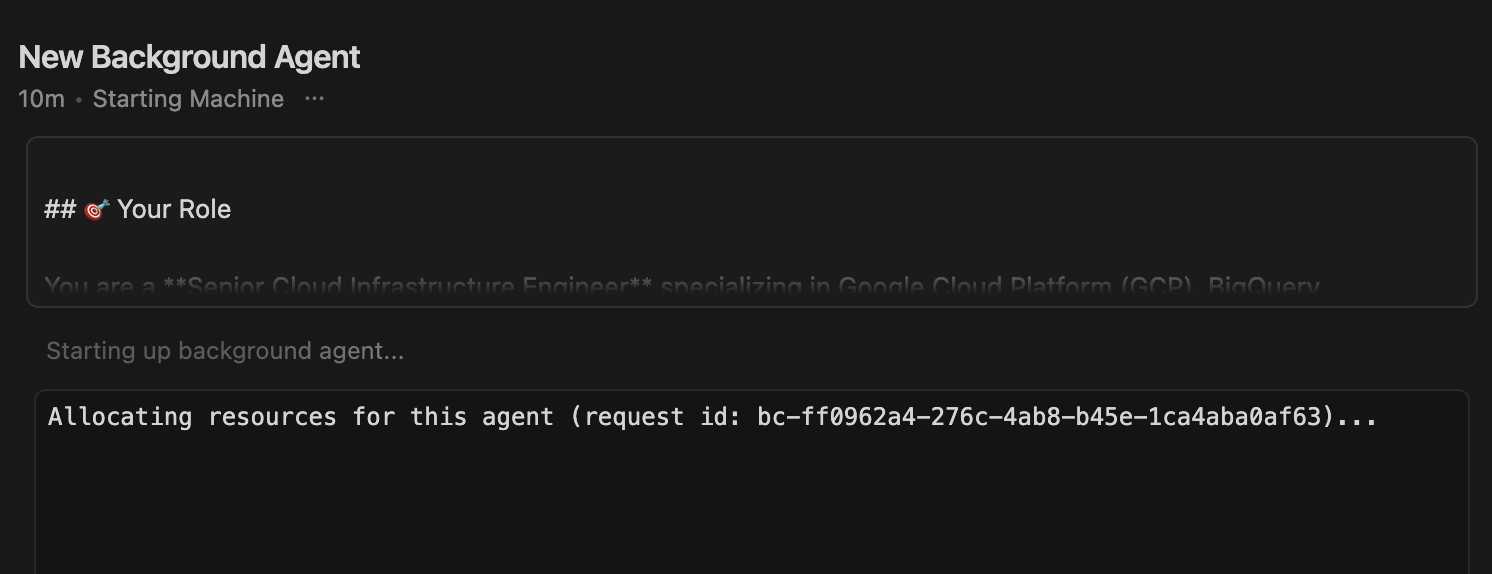
+1 on this one…but I’m using Cursor IDE and not the API. Mine are getting stuck in allowing the resources to the agent.

I thought it was an issue with v2.0, but I just downgraded to 1.7, and it’s the same issue:

Version: 1.7.54
VSCode Version: 1.99.3
Commit: 5c17eb2968a37f66bc6662f48d6356a100b67be0
Date: 2025-10-21T19:07:38.476Z
Electron: 34.5.8
Chromium: 132.0.6834.210
Node.js: 20.19.1
V8: 13.2.152.41-electron.0
OS: Darwin x64 24.6.0

bc-3cade00d-abed-40eb-bb26-1045aebdc4f7

Dude I managed to solve this, and yeah, they changed something in the cloud infrastructure that ended up hitting some of us.

Letting you know here my troubleshooting steps in case they help you:

  1. Go to “Cursor Settings” > Network, and run the diagnostics.

  2. Click on “Show logs”, and verify that for SSL, you’ve got a Status of 200. I was using a VPN, and even though SSL was passing the diagnostics, it was throwing a 504; which meant that my client couldn’t connect to Cursor servers (I turned off my VPN to solve this).

This was the 1st major hurdle. There are two lol.

  1. Before, we didn’t need to have a .cursor/environment.json file, for starting up a Background Agent; but it seems like when they changed it from Background to Cloud agent, they made this a requirement; so basically just create this file and put it the most basic config:
{
  "snapshot": "POPULATED_FROM_SETTINGS"
}

And that’s it. That unblocked me.

Hope it helps.

P.S. And btw, I did all of this troubleshooting by bouncing ideas against the proper Cursor docs and its “Ask AI” tool.

Thanks @dny_ex for the detailed troubleshooting steps and solution!

@Hashem_HamidPoor - were you able to resolve the issue using dny_ex’s solution above?
Let us know if you’re still stuck!

I’ve also passed this on to the team.

1 Like

@dny_ex Thanks a lot for sharing your detailed debugging steps — I really appreciate the time and effort you put into that! It’s great that you found the root cause on your side, and I’m sure many others will benefit from your discovery.

In my case, though, the issue was a bit different. I was using the Background Agent API, not the Cursor IDE. I managed to resolve it by reducing the text prompt length — though I’m still not sure what the exact input limit is. My main concern was that the AI agent would launch in the background and stay stuck in the initialization phase for hours.

@sanjeed5 – this still looks like an API-side issue, not a local setup problem. It might also cause unnecessary resource usage or costs on your servers (and potentially affect customers), so I think it’s worth keeping this ticket open. In my view, this is more of a Cursor-side bug than a user-side issue.!!

2 Likes

Thanks @Hashem_HamidPoor!

You’re right that this is an API-side issue. I’ve already raised it with the team. The team is reviewing this issue now. I’ll keep you posted on any updates or findings. In the meantime, continuing with shorter prompts is the best workaround.

Appreciate your thorough debugging and patience on this!