Background agent environments don't load snapshot disk state despite snapshot being configured in environment.json

Where does the bug appear (feature/product)?

Background Agent (GitHub, Slack, Web, Linear)

Describe the Bug

When configuring a background agent with a snapshot that has Flutter and Dart installed, the tools are present when manually testing the environment via “Start New Environment” in the Background Agents Setup UI, but are completely missing when an actual background agent runs.

The .cursor/environment.json file correctly references the snapshot ID, and the snapshot verification step shows Flutter/Dart are installed and working. However, when a background agent executes, running flutter or dart commands in the agent’s terminal results in “command not found” errors, indicating the snapshot’s disk state is not being applied to the agent’s execution environment.

Steps to Reproduce

  1. Start a new background agent environment via “Background Agents Setup”
  2. Install Flutter/Dart using the Flutter VS Code extension in that environment
  3. Verify flutter --version and dart --version work
  4. Create a snapshot of this environment
  5. Configure .cursor/environment.json with the snapshot ID
  6. Test the snapshot via “Start New Environment” - Flutter/Dart commands work ✓
  7. Start an actual background agent with a task
  8. Run flutter --version or dart --version in the agent’s terminal
  9. Commands fail with “command not found” ✗

Expected Behavior

Background agents should inherit all installed tools and packages from the configured snapshot.

Operating System

Windows 10/11

Current Cursor Version (Menu → About Cursor → Copy)

Version: 1.7.36 (user setup)
VSCode Version: 1.99.3
Commit: 493c403e4a45c5f971d1c76cc74febd0968d57d0
Date: 2025-10-05T21:02:39.581Z
Electron: 34.5.8
Chromium: 132.0.6834.210
Node.js: 20.19.1
V8: 13.2.152.41-electron.0
OS: Windows_NT x64 10.0.22631

For AI issues: which model did you use?

claude-4.5-sonnet-thinking

For AI issues: add Request ID with privacy disabled

bc-831f0d98-9644-421c-a110-517c890235b4

Does this stop you from using Cursor

No - Cursor works, but with this issue

3 Likes

Also experiencing this. Worked for the first agent run. Now agents just use the default image

Version: 1.7.38
VSCode Version: 1.99.3
Commit: fe5d1728063e86edeeda5bebd2c8e14bf4d0f960
Date: 2025-10-06T18:18:58.523Z
Electron: 34.5.8
Chromium: 132.0.6834.210
Node.js: 20.19.1
V8: 13.2.152.41-electron.0
OS: Darwin arm64 24.5.0

Experiencing the same thing. It’s also ignoring Dockerfile-based configurations. I’ve resorted to just scripting my entire environment setup and running it in install. Thanks for writing the issue up, @tsteward

I’d also add that agents aren’t caching disk state after the “install” step as the documentation states they would.

It’s worth mentioning that background agents seem quite unstable in general. See Agent is unable to use sudo due to no TTY and Background Agent Docker in Docker - #18 by someguynamedmike . It feels like a bit of a moving target trying to understand how they work and where they differ from the documentation. It’s understandable if this is an early and experimental feature subject to active churn, but if that’s the expectation I wish it would be communicated out. I’ve had several times now where I spend a fair amount of time configuring them and using them for a little bit only for them to break and have to configure again, trying to infer how they work now. A feature that should be pretty powerful is ending up in a net productivity loss :disappointed_face:

1 Like

Same here, I’m running:

Version: 1.7.38 (Universal)
VSCode Version: 1.99.3
Commit: fe5d1728063e86edeeda5bebd2c8e14bf4d0f960
Date: 2025-10-06T18:18:58.523Z
Electron: 34.5.8
Chromium: 132.0.6834.210
Node.js: 20.19.1
V8: 13.2.152.41-electron.0
OS: Darwin arm64 24.6.0

Seems to work now, I also added @environment.json to the conversation, not sure if helps.
Request ID - bc-afaa813a-f105-4991-8b09-0986f615eabc

Version: 1.7.38
VSCode Version: 1.99.3
Commit: fe5d1728063e86edeeda5bebd2c8e14bf4d0f960
Date: 2025-10-06T18:18:58.523Z
Electron: 34.5.8
Chromium: 132.0.6834.210
Node.js: 20.19.1
V8: 13.2.152.41-electron.0
OS: Darwin arm64 24.5.0

Where does the bug appear (feature/product)?

Background Agent (GitHub, Slack, Web, Linear)

Describe the Bug

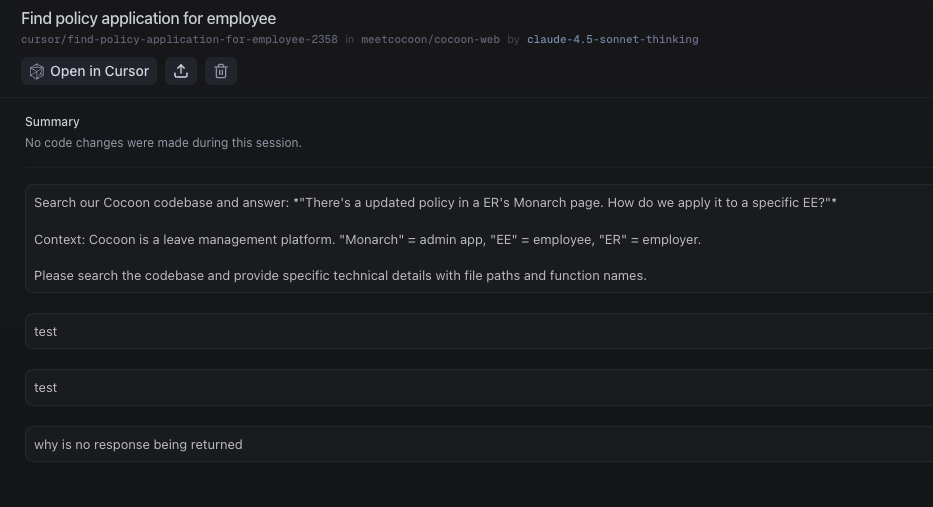
Background agent doesn’t do anything with the prompt it’s given and finishes.

Steps to Reproduce

  1. Submit an API request via Background Agent API
  2. Wait for Cursor to startup, run, and respond
  3. Nothing is done with the prompt + no response
  4. See that the status of the BA is “FINISHED”

Expected Behavior

It should process the prompt and return the output

Screenshots / Screen Recordings

Operating System

MacOS

Current Cursor Version (Menu → About Cursor → Copy)

Version: 1.7.38 (Universal)
VSCode Version: 1.99.3
Commit: fe5d1728063e86edeeda5bebd2c8e14bf4d0f960
Date: 2025-10-06T18:18:58.523Z
Electron: 34.5.8
Chromium: 132.0.6834.210
Node.js: 20.19.1
V8: 13.2.152.41-electron.0
OS: Darwin arm64 23.4.0

For AI issues: which model did you use?

Sonnet 4

For AI issues: add Request ID with privacy disabled

agents?selectedBcId=bc-7348d56f-dad4-4823-80e7-6b090b9cb736

Additional Information

It works fine when I use the @Cursor in Slack

Does this stop you from using Cursor

No - Cursor works, but with this issue

hi everyone the issue has been fixed several days ago and I am following up to check if you still experience that issue.

1 Like

This topic was automatically closed 22 days after the last reply. New replies are no longer allowed.