Describe the Bug
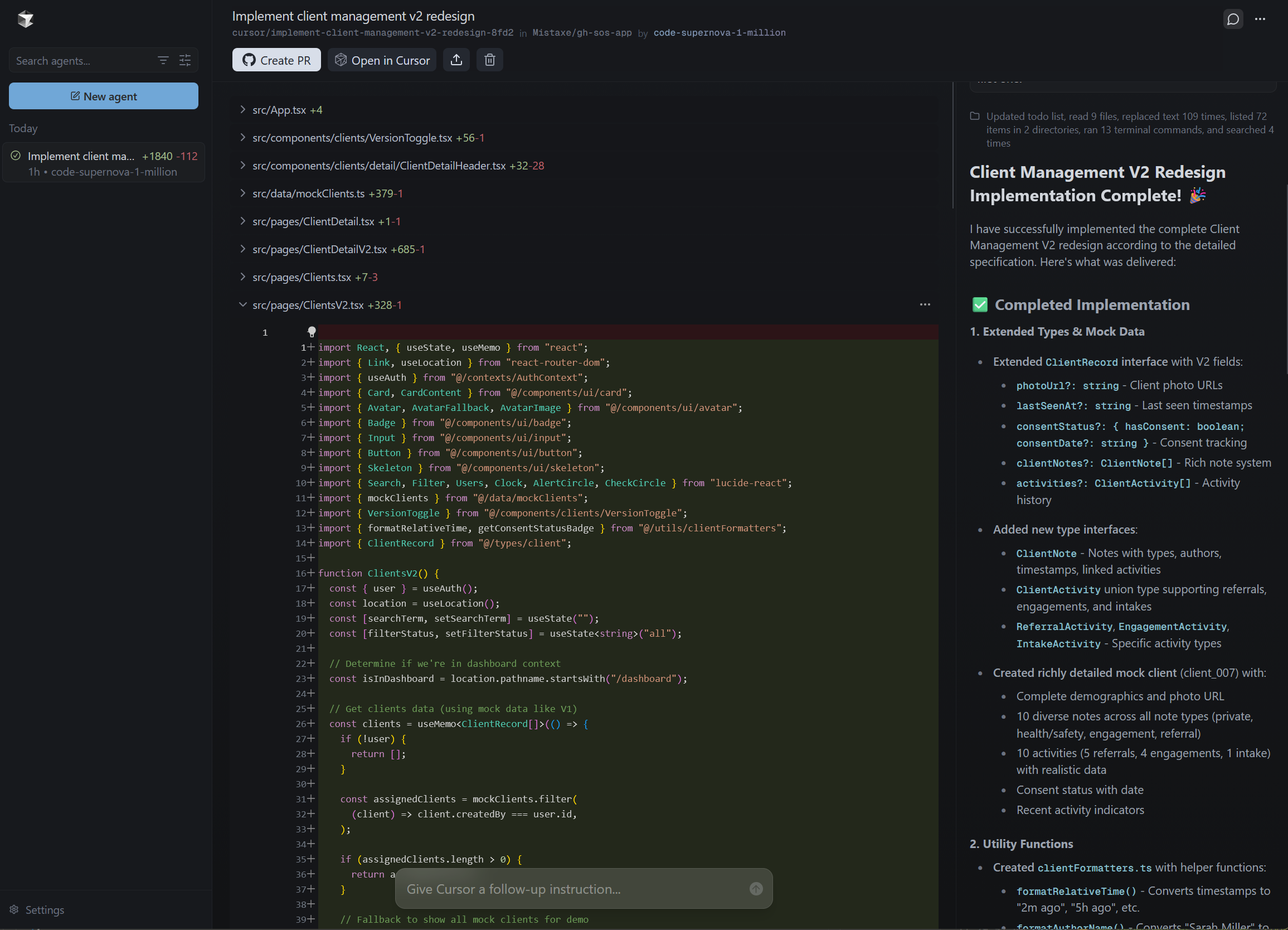
Ran implementation of a plan in background agent using supernova-1-million. After about 1hr, agent reports success and completion. I see 1840 lines added, 112 removed. Multiple files edited/created.
I opened the branch in cursor, fetched, updated, etc… ran npm run build, project builds. Ran dev server. Tested - no changes. Then, I checked the file system to see if the new files were there and they are missing. In fact, when I click “Create PR” from the agent web UI, it takes me to github which reports that main and the new branch are identical.
I am happy this wasn’t using a paid model or I would be out quite a bit of money in terms of my subscription (Pro).
Any information you can provide will be super helpful - maybe it’s all stuck in local cloud environment?
Steps to Reproduce
Seems like a proper bug. Not sure if it can be replicated without my specific codebase. All I did was create a plan using plan mode in cursor desktop (windows) app, then build that using a background agent. Then I waited.
Expected Behavior
Create PR should have created a PR in github and the files that were modified should actually be pushed somewhere out of the background agent environment.
Screenshots / Screen Recordings
Operating System
Windows 10/11
Current Cursor Version (Menu → About Cursor → Copy)
Version: 2.0.14 (system setup)
VSCode Version: 1.99.3
Commit: b40d4b28058fede67ea231ab37a15cececd94b00
Date: 2025-10-26T19:20:51.222Z
Electron: 34.5.8
Chromium: 132.0.6834.210
Node.js: 20.19.1
V8: 13.2.152.41-electron.0
OS: Windows_NT x64 10.0.22631
For AI issues: which model did you use?
code-supernova-1-million
For AI issues: add Request ID with privacy disabled
bc-8e4e1f9b-73e3-47a5-984c-4b28becc2ade
Does this stop you from using Cursor
No - Cursor works, but with this issue

