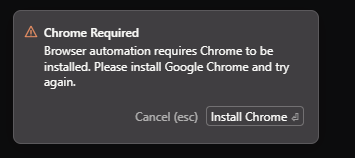
i do not have chrome installed but have ungoogled chromium. is there a way to use that instead of regular chrome? I have CHROME_EXECUTABLE pointing to the ungoogled chromium binary, as that is used by android studio for the same purpose.
In Agent Window the browser works btw (not sure if this is the same feature).
i do not, and never had, google chrome installed. i only have ungoogled chromium.
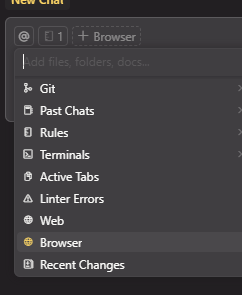
as visible in the screenshot, cursor says browser not found in settings, but browser automation works just fine.
also if you use playwright under the hood, they support custom chrome path (e.g. ungoogled chromium) like so: --executable-path=C:\\Users\\user\\AppData\\Local\\Chromium\\Application\\chrome.exe
and as shown in my previous message, it works just fine without ever installing google chrome.
i really think custom chrome path should be properly supported, because clearly there are two different chrome verifications… ideally via standard CHROME_EXECUTABLE environment variable, which points to chrome.exe path
patch 11, specifying custom path on windows 10 does not work, it still says chrome not found even after refresh, i have tried over dozen options, tried both /\\\, tried with chrome.exe and without too, never worked.
@Serp make sure that your chrome is in one of these paths: C:\Program Files\Google\Chrome\Application\chrome.exe C:\Program Files\Google\Chrome Beta\Application\chrome.exe C:\Program Files\Google\Chrome Dev\Application\chrome.exe C:\Program Files\Google\Chrome SxS\Application\chrome.exe %localappdata%\Google\Chrome\Application\chrome.exe %localappdata%\Google\Chrome Beta\Application\chrome.exe %localappdata%\Google\Chrome Dev\Application\chrome.exe %localappdata%\Google\Chrome SxS\Application\chrome.exe
Interesting idea, but no, I’m not going to check. I have installed official Google Chrome using official installer without changing settings. If Cursor is not able to detect that, then I can live without the Browser feature.