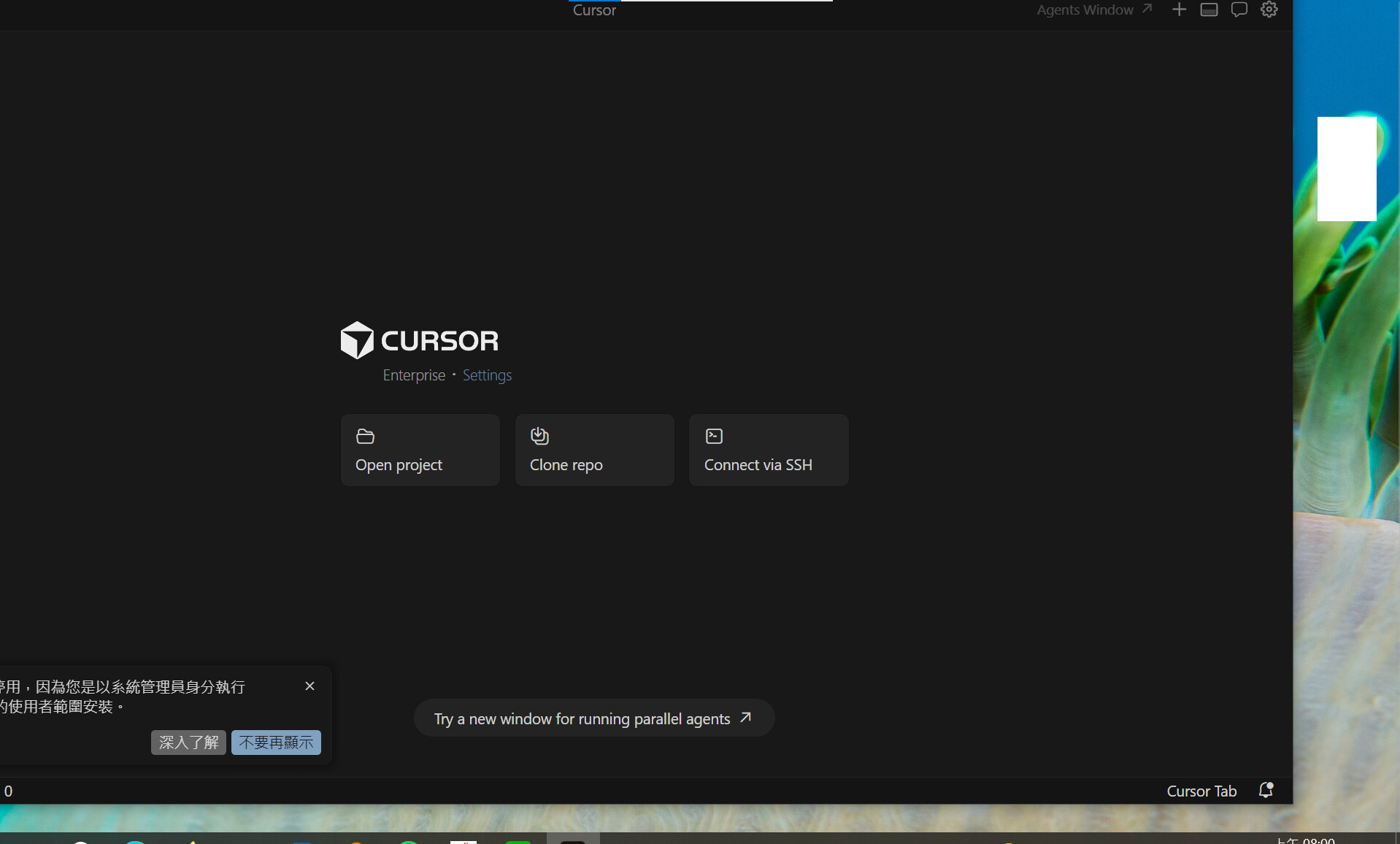
Thanks for reporting this with the detailed version info and screenshot. This looks like a rendering issue with the Glass layout related to Windows display scaling.
I tried to reproduce this on my end with 150% scaling but wasn’t able to see the same offset. To help us narrow it down, could you check a couple of things?
Does changing your display scaling to 100% or 125% resolve the offset? (Windows Settings > Display > Scale)
Does switching to the classic layout work correctly? You can toggle via the Command Palette (Ctrl+Shift+P) and running “Toggle Editor/Agents Window Layout”.
Do you have multiple monitors with different scaling settings?
This will help us determine whether the issue is specifically tied to 150% scaling or a broader rendering problem on your setup.