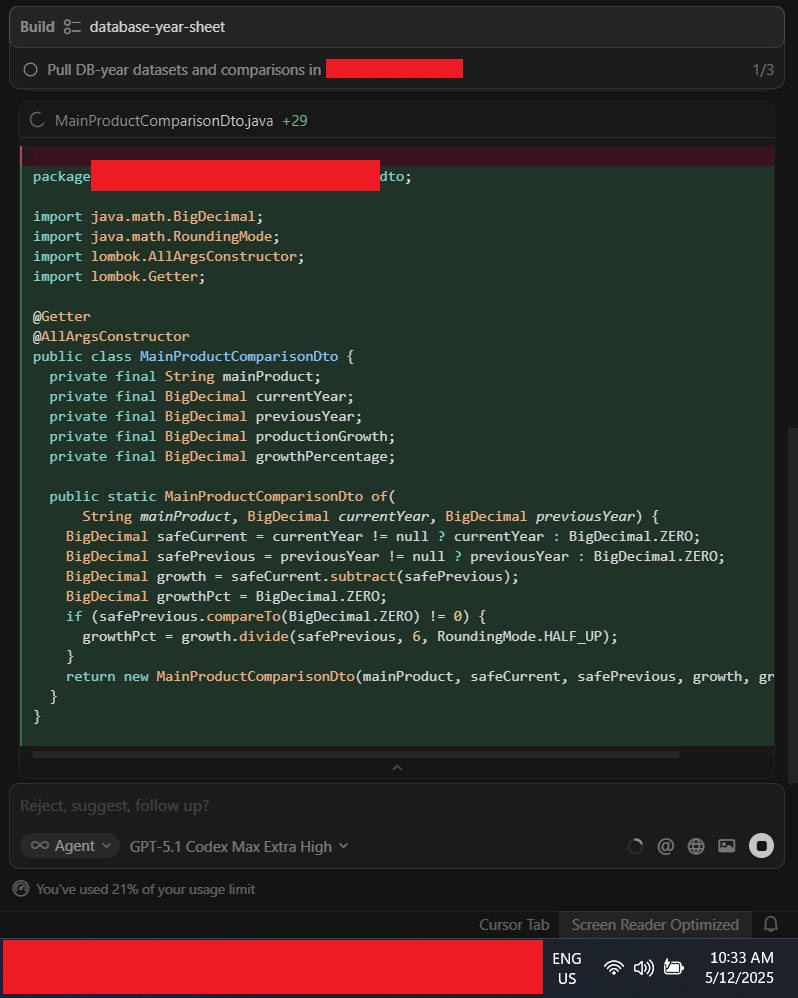
Cursor IDE
Building from Plan Mode stuck after creating 1 of classes and not proceed anything unless stop the operation and revert. Retry back also same it still stuck.
Run Build on Plan Mode using GPT-5.1-Codex-Max-High/xHigh
Windows 10/11
Version: 2.1.48 (user setup)
GPT-5.1-Codex-Max-High/xHigh
No - Cursor works, but with this issue
deanrie
December 5, 2025, 5:00am
3
Thanks, this falls under the current regression in 2.1.47–2.1.48. We’re tracking it here: Plan mode "build" not working in chat
In the meantime, please try:
Ask to build the plan via text in chat, without using the Build button
Enable Settings → search: Auto-apply Edits and Auto-run
Launch without extensions: fully quit Cursor, then run cursor --disable-extensions
Please attach:
Request ID from the stuck thread: chat menu top-right → Copy Request ID
Console errors: Ctrl+Shift+P → Developer: Toggle Developer Tools → Console (screenshot)
What Developer: Open Process Explorer shows during the hang
Confirmation whether it reproduces without extensions and whether Auto-apply Edits helps
If needed, you can stay on 2.0 temporarily until the fix ships.
is it this one for auto-apply edit?