Where does the bug appear (feature/product)?
Background Agent (GitHub, Slack, Web, Linear)
Describe the Bug
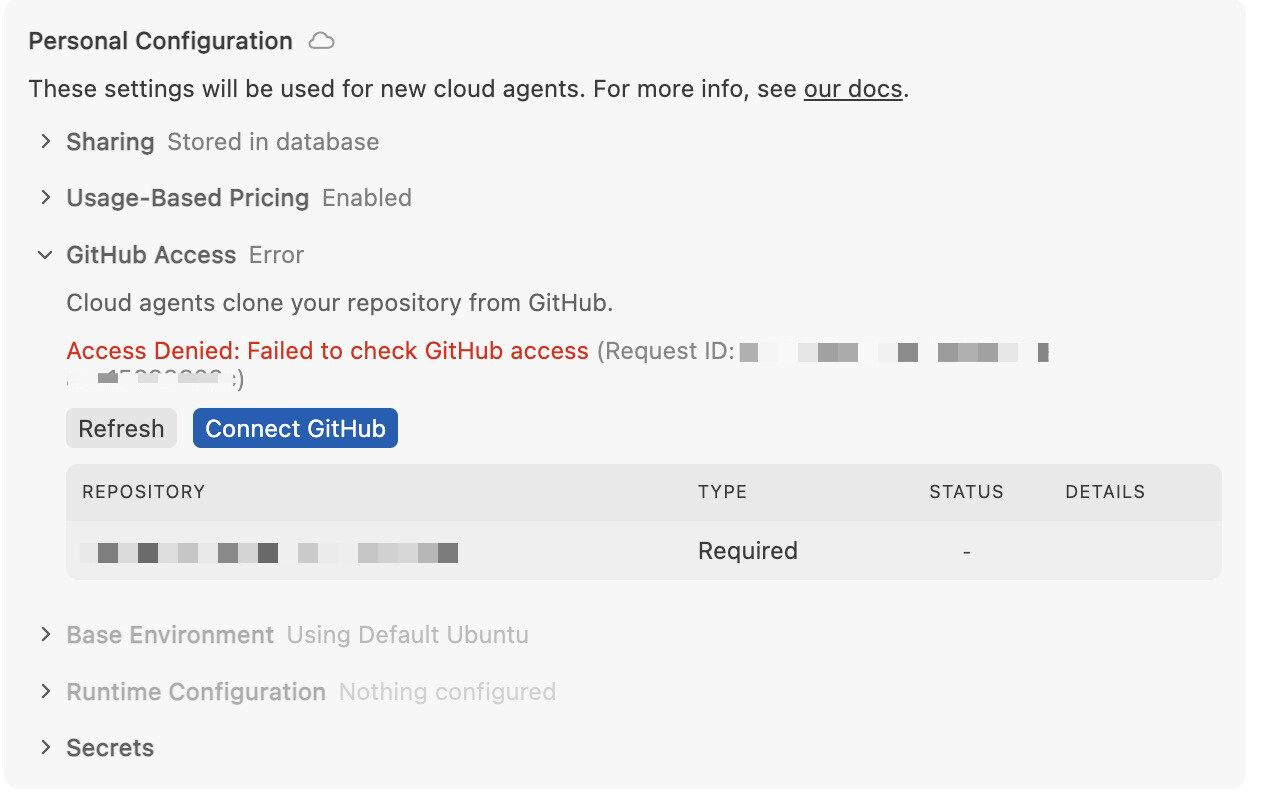
Cloud Agents cannot access GitHub repository despite correct OAuth configuration.
Error shown: “Access Denied: Failed to check GitHub access”
Request ID: 75517e13-1d7b-42bd-bcc2-0be896fb1488
Repository: xxxx/xxxxx
Steps to Reproduce
- Go to Cursor Settings → Cloud Agents → Personal Configuration
- Repository “xxxx/xxxx” shows Status: “Required”
- Click “Refresh” or “Connect GitHub”
- Error persists: “Access Denied: Failed to check GitHub access”
GitHub configuration verified as correct:
- Cursor GitHub App installed on xxx-xxxx org with “All repositories” access
- Cursor GitHub Extension OAuth App authorized with xxxx-xxx org access granted
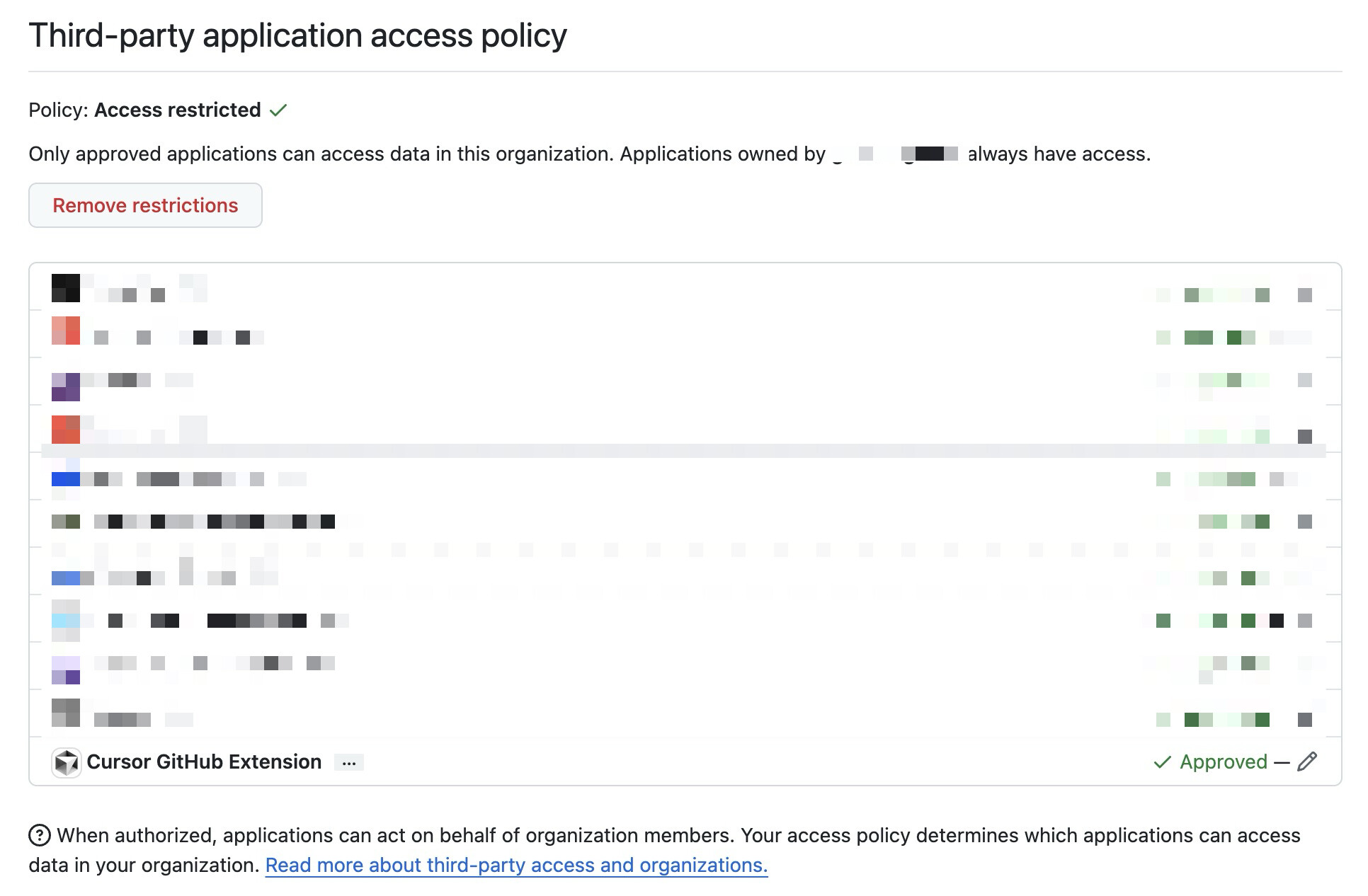
- OAuth App approved in org’s third-party application access policy (Access restricted policy enabled)
Troubleshooting attempted:
- Uninstalled and reinstalled Cursor GitHub App
- Revoked and re-authorized OAuth App
- Approved OAuth App in org’s third-party policy
- Cleared ~/Library/Application Support/Cursor/User/globalStorage/github.auth
- Restarted Cursor multiple times
Expected Behavior
Cloud Agents should successfully authenticate with GitHub and show “xxx-xxx/xxx” repository as accessible, allowing background agents to clone and work on the repository.
Operating System
MacOS
Version Information
Tried two Versions:
Version: 2.3.41
VSCode Version: 1.105.1
Commit: 2ca326e0d1ce10956aea33d54c0e2d8c13c58a30
Date: 2026-01-16T19:14:00.150Z
Electron: 37.7.0
Chromium: 138.0.7204.251
Node.js: 22.20.0
V8: 13.8.258.32-electron.0
OS: Darwin arm64 25.2.0
Version: 2.4.21
VSCode Version: 1.105.1
Commit: dc8361355d709f306d5159635a677a571b277bc0
Date: 2026-01-22T16:57:59.675Z
Build Type: Stable
Release Track: Nightly
Electron: 39.2.7
Chromium: 142.0.7444.235
Node.js: 22.21.1
V8: 14.2.231.21-electron.0
OS: Darwin arm64 25.2.0
Additional Information
The xxx-xxx organisation has “Access restricted” third-party policy enabled. The “Cursor GitHub Extension” OAuth App has been explicitly approved in this policy. Other OAuth apps (CircleCI, Bitrise, Atlassian Cloud, etc.) work correctly under this same policy.
The Cursor GitHub App shows it has been installed on both xxxx-xxxx and my personal account (My account) with full read/write permissions.
Happy to provide screenshots of the GitHub configuration if helpful.
Does this stop you from using Cursor
No - Cursor works, but with this issue