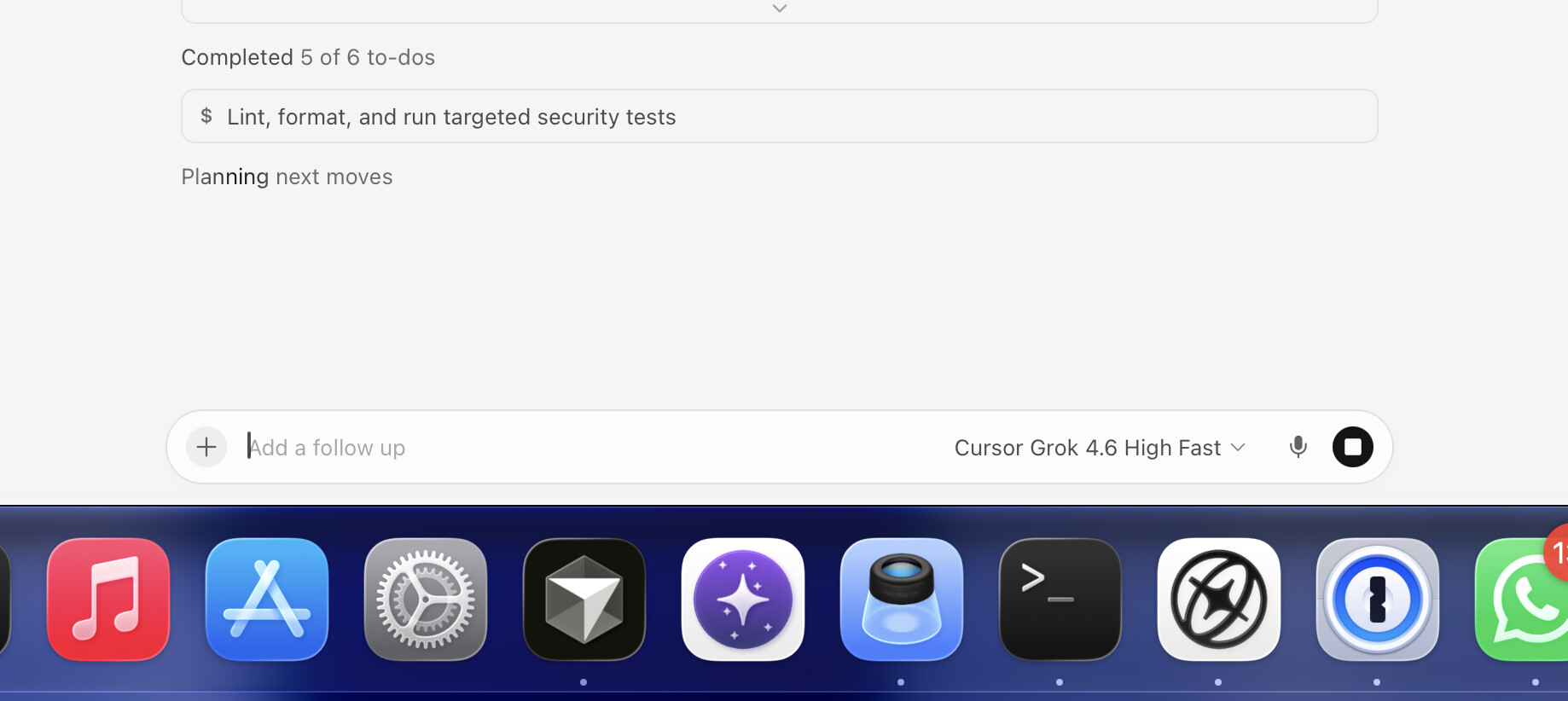
Cloud Agents Default Model is set to Cursor Grok 4.6 High with Fast off. The cloud agent follow-up composer still shows Cursor Grok 4.6 High Fast, and usage bills cursor-grok-4.6-high-fast. Fast is 2x the usage cost.
The Default Model picker label does not show Fast at all. Fast is hidden behind Edit. After I set Effort = High and uncheck Fast, the closed picker still just says “Cursor Grok 4.6 High”. Then the agent runs Fast anyway.
This looks like the Cloud Agents default does not apply the Fast=off param. Fast is a separate model param, and it seems to default back on at runtime.
Steps to Reproduce
Open Cloud Agents dashboard Preferences, Default Model.
Set Default Model to Cursor Grok 4.6 High.
Open Edit on that model. Set Effort to High and uncheck Fast. Closed picker still says “Cursor Grok 4.6 High” with no Fast.
Start or continue a cloud agent without specifying a model (so it should use the default).
The follow-up composer shows “Cursor Grok 4.6 High Fast”.
Usage shows rows billed as cursor-grok-4.6-high-fast.
Expected Behavior
If Default Model is Cursor Grok 4.6 High with Fast off, cloud agents should run cursor-grok-4.6-high, not cursor-grok-4.6-high-fast. The follow-up composer should match that default.
Hey, thanks for the detailed report. You’re totally right, and this is an issue we’re already tracking.
One small detail about what you’re seeing. The default is applied correctly when the agent starts. But after the first reply, the follow-up composer can switch the selection to the Fast option, and any messages you send while Fast is shown will actually run and be billed as cursor-grok-4.6-high-fast. That’s why you’re seeing Fast lines in your usage, it’s not just a label.
Until the fix ships, the most reliable workaround is to check which model is selected in the follow-up field before sending. If it flipped, switch it back to Cursor Grok 4.6 High with Fast off.
Related threads on the same issue if you want to follow along:
Hey @digvijaysai_g, I’m back with an update like I promised.
The issue where the follow-up composer would switch itself to Fast after the first reply, then bill the Fast option on later messages, is fixed on our side and is rolling out. Since this is on cursor.com/agents, you don’t need to update anything on your side.
Once the rollout reaches you, the picker should stay on Cursor Grok 4.6 High with Fast off until you change it yourself. Please try again a bit later and let me know if Fast still turns on by itself.
About the Fast usage that was already charged, a different team handles that. Please email [email protected] and they’ll check your account.
Hey @banth31, thanks for coming back with details, it really helps.
Just to clarify what changed. The fix we rolled out only covers one specific case where the follow-up composer switched itself to Fast after the first reply. What you’re describing looks different. Fast is already on the very first turn when the agent starts, plus you’re seeing it in Slack agents too. These are related but separate paths, and we’re still looking into them, so this isn’t something in your setup.
To help us separate this more clearly, can you share:
the agent bcId web dashboard where the first turn went Fast, and the Request ID with Privacy Mode turned off
separately, the bcId for the Slack agent where it happened again
With that, I can pass the team concrete examples for each path.
About the Fast usage that was already charged, that’s handled by a different team. Please email [email protected] and they’ll check your account.
No timeline update yet, but I’ll reply in the thread when I have something to share.
Hey @Warren_Hardy, thanks for calling this out separately.
A couple quick clarifications. The issue with the follow-up composer switching to Fast after the first reply (and on the first turn or when returning to a thread) is fixed on our side and has been rolled out. It’s a web deploy on cursor.com/agents, so there’s nothing you need to update.
The Grok Bot path (when the agent is spawned from Grok Bot, rather than selecting a model in the IDE) is a separate case, and we’re tracking it. One important detail: the usage you shared is from late August, which is before the September changes shipped. So Fast lines from that period are expected and don’t reflect current behavior.
To check whether this is still happening now, could you please send:
a recent (September) bcId for an agent launched via Grok Bot where Fast off didn’t stick
the Request ID with Privacy Mode turned off
And one question: is Fast actually being billed in usage right now, or in current runs does it only show up in the picker while the charge is for non-Fast? That changes how we should debug this.
Since this is a separate path from what’s being discussed in this thread, it’d be cleaner to open a new thread for it so it’s easier to track without mixing it with the web picker. If you want, create a new one and drop the link here, or just reply here with the bcId and I’ll dig in.
If you’d like to have already-charged Fast usage from August reviewed, that’s handled by a different team at [email protected].