Where does the bug appear (feature/product)?
Cursor IDE
Describe the Bug
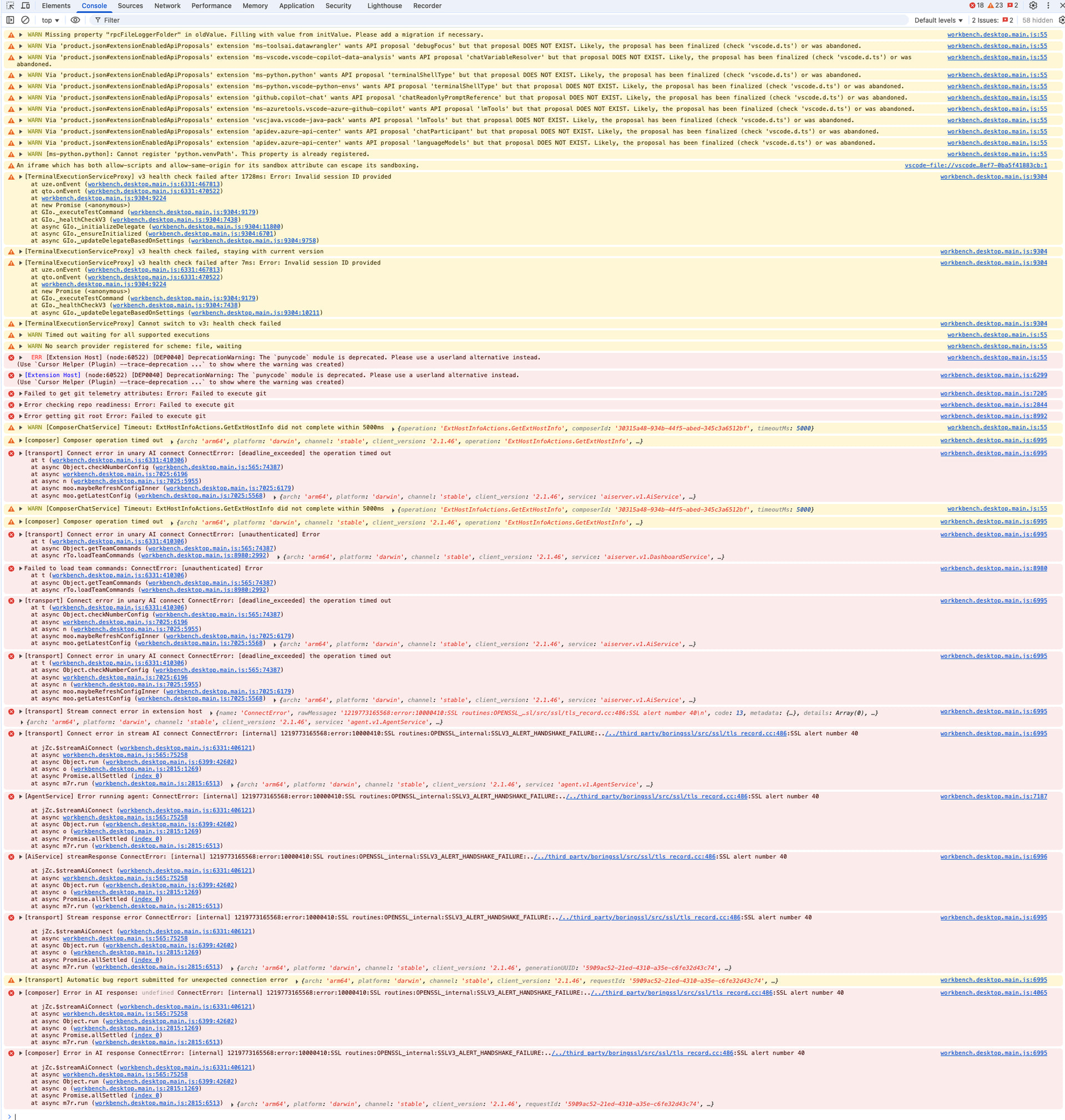
Some chat instances fail with SSL/TLS handshake errors while others work fine in the same workspace.
Error Details:
Request ID: 555b5388-fa66-4037-be09-b9baea90bed2
ConnectError: [internal] 1288492638272:error:10000410:SSL routines:OPENSSL_internal:SSLV3_ALERT_HANDSHAKE_FAILURE:../../third_party/boringssl/src/ssl/tls_record.cc:486:SSL alert number 40

    at UZc.$streamAiConnect (vscode-file://vscode-app/Applications/Cursor.app/Contents/Resources/app/out/vs/workbench/workbench.desktop.main.js:6331:406060)
    at async vscode-file://vscode-app/Applications/Cursor.app/Contents/Resources/app/out/vs/workbench/workbench.desktop.main.js:565:75277
    at async Object.run (vscode-file://vscode-app/Applications/Cursor.app/Contents/Resources/app/out/vs/workbench/workbench.desktop.main.js:6399:42465)
    at async o (vscode-file://vscode-app/Applications/Cursor.app/Contents/Resources/app/out/vs/workbench/workbench.desktop.main.js:2815:1269)
    at async Promise.allSettled (index 0)
    at async o7r.run (vscode-file://vscode-app/Applications/Cursor.app/Contents/Resources/app/out/vs/workbench/workbench.desktop.main.js:2815:6513)
Symptoms:
- Fresh chat windows fail immediately with “Connection Error” on first message
- Error: “Connection failed. If the problem persists, please check your internet connection or VPN”
- Some chat instances work fine while others consistently fail
- Issue persists after clearing cache, reindexing workspace, closing/reopening chats, and restarting Cursor
Environment:
- Subscription: Pro
- Multiple chat windows in same workspace
- Some chats work, others fail with same error
Additional Issue:
Rules are only processed on the first message of a chat. If a chat fails on first message, rules cannot be applied. If a working chat is continued, rules may not be applied to subsequent messages.
Steps to Reproduce
- Open Cursor with a workspace
- Open a new chat window
- Type first message in the new chat
- Connection error appears immediately
- Some chat windows work fine, others consistently fail with SSL handshake error
- Issue persists after clearing cache, reindexing, closing/reopening chats, and restarting Cursor
Expected Behavior
All chat windows in the same workspace should connect successfully. SSL handshake should complete without errors.
Screenshots / Screen Recordings

Operating System
MacOS
Current Cursor Version (Menu → About Cursor → Copy)
Version: 2.1.39 (Universal)
VSCode Version: 1.105.1
Commit: 60d42bed27e5775c43ec0428d8c653c49e58e260
Date: 2025-11-27T02:30:49.286Z
Electron: 37.7.0
Chromium: 138.0.7204.251
Node.js: 22.20.0
V8: 13.8.258.32-electron.0
OS: Darwin arm64 24.3.0
For AI issues: which model did you use?
Auto
Likely Composer 1 but same for others
For AI issues: add Request ID with privacy disabled
Request ID: 555b5388-fa66-4037-be09-b9baea90bed2
Does this stop you from using Cursor
Sometimes - I can sometimes use Cursor