user1209
November 20, 2025, 3:42am
1
Cursor IDE
cursor 2.0.77 stuck loading tools http remote mcp server
use remote https mcp server
Linux
版本: 2.0.77
Yes - Cursor is unusable
deanrie
November 20, 2025, 7:12am
2
Hey, thanks for the report. Cursor is incorrectly detecting the transport type for your remote MCP server, which causes URL protocol errors. This is a known bug that the team is already tracking.
Please try these workarounds:
Option 1: Change HTTP Compatibility Mode
Settings > Network > HTTP Compatibility Mode → “HTTP/1.0”
Restart Cursor
Option 2: Disable HTTP/2
Settings > Network > Enable “Disable HTTP/2”
Restart Cursor
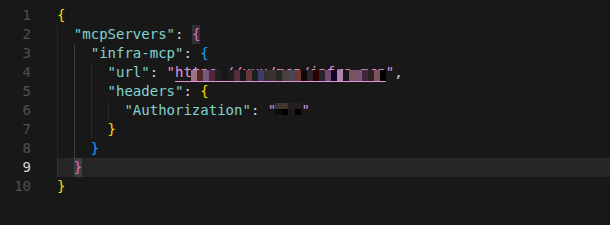
Could you also share your MCP configuration? (from .cursor/mcp.json or ~/.cursor/mcp.json)
I just want to double-check that your URL format is correct.
Let me know if either workaround helps.
user1209
November 21, 2025, 4:12am
3
Changing the network didn’t work; my configuration is correct, and localhost works fine.Domain name cannot be used
system
December 13, 2025, 4:12am
4
This topic was automatically closed 22 days after the last reply. New replies are no longer allowed.