Background Agent (GitHub, Slack, Web, Linear), e.g. RequestId bc-212f361d-8174-4dcc-8f5a-2b41ba039775
Describe the Bug
I have a build with a custom image, but as of today builds have been failing (seemingly out of the blue):
Error: Environment failed to start
Details:
Failed to execute install command install-system-dependencies (system: true, user: Some("root")): Command failed with exit code 1: stdout: All required packages are already installed. Skipping installation.
e[3J, stderr:
Allocating resources for this agent...
Checking out repository…
Repository checked out
⣽
All required packages are already installed. Skipping installation.
e[3J
[Exit] Failed (code: 1)
That’s the entire build log, and the error seems to occur before it even runs my custom Dockerfile. Looking for that exact string (“All required packages are already installed. Skipping installation.”) yielded very few results online and on github, so I have no idea where it could even come from (maybe cursor’s orchestration code?).
I assume install-system-dependencies is an internal script running, and it probably shouldn’t return exit code 1 in this instance? I can only guess that this came from a change introduced recently.
Any help would be greatly appreciated, I’m stumped.
Steps to Reproduce
Background Agent with a custom Dockerfile (happy to provide mine, although I think this error happens before my Dockerfile)
Operating System
Linux
Current Cursor Version (Menu → About Cursor → Copy)
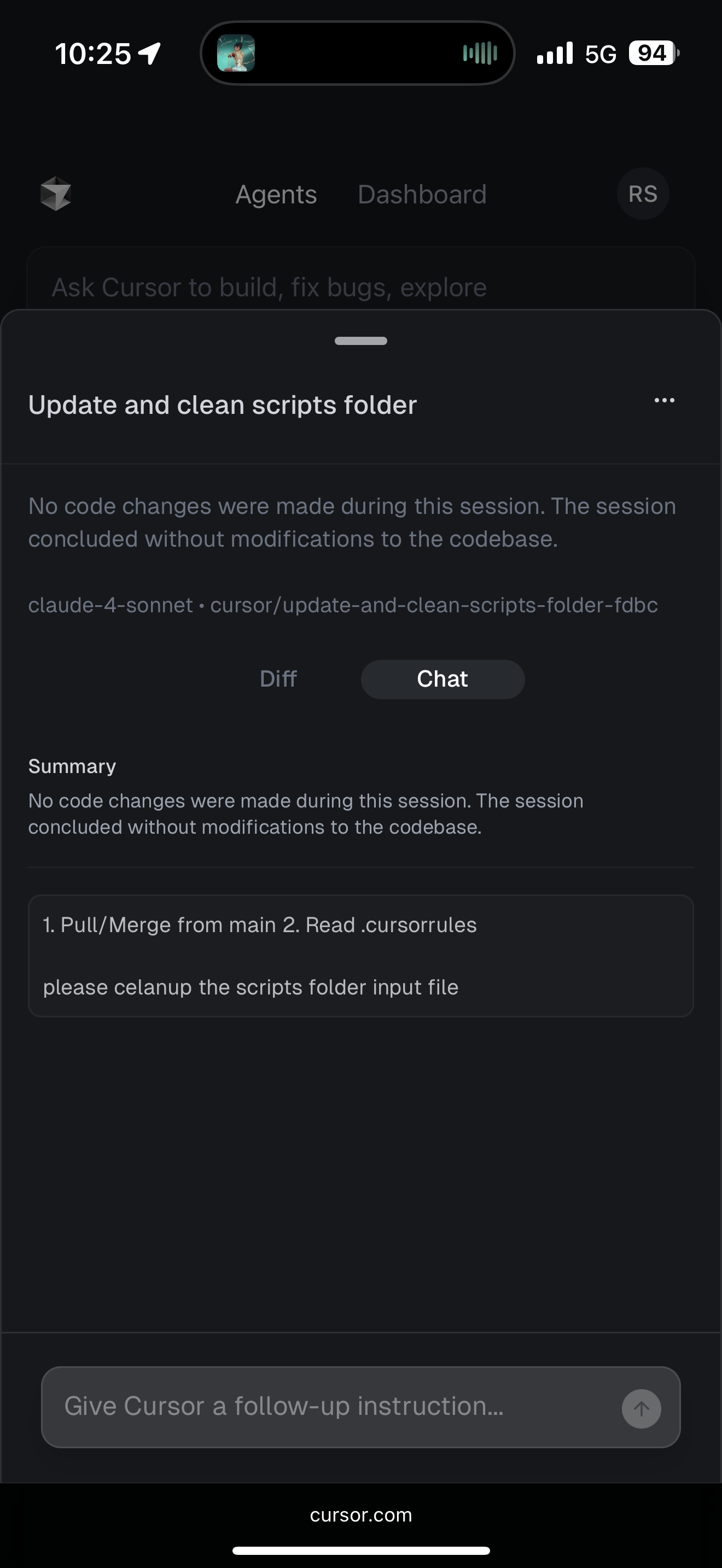
I’ve been using cursor exclusively in mobile web mode. I create background agents to make code changes, review them, then commit and deploy with an automated GitHub workflow.
Starting yesterday all of my agents began failing with“no changes made” except for the default one. I can’t tell if I’ve hit my limit or not because the usage tab on web only shows a list of requests and tokens used (no aggregate, no number to compare to, etc.). Sam AI says I didn’t, but it could be hallucinating. I thought it could be related to the degradation of service but it has continued into today.
Has anyone seen this before? Also, does anyone know how to unselect max mode from mobile? I don’t have the IDE installed so I feel like I’m missing a lot of options…
hi @Burkhard and thank you for tagging me! Apologies that it took me some time today to get to your request.
@Battlezone@stanleyrya Thank you also for the reports and taking the time! Where possible always include request IDs for issues so we can compare them internally.
I will send this to the team. Its possible we had temporary issue as no widespread Background Agent outage is reported but colleagues will need to check.
I did some more investigation and I believe I know what’s going on.
The web UI doesn’t allow users to pick a non-MAX model except for the default one. This is true even if the max setting is turned off in the cursor application. MAX models require usage-based pricing (?) which I am not willing to pay for, so I can no longer create any non-default agents.
I’ve been using the background agents for months on my phone without any issues, so this is really disappointing. If I can’t get this fixed I think I’m going to cancel my membership. I don’t have the time for a normal computer setup and I do all my programming on my phone. The web UI is so bad that it is unusable anymore. I can’t even see half of the settings without borrowing a friend’s computer.
Not directly, team is checking the agent build process and what may need to be adjusted. This is mostly on our side and the reported request IDs help to see what else we may need to adjust.
I’m seeing the issue again, however this time it’s breaking my default agent. The default agent can’t interact with the file system even though my account isn’t being upgraded to the new plan until the 8th.