Where does the bug appear (feature/product)?
Cursor IDE
Describe the Bug
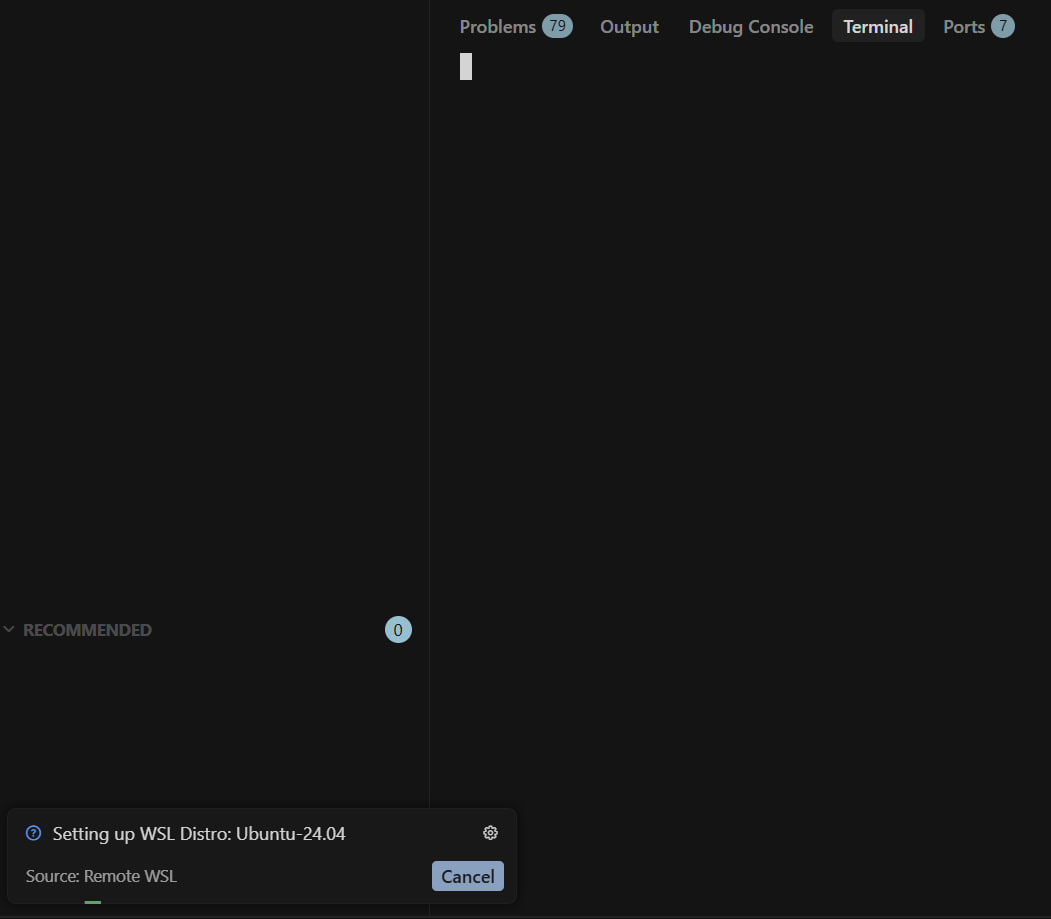
I just updated Cursor to latest version (3.5.17) and it just won’t reload. The IDE shows up but terminal cannot load. The only clue I have is that it seems stuck in an infinite loop because every 20s or so, I see (very briefly, hard to catch) the popup I am attaching.
Steps to Reproduce
Update cursor to v3.5.17
Expected Behavior
Cursor to update without a glitch so that I can continue working.
Screenshots / Screen Recordings
Operating System
Windows 10/11
Version Information
Version: 3.5.17 (user setup)
VSCode Version: 1.105.1
Commit: d5b2fc092e16007956c9e5047f76097b9e626ca0
Date: 2026-05-20T02:43:31.559Z
Layout: editor
Build Type: Stable
Release Track: Default
Electron: 39.8.1
Chromium: 142.0.7444.265
Node.js: 22.22.1
V8: 14.2.231.22-electron.0
OS: Windows_NT x64 10.0.26200
Does this stop you from using Cursor
Yes - Cursor is unusable
