I’ve noticed inconsistent behavior with file links in Cursor Chat when working with WSL Ubuntu inside of Windows 11.
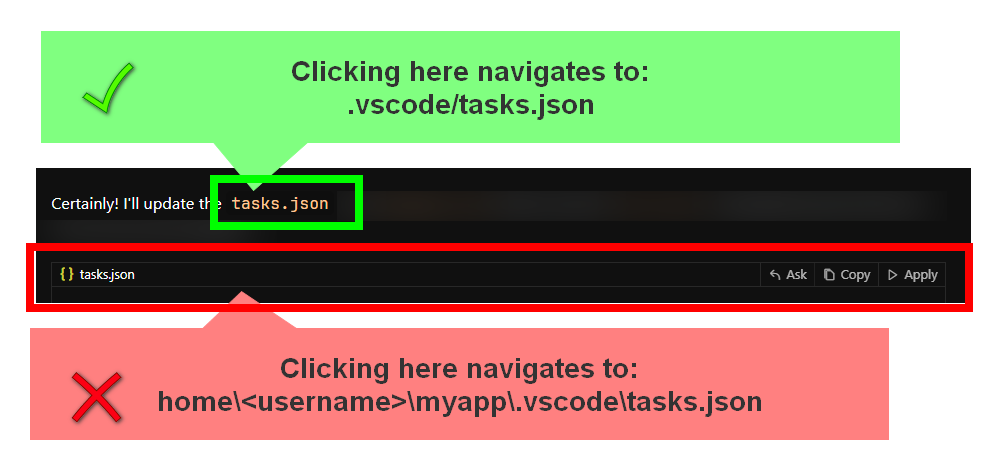
And in the above example, clicking on the … home\<username>\myapp\.vscode\tasks.json …triggers a “CREATE FILE” dialog because the file cannot be found.
It’s frustrating because I often lose context when I want to apply a code block change. Is there any way to resolve this or change the project config to get around this?