I can no longer use Cursor as an IDE and have to use VS code again.
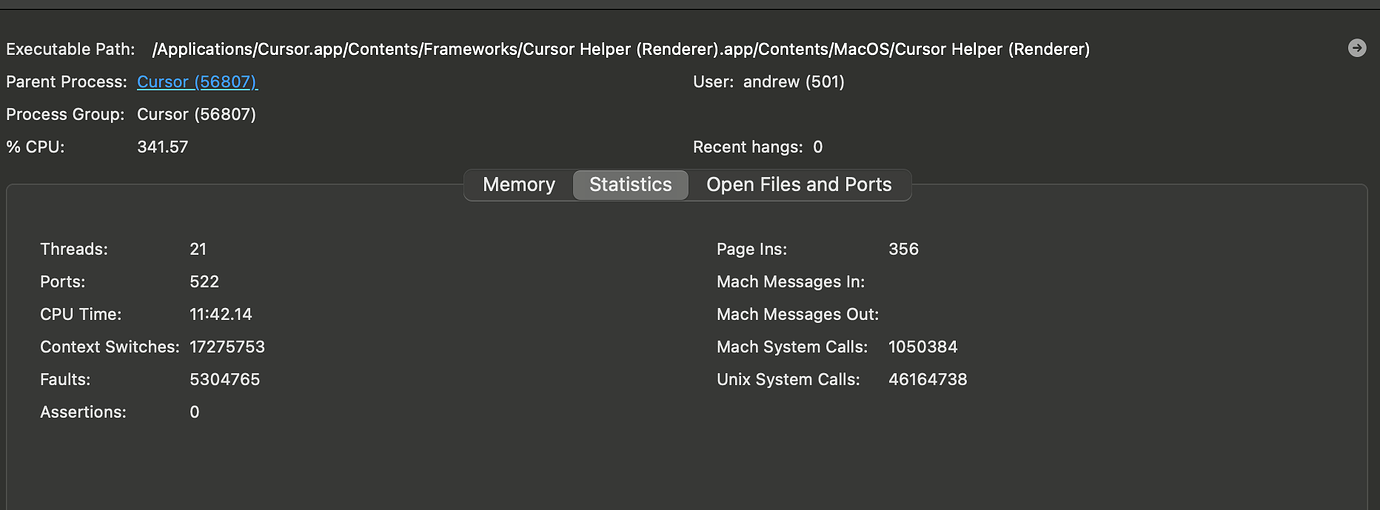
The issues is the IDE causes all of the system CPUs to max out at 100% usage for several seconds. Usually this ends up causing Cursor to crash.
Viewing the Mac process space, the issue can be tracked down to at least the fact that over 400 rg processes are being spawned from Cursor in a short period of time.
But received no replies, so I elevating this to a new bug report. I have been unable to use Cursor for about a week now. This is a recent issue after what I believed was a Cursor upgrade. Using VS code is the only work around I have at the moment. Crashes multiple times a day if I try to use it and when not crashing, makes my computer near unusable while the problem is happening due to CPU usage
Steps to Reproduce
Open a very large Angular application
Running of many node commands will trigger the issue
Some I’ve seen do it:
pnpm install
pnpm exec ng serve
Usage of Claude code both inside the IDE and outside the IDE as it interacts with the file system
Expected Behavior
The idea should not increase the CPU utilization for these commands.
The issue does not reproduce in VS code, seems to be a cursor only bug, or at least an issue with the current cursor version and underlying vs code. VS code version tested:
It has not reproduced on startup. It typically happens when I am running node or pnpm commands in the terminal (both inside the IDE terminal and outside in a normal iTerm2 terminal).
I’ve also triggered it when running Claude Code inside of Cursor and from outside of Cursor. I think that it is usually when that Claude is running pnpm commands node commands itself.
I have not been using Cursor’s agent much lately as we are evaluating Claude code at the moment, and it seems that you cannot use Claude Code with cursor’s agent out of the box, since claude code and using claude via an API key are two different licenses.
So using the IDE does not seem to trigger it, but rather file system changes seem to be triggering it. Note that using pnpm and not npm may be something significant since pnpm uses a lot of linking to save HD space compared to other node package managers?
Also note that it is not 100% reproducible. Just happens multiple times a day, but not every time. I’m trying to determine more of how to reproduce it and I’ll post back here as I can gather more information or data.
In one of my git worktree working copies, ran a “clean.all” which deletes all node_modules folders, dist directories and such. Basically acts like a clean working copy
Opened Cursor in that directory
Ran pnpm install
CPU did not spike abnormally
Attempt 2:
Used a git worktree add ... command to create a new working copy
Opened Cursor in that new working copy
Opened a new terminal in Cursor
Ran pnpm install
CPU pegged “normally”. I didn’t see any rg processes spawned
Also, our project package.json is not compatible with npm so I can’t try that. For example, we use workspace: style package references that are a pnpm concept. So npm install just fails in our project.
I just had this happen again today, it does not appear that the rg issue is fixed in the latest cursor.
Happening less often, this was the first crash today, at the end of my day and had none yesterday. Once it happened though it happened 4 more times within the same hour.