Where does the bug appear (feature/product)?
Cursor IDE
Describe the Bug
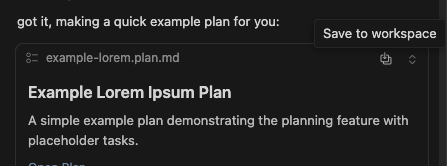
- When trying to copy a piece of the plan written by cursor, I’m unable to copy the text

- When moving from Preview to Markdown (I can copy to clipboard when in Markdown view), I see a
raw-<id>.mdfile poping up in a new tab. If I try to save it, I get:
Failed to save 'raw-pxfttdbosg-1761751130452': Unable to write file '/raw-pxfttdbosg-1761751130452' (Unknown (FileSystemError): Error: EROFS: read-only file system, open '/raw-pxfttdbosg-1761751130452')
I’m not sure what is the expected workflow for this but doesn’t seem very intuitive.
Steps to Reproduce
- Open cursor
- Open Chat sidebar (AI Pane)
- Switch to Plan Mode
- Ask for a plan
- Try to copy the plan text in the preview view.
5.1 Try to paste the copied text, you’ll see nothing was copied. - Go to the Markdown view
6.1 See how a newraw<id>.mdfile pops up in a new tab
Expected Behavior
- I would love to be able to copy from the preview view.
- I don’t really expect to need to handle the new md file
Operating System
MacOS
Current Cursor Version (Menu → About Cursor → Copy)
Version: 1.7.54
VSCode Version: 1.99.3
Commit: 5c17eb2968a37f66bc6662f48d6356a100b67be0
Date: 2025-10-21T19:07:38.476Z
Electron: 34.5.8
Chromium: 132.0.6834.210
Node.js: 20.19.1
V8: 13.2.152.41-electron.0
OS: Darwin arm64 25.0.0
Does this stop you from using Cursor
No - Cursor works, but with this issue