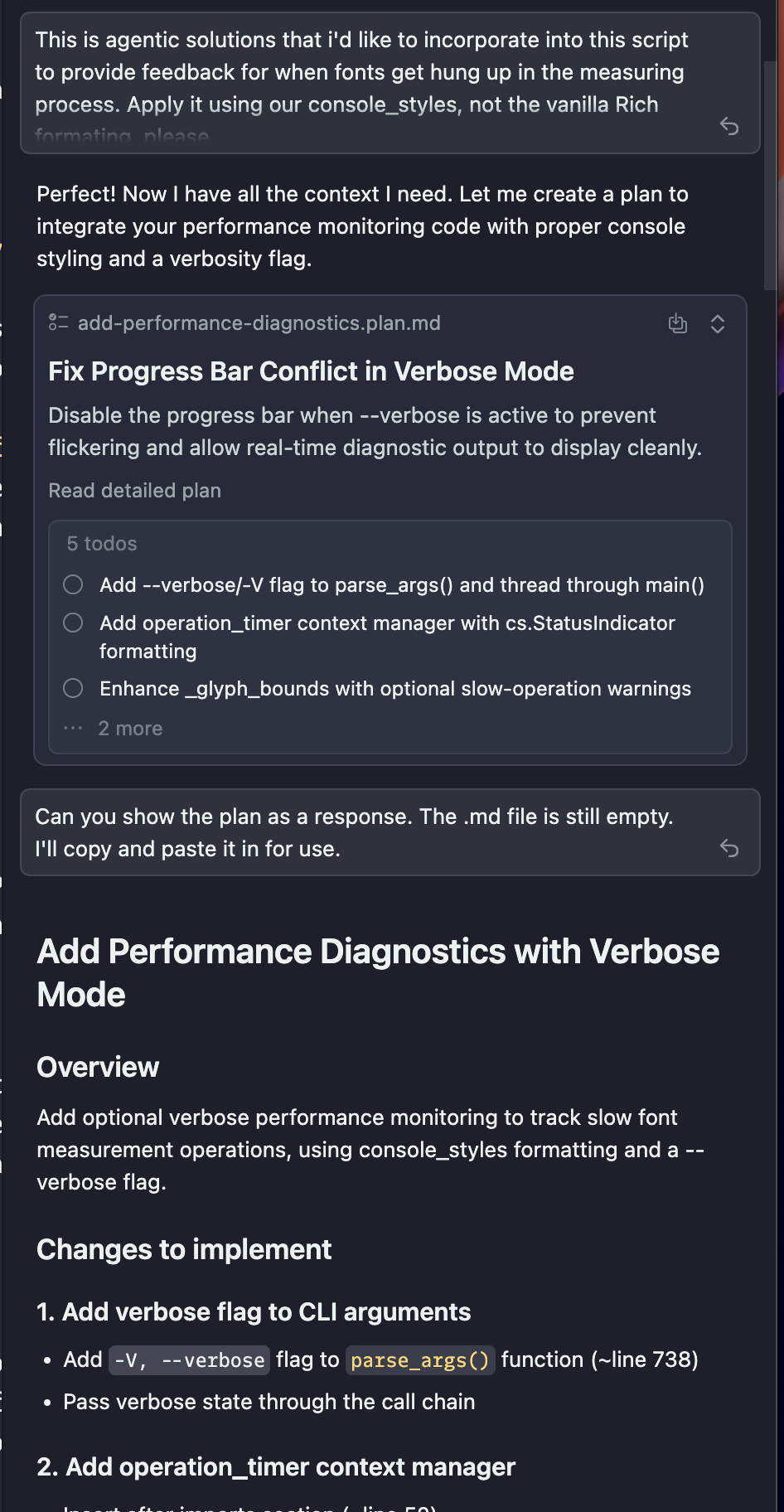
Using the Plan mode and agent is creating .md file. The chat log shows the agent writing the plan, but when viewing the .md file to see the plan. The .md file is empty.
Ask agent about empty file and it attempts to “rewrite” the plan. Again, file still empty. Ask Agent to print plan as a chat response, which I then copy and paste into .md file which allows me to use the Build action. Build action works and plan is followed.
Issue is just agent not being able to print plan to .md file it creates.
Steps to Reproduce
IDK how to reproduce. I use Plan mode with Auto agent.
Expected Behavior
Agent should be printing plan to .md file. It might be printing to cached or deleted .md file or some other in-between method, but it’s not printing to .md file it created.
Hey, thanks for the report. This is a known issue affecting versions 1.7.52–1.7.54 that the team is currently investigating.
Workaround: switch from Markdown mode to Preview mode in the editor to view the plan content. The todos should be visible there, though the full plan text may not always appear in Preview.
Your workaround (asking the agent to print the plan in chat, then copying it into the .md file) also works and will let you proceed with the Build action.
The team is working on a fix. Let me know if the Preview workaround helps for now!
Switching to Preview does show the todo list, but the plan text is still not showing. I’ll continue to request a response in the chat log and then copy/paste as it’s a functional workaround until a fix comes.
I have noticed that when the plan is created, and I go to view the plan and it’s empty, the tab is set to Markdown. If I switch to Preview, paste in the plan and then request changes to the plan, I can see the plan being updated correctly in Preview.
I don’t know what the difference is in regards to the initial creation of the document or if allowing Preview as the default setting when the plan is created would matter.
Thought I’d share my experience as it might help determine a work around or solution.