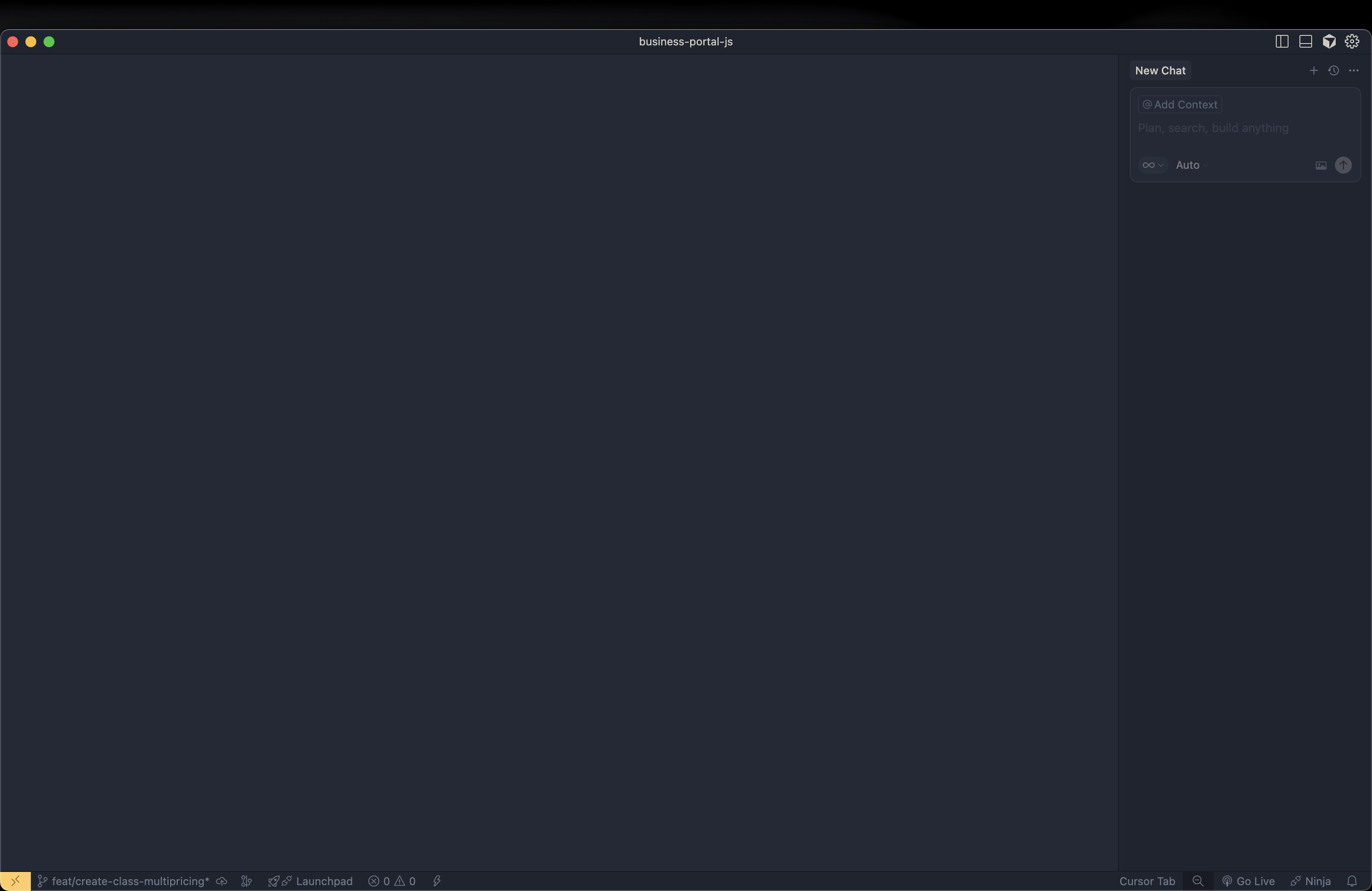
Before upgrading to mac Os 26, there is no issue but after the upgrade, the cursor no longer working, it just showing empty blank screen.
Note: the other code editors (VSCode, windsurf, etc ) are working fine after upgrade.
Steps to Reproduce
Upgrade the macos version to 26 (Tahoe)
After upgrade, the cursor is just showing blank screen even after i select and open the project folder.
@deanrie
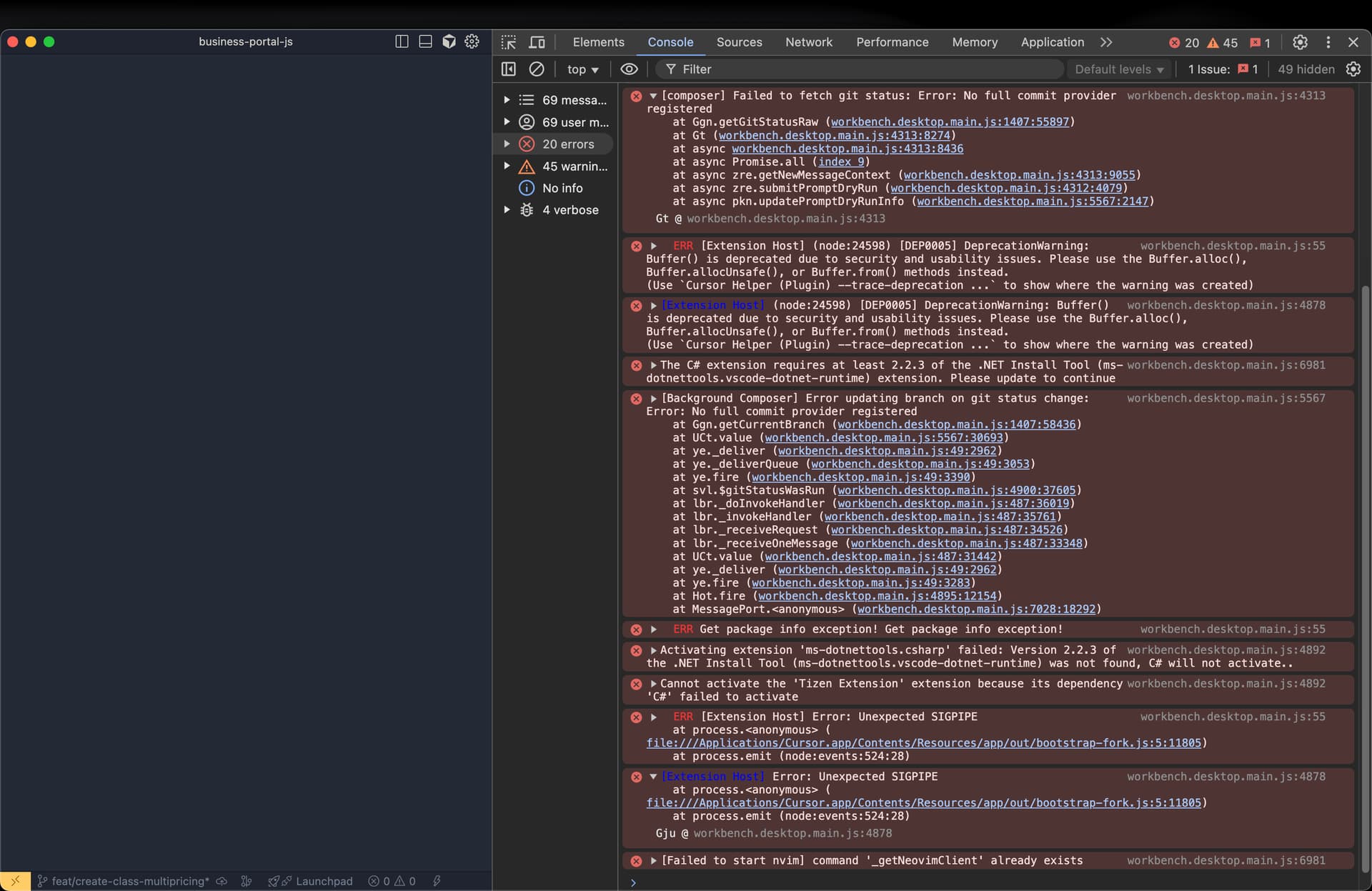
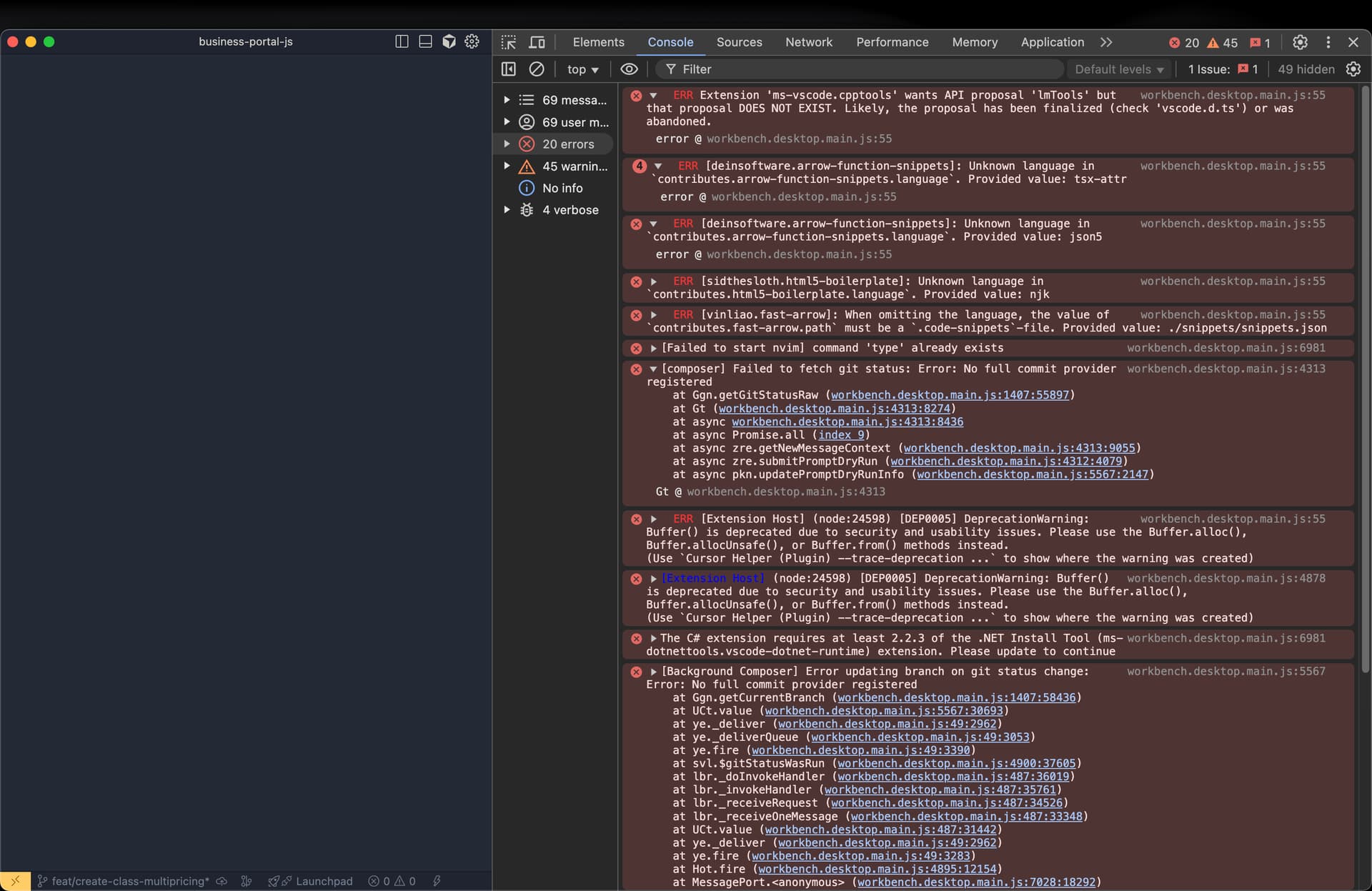
I found some errors at DevTools, here is the error messages from console
Critical Errors
ERR [Extension Host] Error: Unexpected SIGPIPE at process. (file:///Applications/Cursor.app/Contents/Resources/app/out/bootstrap-fork.js:5:11805) at process.emit (node:events:524:28)
ERR Get package info exception! Get package info exception!
ERR [Background Composer] Error updating branch on git status change: Error: No full commit provider registered at Ggn.getCurrentBranch (workbench.desktop.main.js:1407:58436) at UCt.value (workbench.desktop.main.js:5567:30693) …and the rest of the stack trace.
Extension-Specific Errors
ERR Extension ‘ms-vscode.cpptools’ wants API proposal ‘lmTools’ but that proposal DOES NOT EXIST. Likely, the proposal has been finalized (check ‘vscode.d.ts’) or was abandoned.
The C# extension requires at least 2.2.3 of the .NET Install Tool (ms-dotnettools.vscode-dotnet-runtime) extension. Please update to continue.
Activating extension ‘ms-dotnettools.csharp’ failed: Version 2.2.3 of the .NET Install Tool (ms-dotnettools.vscode-dotnet-runtime) was not found, C# will not activate..
Cannot activate the ‘Tizen Extension’ extension because its dependency ‘C#’ failed to activate.
Configuration and Unknown Language Errors
ERR [deinsoftware.arrow-function-snippets]: Unknown language in contributes.arrow-function-snippets.language. Provided value: tsx-attr
ERR [deinsoftware.arrow-function-snippets]: Unknown language in contributes.arrow-function-snippets.language. Provided value: json5
ERR [sidthesloth.html5-boilerplate]: Unknown language in contributes.html5-boilerplate.language. Provided value: njk
ERR [vinliao.fast-arrow]: When omitting the language, the value of contributes.fast-arrow.path must be a .code-snippets-file. Provided value: ./snippets/snippets.json
Other Notices
ERR [Extension Host] (node:24598) [DEP0005] DeprecationWarning: Buffer() is deprecated due to security and usability issues.
[Failed to start nvim] command ‘type’ already exists.
[Failed to start nvim] command ‘_getNeovimClient’ already exists.
I am seeing the same issue. I just upgraded to macOS Tahoe and Cursor is completely not usable. I removed cursor and cleaned up the files and installed again. It’s still the same.
I also have the same after upgrading, when I try to open a file it is stuck in loading state. Also chat/agent doesnt do anything anymore. completely unusable