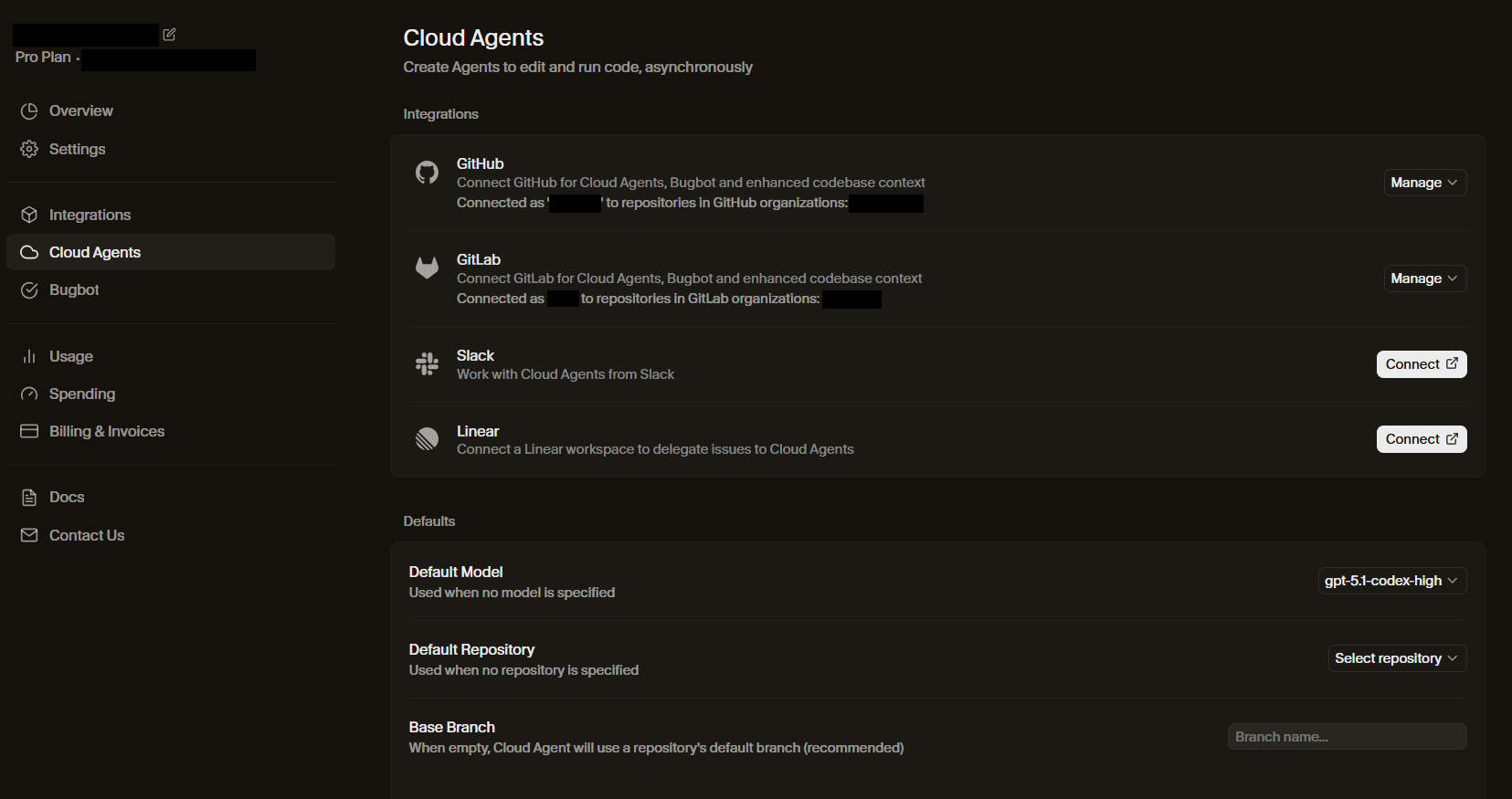
I’ve connected my gitlab to the cursor but when I try using the cloud agent for gitlab repository, there is no branch. I even tried the cloud agent API but I got this error
Failed to validate access to repository xxx/xxx. Please check repository access and that Cursor GitHub App is installed.
I was trying to use gitlab repository but as you can see it said try connect github app
Steps to Reproduce
connect to gitlab account.
go to the cloud agent page.
select a repository
there is no branch
Operating System
Linux
Current Cursor Version (Menu → About Cursor → Copy)
Hey, thanks for the report. The error message is a bit confusing, but this is actually a feature limitation rather than a bug.
GitLab is currently only supported for BugBot, not for Cloud Agents or Background Agents. Cloud Agents only work with GitHub repositories right now, which is why you’re seeing a GitHub-specific error message and no branches appearing.
GitHub or GitLab connection
Cloud agents clone your repo from GitHub or GitLab and work on a separate branch, pushing to your repo for easy handoff.
The dashboard page for Cloud Agents specifically includes the option to connect GitLab. The dashboard page for Bugbot ALSO includes an option to connect GitLab. Connecting GitLab on the Cloud Agent tab apparently DOES NOT connect GitLab to the Bugbot. This begs the question why the option is even available in the Cloud Agent tab?
Once GitLab is connected via the Cloud Agent dashboard tab, GitLab repositories are selectable in the Cloud Agents interface ( Agents | Cursor - The AI Code Editor ). However, once a GitLab repository is selected no branch can be selected.
Looking at the underlying API requests in the developer console, the call that fails is to /api/background-composer/get-repository-branches. It fails with a 500 Internal Server Error. The JSON response contains the error code ERROR_GITHUB_NO_USER_CREDENTIALS (yes, the error code references “GITHUB” not “GITLAB”).
On a minor note: The repository selection dropdown only includes the static option “Manage GitHub” at the bottom. This should probably be “Manage Integrations” or sth similar (in the future).
This all seems like the GitLab integration for Cloud Agents is a weird limbo state about to roll out? @deanrie could you clarify? I’d be happy to create a feature request, however, this is quite confusing and if possible would like some clarification first. Thank you!
I’m still seeing the same behavior. I can select a GitLab repository in a new agent, but I cannot select a branch. The dropdown component for selecting a branch is still disabled.
Hello @deanrie, thank you for your quick reply. I ran into the same issue and conducted some further testing.
Before testing again, I disconnected the GitLab integration from the Cursor Dashboard and I also revoked the Cursor application from within GitLab (Preferences > Applications > Revoke).
Newly created personal projects under my own user namespace work, and I can select branches from the dropdown menu in the agents interface.
However, for the following types of projects the agents interface still won’t allow me to select a branch. The same ERROR_GITHUB_NO_USER_CREDENTIALS error is observable in the developer console. Note: I am using the terms “old” and “new” to describe groups and projects created before and after your recent update respectively:
Old group projects created in old groups
New group projects created in old groups
New group projects created in new groups
I couldn’t test personal projects created before your update since I didn’t actually have any in my GitLab account.
So, there still appears to be an issue with projects created in groups. Personal projects seem to work fine. Thank you for your quick work on this.
Confirmed the same behavior on my end. Projects under my own account’s namespace work and I’m able to select a branch, but I’m not able to select a branch for projects under a group I’ve created.
@deanrie this is blocking us from using cloud agents and slack integration with gitlab, and i think it would affect alot of users too since most people using gitlab for work will have their repos under a group, i appreciate all the work done by the cursor team and really want to use it but i am currently blocked until this issue is solved
Hi @deanrie, the problem does indeed persist. This is a blocking issue for us as well. Cursor Agents cannot be used via the web UI or background agents with our GitLab repository in our organization’s group.
Would definitely appreciate any updates whether this will ever be fixed…
Hey, sorry for the late reply and for marking the thread as solved. The issue with group projects still isn’t fixed.
We’ve logged a bug: Cloud Agents can’t fetch the branch list for GitLab projects that live in group namespaces. Personal projects work, group projects don’t. It’s on our radar, but we don’t have an ETA yet.
I’ve shared with the team that this is a blocking issue for several users, which should help with prioritization. I’ll update the thread when I have news.
Hi, just adding here that I am experiencing the same issue. My goal is to configure my Cloud Agents to default to a particular Repository in my company’s gitlab (not self-hosted, I’m talking gitlab.com), and this desired Repository lives within a Group.
Despite successfully connecting GitLab in the Integrations page, when I go to Cloud Agents → My Settings → Select repository, I see “No items - Manage GitHub”. So it appears like the GitLab integration is not working still for me.
I am looking forward to configuring this properly when the issue is fixed!