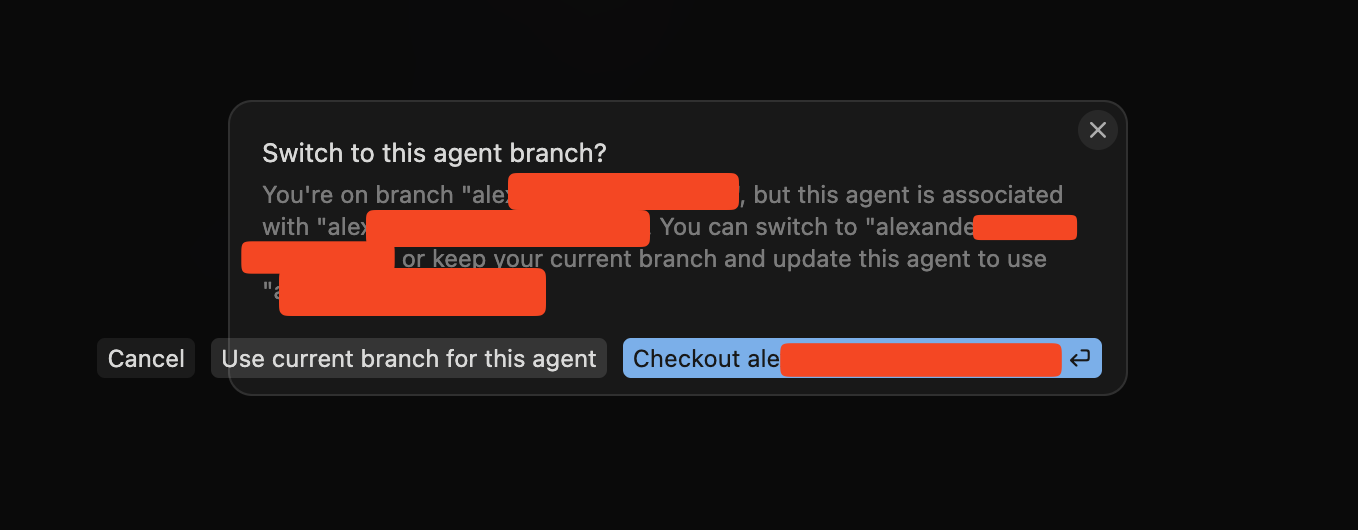
So I am trying out the new Glass interface’s alpha and instead of raising separate bugs (given there are many) I opened this thread to cover everything at once. So here are all the bugs I noticed so far
WSL doesn’t properly work. Not able to open WSL folders on the new interface. It just shows a pop up to install the WSL extension which is already installed but it doesn’t work.
Composer 2 weirdly fails to discover MCPs
Keyboard shortcuts to change models like (ctrl + /) don’t work
The usage bar is hidden below the textbox, UI glitch
For AI issues: which model did you use?
Model name (e.g., Sonnet 4, Tab…)
For AI issues: add Request ID with privacy disabled
Request ID: f9a7046a-279b-47e5-ab48-6e8dc12daba1
For Background Agent issues, also post the ID: bc-…
Additional Information
Add any other context about the problem here.
Does this stop you from using Cursor?
Yes - Cursor is unusable
Sometimes - I can sometimes use Cursor
No - Cursor works, but with this issue
The more details you provide, the easier it is for us to reproduce and fix the issue. Thanks!
Hey, thanks for the summary report. I’ll go through each item.
WSL: This is a known limitation in Glass Alpha. Remote connections like WSL and SSH aren’t fully supported yet. Workaround: run cursor --classic when working with WSL projects. I see you already opened a separate thread about this, the team is aware.
Usage bar behind the textbox: This bug is already fixed. The fix is merged, but your nightly build was made a bit earlier. It should be gone after the next update.
Keyboard shortcuts: The team knows that some hotkeys in Glass don’t work correctly, including Ctrl+/. No exact ETA yet, but it’s being tracked.
Composer 2 plus MCP: We need a bit more detail here. Which MCP servers are not being detected? Do they work fine in classic mode? Can you share a screenshot of your MCP setup and the error log if you have one, plus the Request ID? Example: top-right corner of the chat > Copy Request ID.
The Composer 2 does technically detect MCPs, but it’s a bit intermittent, it doesn’t look for it in the right directories maybe. I saw this being experienced by others in the Composer 2 feedback thread as well. I have MCP servers both at the user level and most at the project level with a mcp.json file. Sorry I don’t have a screenshot or error log per se coz it didn’t throw an error as such but just said it couldn’t find any linear mcp server, but then I reran it and it worked this time, so it was a bit intermittent. Probably some model issue or something not sure. I cannot replicate it all the time, but it happened a couple times so far. Will raise a separate bug report if it happens more often maybe.
Also, another bug, I am not able to copy text in the prompt textbox or general text from the responses of the agent and there isn’t a copy text button either. Nothing from the interface is copiable to the clipboard for me on windows. This is quite annoying, so maybe fix this as well, coz it’s a basic expectation that text can be copied from anywhere on the window, be it the conversation or the textbox.
For Composer 2 + MCP, got it. If it’s an intermittent issue, that’s fine, and you’ll start a separate thread if it becomes a consistent repeat. Keep in mind that the Request ID will really help with debugging in that case.
About copying text, this is a known issue in Glass. The team is aware, and there are similar reports on other platforms too. I’ve logged your case on Windows. For now, the workaround is to switch to cursor --classic if you need to copy text from the chat.
Should be easier to switch between the Glass and Classic
Even your agent could not find how to run the Classic mode (cursor --classic)
Should be a separate UX app that sucks that you hide the editor, if I want to work with Glass I have Codex, I need Cursor for its IDE
And the fact that you break the UX every version is so annoying this is basic in dev product, do not change it every version this is crazy and I am thinking about canceling subscription.
I think its already easy to switch and there’s a clear separation of the UX for both cases.
Not sure what you’re experiencing but for me the IDE is the default and then I can choose to switch to Glass which in my opinion is the preferred experience for users, so that’s fine.
@deanrie one more feedback, would like if the context window progress bar circle that is typically shown in the IDE view is also shown in Glass. Helps to better keep track if the current session is too long.
Tagging onto this some feedback or feature request for glass - Loving it so far
currently when you swtich between the chats, this awesome simplified SCM pane changes based on which repo the chat lives in, but if you are within a worktree, it doesnt detect that
in order to have multiple chats running on the same repo at once to work on features in parralel I have each chat work inside a git work tree, it’d be great to make this scm pane (and the terminal) default and detect the worktree the agent is in and change to that as its hard to then see the worktree diffs and commit them
@deanrie One more issue, not able to take a screenshot and stuff in the browser of Glass like we could in the regular IDE where we could directly attach the current screenshot in our chat to change something or ask something. I think for the Glass UX this is one of the most important things to be able to easily attach screenshots while agentic coding.
I’ve tried Glass several times because the UI is beautiful, but I keep switching back to Classic due to some frustrations.
For example, it’s hard to find which files I’ve modified but haven’t committed—it’s not just unintuitive, it’s almost impossible to locate them.
Also, the browser lacks a screenshot feature.
Another issue is tabs. Although tabs exist, files, browser, and terminal are separated. Switching between them takes at least two clicks, which increases friction. Previously, having everything (files, browser, plans) in a unified tab system was much more convenient.
If possible, I’d like to keep a unified tab system where everything is a tab, and I can freely arrange them. This way, I can split tabs into multiple panes and view things like code and terminal side by side. That would cover almost all my needs.
Glass has been significantly rebuilt since these issues were reported, and many of the bugs listed here (such as MCP discovery, keyboard shortcuts, and UI glitches) have been addressed as part of that work. Updating to the latest version should resolve those. Note that WSL support in Glass is still being worked on and has not been addressed yet.
If you’re still experiencing any of the resolved issues on the latest version of Cursor, please raise a new thread and we’ll take a look.
Yeah I appreciate the new interface, but I think full feature parity with existing editor view is still pending. I did try the new Agents window but I think for now I will remain into the editor view. There are still many annoyances which make me repeatedly switch over back to the editor despite trying to use the Agents window. I do want to manage multiple agents but this interface is still buggy to be usable as a power user atleast.
Some issues still persist which make it unusable for me personally UX wise:
Not able to take screenshots in the browser
The UX of the files and tabs is weird, like really weird and different as users coming from VScode. It takes multiple clicks to open a file and have to jump through hoops to do something.
Git view is non-existent. Why the heck is Push an agent command, its a simple git push, coz of which I have to always to terminal and push my code. Why would I want the agent to consume tokens to simple push the code???
WSL still not supported so useless to me for backend work. For frontend I use windows so partially usable though fundamental UX issues still prevent me even for frontend.
Keyboard shortcuts not all supported yet. Would atleast like a simple cmd+p file search like the editor.
I currently use the maximize chat window option in editor to simulate the agent experience and hide/show different panels to optimize but I wished the multi-agent experience was possible with editor’s file navigation, browser and tab views.
I know with all this I am basically asking all of the editor view features and this window is not intended for that, but you have to understand and own the fact that you are a developer first product not a vibe-coder first. I understand market competition might have made you take this decision to create a multi-agent manager window sorta thing, but you lost sight that all your users are developers mostly. So a reimagined agent view which is still familiar to a developer used to the vscode style features is something that all of us will really love.
This is not coming from a place of complaining but from being a loyal user of cursor for the last 3 years since the early days of cursor. If I wanted to vibe code I have other options, but the only reason I stay on cursor and pay like $200 a month (being from India xD) is because I like the human-AI collaboration and like that I can always take control whenever I want, that’s why I continue using the editor view even though I don’t code by hand anymore (haven’t used the Tab completion in over a year now which was the OG feature which kept me in cursor before agents came, lol), it’s still easier to navigate around the files, tabs, terminals in the editor view than the agents window.
I get that making everything the editor does is not possible in a lightweight agents window when you are optimizing for performance, but the core UX of navigation of files and tabs if brought to agents window, will be the best thing for me to actually use this window.
I hope you take this feedback to the team and we get a better, more intentionally designed version of the Agents window serving developers not vibe-coders. If you can’t own that you are a developer-first platform then, cursor has just lost sight to get some PR and run the rat race of vibe coding.