Cursor 3: Agents Window

New in Cursor! · Full changelog · Main announcement · Blog

We’re excited to introduce the Agents Window, a unified workspace for building software with agents, built from the ground up.

Read the full blog post: Meet the New Cursor

How it works

The Agents Window is a new interface centered around agents. It’s inherently multi-workspace, letting you and your agents work across different repos from one place.

You can run as many agents as you want: locally, in the cloud, in worktrees, or on remote SSH, and they all appear in the sidebar, including ones kicked off from mobile, web, desktop, Slack, GitHub, and Linear. Cloud agents produce demos and screenshots of their work for you to verify.

Moving agents between environments is fast: shift a session from cloud to local when you want to make edits and test on your own machine, or from local to cloud to keep it running while you’re offline or moving on to the next task.

The new interface also features a simpler diffs view for faster review, and the ability to stage, commit, and manage PRs without leaving the window.

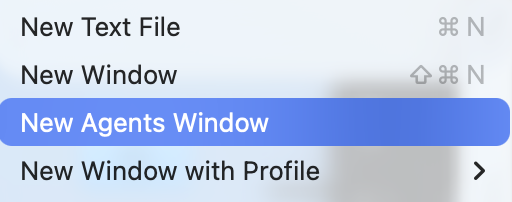
To try it, upgrade Cursor and type Cmd+Shift+P → Agents Window. You can switch back to the IDE anytime, or have both open simultaneously.

Learn more: Agents Window documentation

We’d love your feedback!

  • How does the Agents Window change the way you work with multiple agents?
  • How is the local ↔ cloud handoff working for your workflow?
  • What kinds of multi-agent workflows are you running across environments?

If you’ve found a bug, please post it in Bug Reports instead, so we can track and address it properly, but also feel free to drop a link to it in this thread for visibility.
2 Likes

How do we get the video recordings? Is this from a cloud agent? I am starting a new web app project and I want to lean in on the agentic work flow as much as possible to try it out, but I am not sure how to do it (what settings to turn on, what modes, what kind of agents to use, use worktrees or no, etc…).

It actually would be super helpful to have a video tutorial that takes a user through a small mini-project that uses the latest Cursor features and demonstrates a good workflow.

I can do a bug report, but, has anyone gotten this to work? Any version over 3 should have it? What is the actual command? Here it says Agents Window, in the docs it says View: New Agents Window… I don’t see any of those options. I am on enterprise but enabled the option for everyone, in the enterprise settings is called Glass…
There appears to be a regression, I actually have no way of starting a cloud agent locally now that I can see… I had that before upgrading earlier today.
Am I missing something?

1 Like

I love the agents window, but I’m sad that I can’t theme it with VS Code themes or at least have it use the default Cursor theme from before.

I’m mystified about how to get this working.

  1. Upgraded to Cursor 3
  2. Ensured Agents Window is enabled in Enterprise Settings
  3. Restarted Cursor

Despite that, no cmd+shift+p → Open (Agents|Editor) Window and no multi-workspace view. Instructions for enablement could really use some work.

I’ve seen a few mentions of “Glass”… Is Mac OSX Tahoe required to see the new interface?

I managed to get it working, key was to sign out, then in the top theres a button to switch to the new agent view, then you can sign back in.. I haven’t closed it yet though. Its been a bit flaky, not sure if the issues I am hitting are because of the way I got it to open though… I’m sure the cursor team will be rolling patches so I’ll be patient :slight_smile:

This is fire, been waiting for this forever, big thanks Cursor team!

Will the IDE being shut down in the future?